Building an online course website that actually keeps students engaged requires more than just uploading videos and hoping for the best. After working with dozens of course creators, I've noticed the most successful ones share specific design features that turn casual browsers into committed learners.
The difference between courses with 90% completion rates and those where students disappear after week one often comes down to how the website guides the learning experience. Smart online course website design creates momentum, reduces friction, and makes students feel supported throughout their journey.
Clear Course Navigation Structure
Students need to understand exactly where they are in your course at all times. A well-structured navigation system shows progress, highlights what's next, and lets learners jump between modules without getting lost.
The best course websites use a persistent sidebar or top navigation that displays all modules and lessons. Mark completed content with checkmarks or progress indicators. Include estimated time for each lesson so students can plan their learning sessions.
Consider how Codecademy structures their courses with a clear path from beginner to advanced topics. Each lesson builds on the previous one, but students can also see the entire curriculum map. This transparency helps learners understand the commitment and see how each piece fits into their overall learning goals.
Mobile-First Learning Experience
Over 60% of online learners access courses from their phones during commutes, lunch breaks, or while waiting in line. If your course website doesn't work seamlessly on mobile, you're losing students before they even start.
Mobile optimization goes beyond responsive design. Video players need large, thumb-friendly controls. Text should be readable without zooming. Downloads should work offline for students with spotty connections. Quiz interfaces need touch-optimized buttons and input fields that don't frustrate mobile users.
Test your entire course flow on an actual phone. Can students easily pause a video, take notes, and resume later? Do discussion forums work without constant pinching and zooming? These details determine whether students stick with your content or abandon it for something more accessible.
Interactive Progress Tracking
Students stay motivated when they can see their progress. Visual progress bars, completion percentages, and achievement milestones transform abstract learning into concrete accomplishments.
Build progress tracking into every level of your course structure. Show overall course completion, module progress, and even progress within individual lessons. Celebrate milestones with congratulations messages or badges when students complete sections.
Progress tracking isn't just about percentages—it's about making students feel accomplished and motivated to continue.
Some platforms take this further with streak counters, showing how many consecutive days students have engaged with content. Others display time invested or skills mastered. Choose metrics that align with your course goals and student motivations.
Community Integration Features
Learning in isolation kills motivation. The most engaging course websites build community directly into the learning experience through discussion forums, peer feedback systems, and collaborative projects.
Discussion areas should be organized by lesson or topic, making it easy for students to ask questions about specific content. Enable notifications so students know when instructors or peers respond. Consider adding profile features so learners can connect with others at similar skill levels.
Live cohort features take community further. Students who start together, meet regularly, and support each other through the course material show significantly higher completion rates.
Multimedia Content Delivery
Different students learn differently. While video might be your primary content format, supplementing with transcripts, downloadable slides, audio-only versions, and written summaries accommodates various learning styles and situations.
Transcripts help non-native speakers follow along and make content searchable. Audio versions let students learn during workouts or commutes. Downloadable resources provide offline access and reference materials students can return to after completing the course.
Pay attention to video quality basics: good lighting, clear audio, and steady camera work. But don't obsess over production value. Students care more about clear explanations and practical examples than Hollywood-level editing.
Smart Assessment Tools
Quizzes and assignments aren't just about grades—they're learning tools that help students identify knowledge gaps and reinforce key concepts. Well-designed assessments provide immediate feedback and explanations, turning wrong answers into teaching moments.
Mix assessment types throughout your course. Quick knowledge checks after each video keep students engaged. Larger projects at module ends let them apply what they've learned. Peer review assignments build community while developing critical evaluation skills.
Consider offering multiple attempts with different questions, reducing test anxiety while ensuring mastery. Some course creators add timed challenges for students who want extra pressure, while others focus on open-book assessments that mirror real-world problem solving.
Personalized Learning Paths
Not every student needs the same content in the same order. Advanced learners might skip basics, while beginners need extra foundational material. Personalized paths let students customize their journey based on existing knowledge and goals.
Start with a skills assessment or questionnaire that recommends a learning path. Let students test out of modules they already understand. Offer optional deep-dive content for those who want to explore topics further.
This flexibility respects student time and prevents boredom or overwhelm. Someone switching careers might need every lesson, while a professional updating skills might focus on specific new techniques. Your course website should accommodate both.
Strategic Certification Display
Certificates provide tangible proof of achievement, but their value depends on presentation and credibility. Design certificates that students will proudly share on LinkedIn or display in their offices.
Include specific skills learned, hours completed, and your credentials as an instructor. Add unique certificate numbers for verification. Some course creators partner with industry organizations for accreditation, adding weight to their certifications.
Make certificates easily shareable with built-in social media buttons and LinkedIn integration. Create a public verification page where employers can confirm certificate authenticity. These features transform completion from a personal milestone into a professional credential.
Choosing the Right Platform
Your course website platform determines which engagement features you can implement. Dedicated course platforms like Teachable or Thinkific include most features out of the box but lock you into their ecosystem and pricing.
Website builders offer more flexibility but require additional tools. If you're already building a course creator website on Squarespace, you'll need third-party integrations for advanced features like progress tracking and assessments.
Consider your technical skills, budget, and growth plans. Starting simple and adding features as you grow often works better than overwhelming students (and yourself) with every possible feature from day one.
Measuring Engagement Success
Track metrics that matter for student success, not vanity numbers. Completion rates, lesson engagement time, and discussion participation reveal more than page views or sign-up counts.
Set up analytics to identify where students drop off. If 40% abandon after lesson three, investigate why. Is the content suddenly more difficult? Is the video too long? Are technical issues preventing progress?
Regular student surveys provide qualitative data analytics miss. Ask about navigation frustrations, content clarity, and missing features. Student feedback often reveals simple improvements that dramatically boost engagement.
Moving Forward
Engaged students complete courses, achieve results, and recommend your content to others. By implementing these eight features thoughtfully, you create an online course website that supports learning rather than hindering it.
Start with the basics: clear navigation, mobile optimization, and progress tracking. Add community features and multimedia content as you grow. Most importantly, listen to your students and iterate based on their needs.
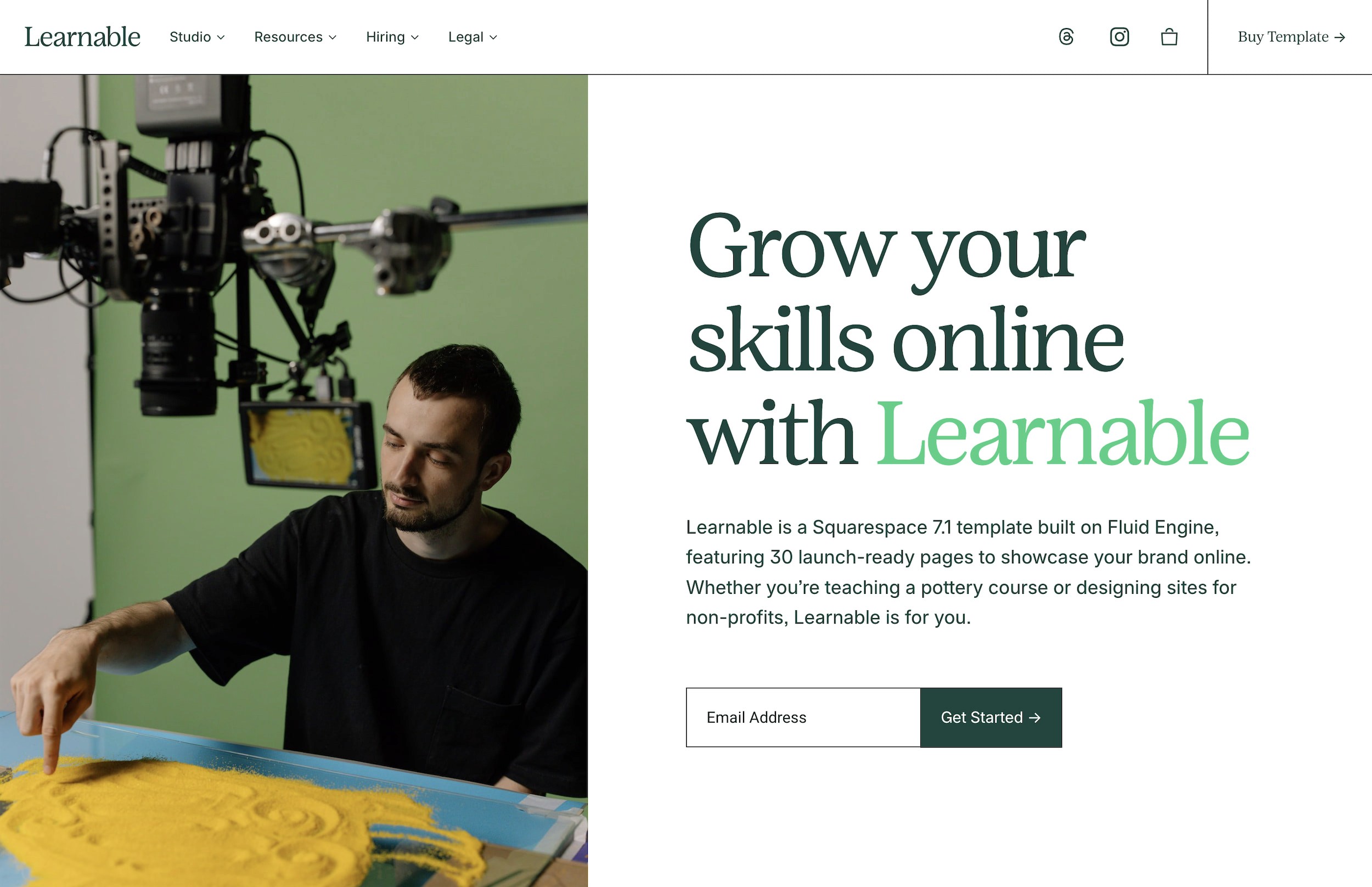
If you're ready to build a course website that prioritizes student engagement, the Learnable template includes course pages, community sections, and a structure designed specifically for online educators. It's built on the same principles that keep students engaged and coming back for more.
Frequently Asked Questions
How much should I invest in online course website design?
Budget depends on your technical skills and course complexity. DIY options using templates range from $200-500 annually. Custom development starts around $5,000 but can exceed $25,000 for complex platforms. Most successful course creators start simple and reinvest profits into platform improvements.
Which platform is best for hosting online courses?
No single platform works for everyone. Teachable and Thinkific excel at course delivery but limit customization. WordPress with LearnDash offers flexibility but requires technical maintenance. Squarespace with course add-ons balances ease of use with design control. Choose based on your technical comfort and specific feature needs.
How do I price my online course competitively?
Research similar courses in your niche, considering content depth, instructor credentials, and included support. Most successful courses price between $97-497, with premium offerings exceeding $2,000. Price based on transformation value, not content hours. Test different price points and track conversion rates to find your sweet spot.
What completion rate should I expect for my online course?
Industry average completion rates hover around 15%, but engaged communities and well-designed courses can achieve 40-60%. Free courses see lower completion (5-10%) while paid courses with live components often exceed 70%. Focus on improving your rate over time rather than hitting a specific target.
Do I need video content for a successful online course?
Video improves engagement but isn't mandatory. Many successful courses use primarily text, audio, or interactive exercises. The key is matching format to content and audience preferences. Technical courses might benefit from screen recordings, while writing courses could focus on text-based exercises and feedback.
Building an online course website that actually keeps students engaged requires more than just uploading videos and hoping for the best. After working with dozens of course creators, I've noticed the most successful ones share specific design features that turn casual browsers into committed learners.
The difference between courses with 90% completion rates and those where students disappear after week one often comes down to how the website guides the learning experience. Smart online course website design creates momentum, reduces friction, and makes students feel supported throughout their journey.
Clear Course Navigation Structure
Students need to understand exactly where they are in your course at all times. A well-structured navigation system shows progress, highlights what's next, and lets learners jump between modules without getting lost.
The best course websites use a persistent sidebar or top navigation that displays all modules and lessons. Mark completed content with checkmarks or progress indicators. Include estimated time for each lesson so students can plan their learning sessions.
Consider how Codecademy structures their courses with a clear path from beginner to advanced topics. Each lesson builds on the previous one, but students can also see the entire curriculum map. This transparency helps learners understand the commitment and see how each piece fits into their overall learning goals.
Mobile-First Learning Experience
Over 60% of online learners access courses from their phones during commutes, lunch breaks, or while waiting in line. If your course website doesn't work seamlessly on mobile, you're losing students before they even start.
Mobile optimization goes beyond responsive design. Video players need large, thumb-friendly controls. Text should be readable without zooming. Downloads should work offline for students with spotty connections. Quiz interfaces need touch-optimized buttons and input fields that don't frustrate mobile users.
Test your entire course flow on an actual phone. Can students easily pause a video, take notes, and resume later? Do discussion forums work without constant pinching and zooming? These details determine whether students stick with your content or abandon it for something more accessible.
Interactive Progress Tracking
Students stay motivated when they can see their progress. Visual progress bars, completion percentages, and achievement milestones transform abstract learning into concrete accomplishments.
Build progress tracking into every level of your course structure. Show overall course completion, module progress, and even progress within individual lessons. Celebrate milestones with congratulations messages or badges when students complete sections.
Progress tracking isn't just about percentages—it's about making students feel accomplished and motivated to continue.
Some platforms take this further with streak counters, showing how many consecutive days students have engaged with content. Others display time invested or skills mastered. Choose metrics that align with your course goals and student motivations.
Community Integration Features
Learning in isolation kills motivation. The most engaging course websites build community directly into the learning experience through discussion forums, peer feedback systems, and collaborative projects.
Discussion areas should be organized by lesson or topic, making it easy for students to ask questions about specific content. Enable notifications so students know when instructors or peers respond. Consider adding profile features so learners can connect with others at similar skill levels.
Live cohort features take community further. Students who start together, meet regularly, and support each other through the course material show significantly higher completion rates.
Multimedia Content Delivery
Different students learn differently. While video might be your primary content format, supplementing with transcripts, downloadable slides, audio-only versions, and written summaries accommodates various learning styles and situations.
Transcripts help non-native speakers follow along and make content searchable. Audio versions let students learn during workouts or commutes. Downloadable resources provide offline access and reference materials students can return to after completing the course.
Pay attention to video quality basics: good lighting, clear audio, and steady camera work. But don't obsess over production value. Students care more about clear explanations and practical examples than Hollywood-level editing.
Smart Assessment Tools
Quizzes and assignments aren't just about grades—they're learning tools that help students identify knowledge gaps and reinforce key concepts. Well-designed assessments provide immediate feedback and explanations, turning wrong answers into teaching moments.
Mix assessment types throughout your course. Quick knowledge checks after each video keep students engaged. Larger projects at module ends let them apply what they've learned. Peer review assignments build community while developing critical evaluation skills.
Consider offering multiple attempts with different questions, reducing test anxiety while ensuring mastery. Some course creators add timed challenges for students who want extra pressure, while others focus on open-book assessments that mirror real-world problem solving.
Personalized Learning Paths
Not every student needs the same content in the same order. Advanced learners might skip basics, while beginners need extra foundational material. Personalized paths let students customize their journey based on existing knowledge and goals.
Start with a skills assessment or questionnaire that recommends a learning path. Let students test out of modules they already understand. Offer optional deep-dive content for those who want to explore topics further.
This flexibility respects student time and prevents boredom or overwhelm. Someone switching careers might need every lesson, while a professional updating skills might focus on specific new techniques. Your course website should accommodate both.
Strategic Certification Display
Certificates provide tangible proof of achievement, but their value depends on presentation and credibility. Design certificates that students will proudly share on LinkedIn or display in their offices.
Include specific skills learned, hours completed, and your credentials as an instructor. Add unique certificate numbers for verification. Some course creators partner with industry organizations for accreditation, adding weight to their certifications.
Make certificates easily shareable with built-in social media buttons and LinkedIn integration. Create a public verification page where employers can confirm certificate authenticity. These features transform completion from a personal milestone into a professional credential.
Choosing the Right Platform
Your course website platform determines which engagement features you can implement. Dedicated course platforms like Teachable or Thinkific include most features out of the box but lock you into their ecosystem and pricing.
Website builders offer more flexibility but require additional tools. If you're already building a course creator website on Squarespace, you'll need third-party integrations for advanced features like progress tracking and assessments.
Consider your technical skills, budget, and growth plans. Starting simple and adding features as you grow often works better than overwhelming students (and yourself) with every possible feature from day one.
Measuring Engagement Success
Track metrics that matter for student success, not vanity numbers. Completion rates, lesson engagement time, and discussion participation reveal more than page views or sign-up counts.
Set up analytics to identify where students drop off. If 40% abandon after lesson three, investigate why. Is the content suddenly more difficult? Is the video too long? Are technical issues preventing progress?
Regular student surveys provide qualitative data analytics miss. Ask about navigation frustrations, content clarity, and missing features. Student feedback often reveals simple improvements that dramatically boost engagement.
Moving Forward
Engaged students complete courses, achieve results, and recommend your content to others. By implementing these eight features thoughtfully, you create an online course website that supports learning rather than hindering it.
Start with the basics: clear navigation, mobile optimization, and progress tracking. Add community features and multimedia content as you grow. Most importantly, listen to your students and iterate based on their needs.
If you're ready to build a course website that prioritizes student engagement, the Learnable template includes course pages, community sections, and a structure designed specifically for online educators. It's built on the same principles that keep students engaged and coming back for more.
Frequently Asked Questions
How much should I invest in online course website design?
Budget depends on your technical skills and course complexity. DIY options using templates range from $200-500 annually. Custom development starts around $5,000 but can exceed $25,000 for complex platforms. Most successful course creators start simple and reinvest profits into platform improvements.
Which platform is best for hosting online courses?
No single platform works for everyone. Teachable and Thinkific excel at course delivery but limit customization. WordPress with LearnDash offers flexibility but requires technical maintenance. Squarespace with course add-ons balances ease of use with design control. Choose based on your technical comfort and specific feature needs.
How do I price my online course competitively?
Research similar courses in your niche, considering content depth, instructor credentials, and included support. Most successful courses price between $97-497, with premium offerings exceeding $2,000. Price based on transformation value, not content hours. Test different price points and track conversion rates to find your sweet spot.
What completion rate should I expect for my online course?
Industry average completion rates hover around 15%, but engaged communities and well-designed courses can achieve 40-60%. Free courses see lower completion (5-10%) while paid courses with live components often exceed 70%. Focus on improving your rate over time rather than hitting a specific target.
Do I need video content for a successful online course?
Video improves engagement but isn't mandatory. Many successful courses use primarily text, audio, or interactive exercises. The key is matching format to content and audience preferences. Technical courses might benefit from screen recordings, while writing courses could focus on text-based exercises and feedback.
Building an online course website that actually keeps students engaged requires more than just uploading videos and hoping for the best. After working with dozens of course creators, I've noticed the most successful ones share specific design features that turn casual browsers into committed learners.
The difference between courses with 90% completion rates and those where students disappear after week one often comes down to how the website guides the learning experience. Smart online course website design creates momentum, reduces friction, and makes students feel supported throughout their journey.
Clear Course Navigation Structure
Students need to understand exactly where they are in your course at all times. A well-structured navigation system shows progress, highlights what's next, and lets learners jump between modules without getting lost.
The best course websites use a persistent sidebar or top navigation that displays all modules and lessons. Mark completed content with checkmarks or progress indicators. Include estimated time for each lesson so students can plan their learning sessions.
Consider how Codecademy structures their courses with a clear path from beginner to advanced topics. Each lesson builds on the previous one, but students can also see the entire curriculum map. This transparency helps learners understand the commitment and see how each piece fits into their overall learning goals.
Mobile-First Learning Experience
Over 60% of online learners access courses from their phones during commutes, lunch breaks, or while waiting in line. If your course website doesn't work seamlessly on mobile, you're losing students before they even start.
Mobile optimization goes beyond responsive design. Video players need large, thumb-friendly controls. Text should be readable without zooming. Downloads should work offline for students with spotty connections. Quiz interfaces need touch-optimized buttons and input fields that don't frustrate mobile users.
Test your entire course flow on an actual phone. Can students easily pause a video, take notes, and resume later? Do discussion forums work without constant pinching and zooming? These details determine whether students stick with your content or abandon it for something more accessible.
Interactive Progress Tracking
Students stay motivated when they can see their progress. Visual progress bars, completion percentages, and achievement milestones transform abstract learning into concrete accomplishments.
Build progress tracking into every level of your course structure. Show overall course completion, module progress, and even progress within individual lessons. Celebrate milestones with congratulations messages or badges when students complete sections.
Progress tracking isn't just about percentages—it's about making students feel accomplished and motivated to continue.
Some platforms take this further with streak counters, showing how many consecutive days students have engaged with content. Others display time invested or skills mastered. Choose metrics that align with your course goals and student motivations.
Community Integration Features
Learning in isolation kills motivation. The most engaging course websites build community directly into the learning experience through discussion forums, peer feedback systems, and collaborative projects.
Discussion areas should be organized by lesson or topic, making it easy for students to ask questions about specific content. Enable notifications so students know when instructors or peers respond. Consider adding profile features so learners can connect with others at similar skill levels.
Live cohort features take community further. Students who start together, meet regularly, and support each other through the course material show significantly higher completion rates.
Multimedia Content Delivery
Different students learn differently. While video might be your primary content format, supplementing with transcripts, downloadable slides, audio-only versions, and written summaries accommodates various learning styles and situations.
Transcripts help non-native speakers follow along and make content searchable. Audio versions let students learn during workouts or commutes. Downloadable resources provide offline access and reference materials students can return to after completing the course.
Pay attention to video quality basics: good lighting, clear audio, and steady camera work. But don't obsess over production value. Students care more about clear explanations and practical examples than Hollywood-level editing.
Smart Assessment Tools
Quizzes and assignments aren't just about grades—they're learning tools that help students identify knowledge gaps and reinforce key concepts. Well-designed assessments provide immediate feedback and explanations, turning wrong answers into teaching moments.
Mix assessment types throughout your course. Quick knowledge checks after each video keep students engaged. Larger projects at module ends let them apply what they've learned. Peer review assignments build community while developing critical evaluation skills.
Consider offering multiple attempts with different questions, reducing test anxiety while ensuring mastery. Some course creators add timed challenges for students who want extra pressure, while others focus on open-book assessments that mirror real-world problem solving.
Personalized Learning Paths
Not every student needs the same content in the same order. Advanced learners might skip basics, while beginners need extra foundational material. Personalized paths let students customize their journey based on existing knowledge and goals.
Start with a skills assessment or questionnaire that recommends a learning path. Let students test out of modules they already understand. Offer optional deep-dive content for those who want to explore topics further.
This flexibility respects student time and prevents boredom or overwhelm. Someone switching careers might need every lesson, while a professional updating skills might focus on specific new techniques. Your course website should accommodate both.
Strategic Certification Display
Certificates provide tangible proof of achievement, but their value depends on presentation and credibility. Design certificates that students will proudly share on LinkedIn or display in their offices.
Include specific skills learned, hours completed, and your credentials as an instructor. Add unique certificate numbers for verification. Some course creators partner with industry organizations for accreditation, adding weight to their certifications.
Make certificates easily shareable with built-in social media buttons and LinkedIn integration. Create a public verification page where employers can confirm certificate authenticity. These features transform completion from a personal milestone into a professional credential.
Choosing the Right Platform
Your course website platform determines which engagement features you can implement. Dedicated course platforms like Teachable or Thinkific include most features out of the box but lock you into their ecosystem and pricing.
Website builders offer more flexibility but require additional tools. If you're already building a course creator website on Squarespace, you'll need third-party integrations for advanced features like progress tracking and assessments.
Consider your technical skills, budget, and growth plans. Starting simple and adding features as you grow often works better than overwhelming students (and yourself) with every possible feature from day one.
Measuring Engagement Success
Track metrics that matter for student success, not vanity numbers. Completion rates, lesson engagement time, and discussion participation reveal more than page views or sign-up counts.
Set up analytics to identify where students drop off. If 40% abandon after lesson three, investigate why. Is the content suddenly more difficult? Is the video too long? Are technical issues preventing progress?
Regular student surveys provide qualitative data analytics miss. Ask about navigation frustrations, content clarity, and missing features. Student feedback often reveals simple improvements that dramatically boost engagement.
Moving Forward
Engaged students complete courses, achieve results, and recommend your content to others. By implementing these eight features thoughtfully, you create an online course website that supports learning rather than hindering it.
Start with the basics: clear navigation, mobile optimization, and progress tracking. Add community features and multimedia content as you grow. Most importantly, listen to your students and iterate based on their needs.
If you're ready to build a course website that prioritizes student engagement, the Learnable template includes course pages, community sections, and a structure designed specifically for online educators. It's built on the same principles that keep students engaged and coming back for more.
Frequently Asked Questions
How much should I invest in online course website design?
Budget depends on your technical skills and course complexity. DIY options using templates range from $200-500 annually. Custom development starts around $5,000 but can exceed $25,000 for complex platforms. Most successful course creators start simple and reinvest profits into platform improvements.
Which platform is best for hosting online courses?
No single platform works for everyone. Teachable and Thinkific excel at course delivery but limit customization. WordPress with LearnDash offers flexibility but requires technical maintenance. Squarespace with course add-ons balances ease of use with design control. Choose based on your technical comfort and specific feature needs.
How do I price my online course competitively?
Research similar courses in your niche, considering content depth, instructor credentials, and included support. Most successful courses price between $97-497, with premium offerings exceeding $2,000. Price based on transformation value, not content hours. Test different price points and track conversion rates to find your sweet spot.
What completion rate should I expect for my online course?
Industry average completion rates hover around 15%, but engaged communities and well-designed courses can achieve 40-60%. Free courses see lower completion (5-10%) while paid courses with live components often exceed 70%. Focus on improving your rate over time rather than hitting a specific target.
Do I need video content for a successful online course?
Video improves engagement but isn't mandatory. Many successful courses use primarily text, audio, or interactive exercises. The key is matching format to content and audience preferences. Technical courses might benefit from screen recordings, while writing courses could focus on text-based exercises and feedback.
