Your church donation page converts at 2.3% while the best-performing churches see rates above 15%. The difference isn't the donation platform you chose—it's how you designed the giving experience.
After analyzing hundreds of church websites and working with ministries to optimize their online giving, I've identified the specific design elements that separate high-converting donation pages from the rest. These aren't platform-specific features. They're design principles that work whether you're using Pushpay, Tithe.ly, or embedding forms directly into your Squarespace site.
Essential Features Every Church Donation Page Needs
Before diving into optimization tactics, your donation page needs these foundational elements. Miss any of these and conversion rates plummet, regardless of how pretty the design looks.
Multiple Payment Methods
Accept credit cards, debit cards, ACH bank transfers, Apple Pay, and Google Pay at minimum. Churches limiting payment options to credit cards alone lose 35% of potential donors who prefer other methods. ACH transfers matter especially for recurring givers who want lower processing fees.
Recurring Donation Options
Make recurring giving the default selection, not the afterthought. Position weekly, bi-weekly, and monthly options prominently. Churches that default to recurring donations see 4x higher lifetime donor value.
Mobile-First Design
68% of church donations now happen on mobile devices. Your donation form must work flawlessly on phones—large tap targets, minimal typing, autofill support, and zero horizontal scrolling.
Guest Checkout
Forcing account creation kills conversions. Allow one-time donors to give without creating a profile, then invite them to save their information after the donation completes.
Real-Time Validation
Show errors inline as donors type, not after they hit submit. Validate credit card numbers, expiration dates, and CVV codes in real-time to prevent frustrating form resubmissions.
These features form your baseline. Now let's examine the design elements that transform average donation pages into conversion machines.
Top Church Donation Platforms Compared (2026)
Choosing the right platform sets the foundation for everything else. Here's how the major players stack up based on features, fees, and actual church feedback:
Tithe.ly
Processing: 2.9% + 30¢ (credit/debit), 1% + 25¢ (ACH)
Monthly fee: Free plan available, Pro at $59/month
Key strength: Text-to-give functionality with custom keywords
Best for: Small to mid-size churches wanting comprehensive features without complexity
Pushpay
Processing: Custom quotes (typically 2.5-2.8% for credit)
Monthly fee: Starting at $199/month
Key strength: Advanced donor analytics and engagement tools
Best for: Large churches with dedicated administrative staff
Planning Center Giving
Processing: 2.15% + 30¢ (credit/debit), 0.75% (ACH)
Monthly fee: Free with Processing fees
Key strength: Seamless integration with Planning Center suite
Best for: Churches already using Planning Center for other ministries
Donorbox
Processing: Platform fee 1.5% + Stripe fees (2.9% + 30¢)
Monthly fee: Free for basic, Pro at $39/month
Key strength: Embeddable forms that match your website design
Best for: Churches prioritizing brand consistency
Subsplash Giving
Processing: 2.9% + 30¢ standard
Monthly fee: Part of complete platform starting at $99/month
Key strength: Native mobile app integration
Best for: Churches with active mobile app users
Beyond raw features and fees, consider integration capabilities. Your donation platform should connect with your church management system (ChMS) to avoid manual data entry. Planning Center, Church Community Builder, and RockRMS all offer robust APIs that sync donor information automatically.
Design Best Practices That Increase Donations
The most successful church donation pages share specific design patterns that guide visitors toward completing their gift. These aren't accidents—they're deliberate choices backed by conversion data.
Suggested Amount Buttons
Display pre-set amounts ($25, $50, $100, $250) with your average donation pre-selected. Position these buttons prominently above the custom amount field. Churches using suggested amounts see 23% higher average gifts because donors anchor on the displayed options.
Progress Indicators
Break multi-step forms into clear stages: Amount → Details → Payment → Confirmation. Show donors exactly where they are in the process. Single-page forms work for simple one-time gifts, but recurring donations benefit from step-by-step guidance.
Trust Signals
Place security badges, SSL certificates, and payment processor logos near sensitive fields. Add testimonials about how donations create impact. Show your tax-exempt number prominently. These elements reduce abandonment at the payment stage by 40%.
Minimal Form Fields
Collect only essential information: name, email, payment details. Save additional fields (phone, address, birthday) for post-donation surveys. Every extra field reduces completion rates by 7%.
Visual Hierarchy
Make the primary donation button impossible to miss—large, high-contrast, and separated from other elements. Use white space liberally. Cramped designs feel untrustworthy when handling financial transactions.
For churches using Squarespace templates designed for ministries, these design principles integrate seamlessly with built-in styling. The key is maintaining consistency between your main site design and the donation experience.
Payment Methods and Processing Fees Breakdown
Understanding payment processing helps you make informed decisions about which methods to offer and how to communicate fees to donors.
Credit/Debit Cards
Standard rates: 2.5-2.9% + 30¢ per transaction
Pros: Instant processing, universal acceptance
Cons: Higher fees eat into donations
ACH Bank Transfers
Standard rates: 0.75-1% with no per-transaction fee
Pros: Lower fees mean more money for ministry
Cons: 3-5 day processing time, higher setup friction
Digital Wallets (Apple Pay/Google Pay)
Standard rates: Same as credit cards
Pros: One-tap donations on mobile, higher security
Cons: Limited to users with configured wallets
Text-to-Give
Standard rates: 3-4% + carrier fees
Pros: Instant giving during services
Cons: Highest fees, amount limits
Many churches offer donors the option to cover processing fees. When presented thoughtfully ("Add 3% to help cover processing costs?"), 62% of donors choose this option. Just ensure the math is transparent—show exact fee amounts, not percentages.
Integration Options with Church Management Systems
Your donation platform shouldn't exist in isolation. Proper integration with your ChMS eliminates duplicate data entry and enables better donor communication.
Planning Center
Native integration with Planning Center Giving means automatic donor profile creation, contribution tracking, and year-end statement generation. Third-party platforms like Pushpay and Tithe.ly also sync via API, though with occasional delays.
Church Community Builder
CCB's open API accepts data from most major giving platforms. Set up automated workflows to tag new donors, trigger welcome emails, and update giving records. The integration typically requires IT assistance for initial configuration.
RockRMS
As an open-source platform, Rock offers the most flexibility for custom integrations. Most churches use Webhooks to push donation data in real-time. The learning curve is steeper but customization options are unlimited.
Breeze ChMS
Breeze's simplicity extends to integrations—most platforms connect with just an API key. Limited automation options mean more manual work for complex donor journeys.
Beyond basic data sync, look for platforms that enable automated workflows. Send thank-you emails immediately after first-time gifts. Tag recurring donors for special appreciation. Create segments based on giving patterns for targeted communication.
Mobile Optimization and App-Based Giving
Mobile giving isn't optional anymore—it's the primary channel for most churches. Optimize for thumb-friendly interactions and lightning-fast load times.
Responsive Design Requirements
Buttons need 44x44 pixel minimum tap targets. Forms must stack vertically on narrow screens. Autofill and password managers must work properly. Test on actual devices, not just browser dev tools.
Native App Considerations
Church apps from Subsplash, Pushpay, or The Church App enable stored payment methods and biometric authentication. In-app giving typically sees 3x higher frequency than mobile web. The tradeoff: annual app fees ranging from $1,200-$5,000.
Text-to-Give Setup
Despite higher fees, text giving excels for in-service donations and capital campaigns. Choose memorable keywords (GIVE, HOPE, BUILD) and promote the number prominently. Set reasonable default amounts—$20-50 for regular giving, higher for campaigns.
QR Code Implementation
Position QR codes on bulletin inserts, lobby displays, and sermon slides. Link directly to pre-filled donation forms, not your homepage. Track QR code scans separately to measure effectiveness.
Mobile optimization extends beyond the donation form itself. Ensure confirmation pages load instantly and email receipts render correctly on small screens. These post-donation touch-points influence whether someone gives again.
Security and Compliance Requirements
Churches handle sensitive financial data, making security non-negotiable. Beyond choosing PCI-compliant platforms, understand your responsibilities in the donation process.
PCI Compliance Levels
Most churches qualify for SAQ-A compliance when using hosted payment pages. This means the donation platform handles all card data—you never store, process, or transmit card numbers. Avoid any setup that requires higher compliance levels.
SSL Certificates and HTTPS
Your entire website needs SSL encryption, not just donation pages. Mixed content warnings (HTTPS page loading HTTP resources) destroy donor confidence. Use tools like SSL Labs to verify proper configuration.
Data Protection Policies
Publish clear privacy policies explaining how you protect donor information. Address common concerns: selling data (never), sharing with third parties (only processors), and retention periods (typically 7 years for tax purposes).
Two-Factor Authentication
Require 2FA for all staff accessing donor data. A compromised admin account can expose thousands of donor records. Most platforms offer SMS or app-based authentication—enforce it universally.
Regular Security Audits
Schedule quarterly reviews of user permissions, API access, and integration points. Remove access for former staff immediately. Monitor for suspicious activity like bulk data exports or unusual login locations.
For churches building their websites on platforms like Squarespace, security updates happen automatically. Focus your efforts on choosing reputable payment processors and maintaining proper access controls.
Real Church Donation Page Examples That Convert
Let's examine specific design patterns from high-performing church donation pages, breaking down why they work.
Elevation Church
Their donation page leads with impact—showing exactly how gifts transform lives. Large suggested amount buttons ($50, $100, $250, $500) anchor donors high. The recurring gift toggle sits prominently above amount selection, making it the obvious choice. Mobile experience mirrors desktop perfectly.
Life.Church
Minimalist design removes all distractions. The form progresses through clear steps: campus selection → amount → frequency → payment details. Smart defaults (their average gift amount, monthly recurrence) guide without forcing. Trust badges appear right when donors enter payment info.
Hillsong Church
Bold visuals connect giving to mission impact. Pre-filled amounts adjust based on giving history for logged-in users. Guest checkout remains prominent for visitors. The thank-you page immediately invites donors to join small groups—smart cross-engagement.
Fresh Life Church
Their "Fund" dropdown lets donors designate gifts to specific ministries while keeping the form simple. Progress bar shows exactly how many steps remain. Auto-advance between form fields reduces clicks. Playful animations celebrate completed donations.
Notice what these examples share: clarity, simplicity, and donor-first design. They remove friction at every step while maintaining strong visual branding. The best church donation pages feel like natural extensions of the main website, not bolted-on payment forms.
Setting Up Recurring Donations and Pledge Campaigns
Recurring gifts provide predictable income that enables better ministry planning. Design your forms to make recurring giving the easiest option.
Default to Recurring
Pre-select monthly giving with clear options to switch to one-time or other frequencies. Position this choice before amount selection—donors who commit to recurring typically give larger amounts.
Frequency Options
Offer weekly, bi-weekly, monthly, and quarterly options. Match frequencies to how your members receive income. Some churches see success with "1st and 15th" options for those paid twice monthly.
Pledge Campaign Setup
Building campaigns need special handling. Allow donors to pledge total amounts with flexible payment schedules. Show progress thermometers on donation pages. Send automated pledge reminders without being pushy.
Subscription Management
Make it easy for donors to update payment methods, change amounts, or adjust frequency without canceling. Requiring phone calls to modify gifts frustrates donors and increases administrative burden.
Failed Payment Recovery
Automate retry logic for failed recurring donations. Send friendly notification emails with direct links to update payment methods. Most platforms retry after 3, 7, and 14 days before marking gifts as lapsed.
Track recurring donor retention religiously. If monthly donors consistently cancel after 3-4 months, survey them to understand why. Often it's not financial—they simply forgot why they started giving. Regular impact updates keep the mission front-of-mind.
Measuring Success: Analytics and Reporting
You can't improve what you don't measure. Track these metrics to optimize your church donation pages over time.
Conversion Rate
Measure visitors who complete donations divided by total donation page visitors. Average churches see 2-4% conversion. Top performers exceed 15%. Set up proper goal tracking in Google Analytics to monitor trends.
Average Gift Size
Track both median and mean amounts. Rising averages indicate effective suggested amounts. Compare one-time versus recurring gift sizes—recurring should be lower individually but higher annually.
Abandonment Points
Use heatmaps and session recordings to identify where donors quit. Common culprits: account creation requirements, confusing error messages, or payment forms that don't autofill properly.
Mobile vs Desktop Performance
Segment all metrics by device type. If mobile converts significantly worse than desktop, prioritize mobile optimization immediately. Most churches see 60-70% mobile traffic but only 40% mobile donations—huge missed opportunity.
Donor Lifetime Value
Calculate total giving per donor over 12, 24, and 36 month periods. Focus acquisition efforts on channels producing high-LTV donors. Email subscribers typically show 3x higher LTV than social media visitors.
Time-Based Patterns
Analyze giving by day of week and time of day. Sunday afternoon and Monday morning often see spikes. Schedule email campaigns and social posts accordingly.
Modern donation platforms provide built-in analytics, but don't rely solely on their reports. Combine platform data with Google Analytics, your ChMS, and email marketing metrics for complete visibility. The goal isn't just processing donations—it's building lasting generosity habits in your congregation.
Optimizing Your Donation Page Copy and Messaging
The words on your donation page matter as much as the design. Effective copy connects giving to impact without manipulation.
Headlines That Convert
Lead with transformation, not transaction. "Fund Life Change" beats "Make a Donation." "Partner in Our Mission" outperforms "Give Online." Test headline variations to find what resonates with your congregation.
Impact Statements
Show exactly how donations create change. "$50 provides a week of meals for a homeless family" gives donors concrete visualization. Update these regularly with real stories and current initiatives.
Urgency Without Pressure
Highlight specific needs or campaigns without resorting to guilt. "Help us reach 100 new recurring donors by Easter" creates positive momentum. Avoid crisis-mode messaging except for genuine emergencies.
Security Assurances
Address concerns preemptively. "Your donation is secure, tax-deductible, and goes directly to ministry." Place this near payment fields where anxiety peaks.
Thank You Messaging
Craft confirmation pages that celebrate the donor, not the donation. "You're making a difference!" beats "Payment successful." Include specific next steps: watch for email receipt, join a serving team, or share their support on social media.
Remember that donation page copy works within a larger communication strategy. If you're looking for guidance on creating compelling calls-to-action across your entire church website, consistency in messaging builds trust that translates to increased giving.
Technical Implementation Tips
Getting the technical details right prevents frustrating experiences that cost donations. Here's what to verify before launching.
Form Validation Rules
Implement smart validation that helps rather than frustrates. Format phone numbers automatically. Accept credit card numbers with or without spaces. Show check marks for correctly completed fields.
Browser Compatibility
Test across Chrome, Safari, Firefox, and Edge. Verify autofill works correctly—broken autofill costs conversions. Check that password managers can save and retrieve donor accounts.
Load Time Optimization
Donation pages must load in under 3 seconds. Minimize external scripts. Optimize images. Use system fonts instead of custom web fonts if they slow loading. Every second of delay costs 7% in conversions.
Error Handling
Write human-friendly error messages. "The card number looks incomplete" beats "Invalid input." Preserve filled fields when errors occur—don't make donors re-enter everything.
Receipt Configuration
Customize email receipts with your branding and warm messaging. Include tax-deductible information. Add calendar links for recurring donors to remember their commitment. Test receipts in multiple email clients.
For churches using website builders, many technical optimizations happen automatically. Focus your efforts on platform-specific enhancements like creating smooth anchor links to donation sections from other pages on your site.
Common Mistakes to Avoid
Learning from others' failures saves painful trial and error. These mistakes appear repeatedly across church donation pages.
Forcing Registration
Requiring account creation before allowing donations kills conversions. Always offer guest checkout, then invite registration after successful donation.
Hidden Fees
Surprising donors with processing fees at checkout breaks trust. Display all costs upfront or make fee coverage explicitly optional.
Overwhelming Options
Offering 15 different funds and designations paralyzes donors. Limit visible options to 5-7 maximum. Hide specialized funds behind an "other" option.
Neglecting Mobile
Designing for desktop then hoping mobile works leads to disaster. Start with mobile design, then enhance for larger screens.
Generic Everything
Using default platform branding makes your church look unprofessional. Invest time in customization—add your logo, match brand colors, and write custom messaging.
Set and Forget
Launching a donation page without ongoing optimization wastes potential. Schedule monthly reviews of analytics and quarterly user testing sessions.
Future-Proofing Your Donation Strategy
Donation technology evolves rapidly. Position your church to adopt new methods without disrupting existing donors.
Cryptocurrency Acceptance
While still niche, crypto donations offer tax advantages for donors and zero processing fees for churches. Platforms like Engiven make acceptance straightforward without technical complexity.
Stock and Asset Transfers
Donors save capital gains taxes by giving appreciated stocks directly. Services like Overflow integrate with existing donation platforms to enable non-cash giving.
Contactless Kiosks
Physical giving stations in lobbies bridge the gap for cash-preferring members. Modern kiosks accept cards, cash, and mobile payments while syncing with your online platform.
Voice-Activated Giving
Alexa and Google Assistant skills for donations remain experimental but show promise. Early adopters position themselves as innovative and accessible.
The key to future-proofing is choosing platforms with robust APIs and active development. Avoid locked-in systems that can't integrate new payment methods as they emerge.
Your church donation page represents more than a payment processor—it's a spiritual discipline made digital. When designed thoughtfully, it removes barriers between generous hearts and kingdom impact.
Whether you're building from scratch or optimizing an existing page, focus on the donor experience above all else. Make giving joyful, simple, and meaningful. The technical details matter, but they serve a higher purpose: facilitating generosity that funds your mission.
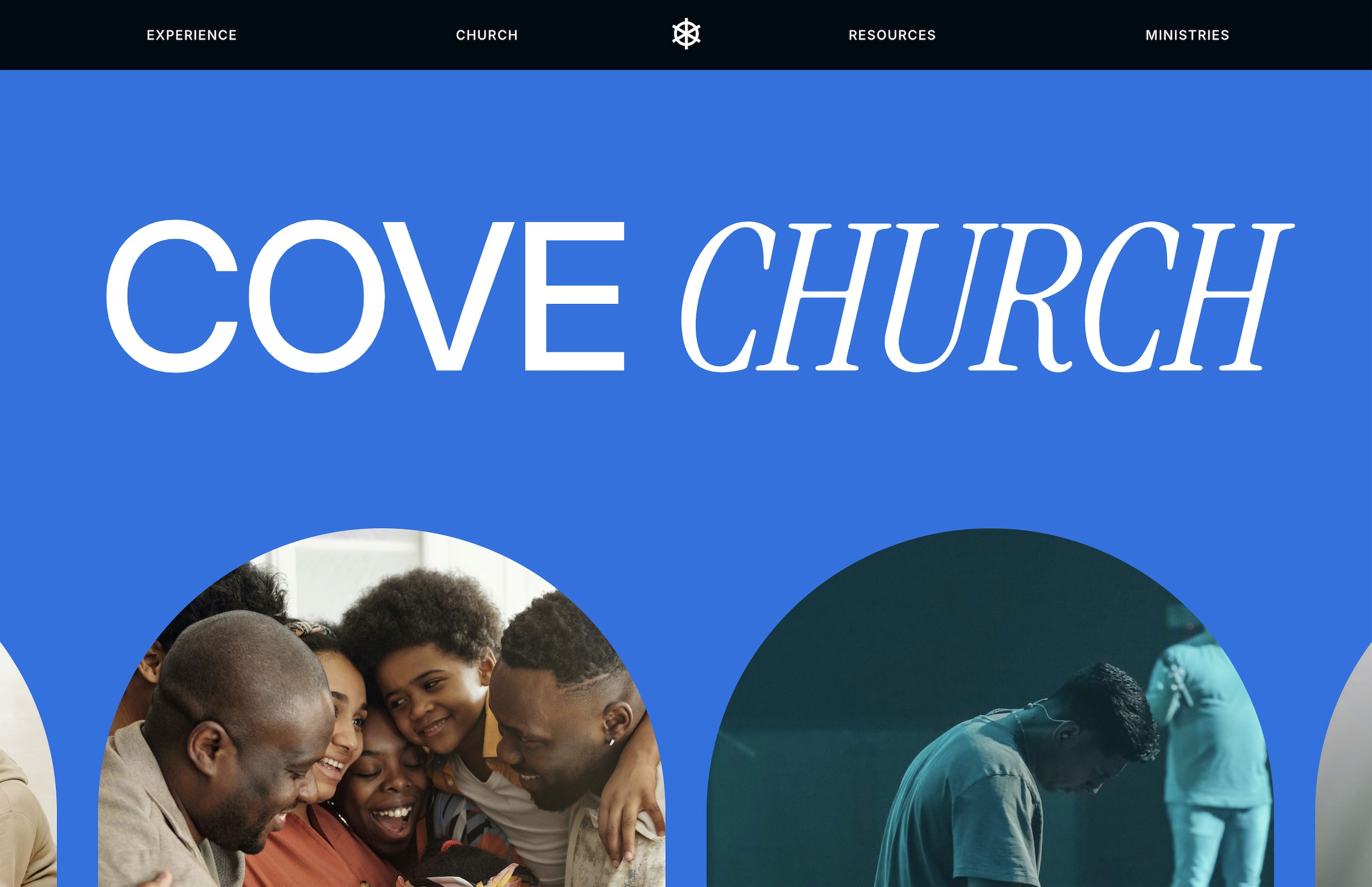
For churches ready to elevate their entire web presence, Cove provides a complete church website template with giving optimization built in from the ground up. It's designed specifically for modern churches who understand that excellent user experience serves the Gospel by removing unnecessary obstacles to engagement and generosity.
Frequently Asked Questions
What payment methods should church donation pages accept?
Accept credit cards, debit cards, ACH bank transfers, Apple Pay, and Google Pay at minimum. ACH transfers offer the lowest fees (typically 0.75-1%) while credit cards provide instant processing. Adding digital wallets increases mobile conversions significantly. Some churches also benefit from text-to-give options despite higher fees, especially for in-service donations.
How much do church donation platforms typically charge in fees?
Credit card processing typically costs 2.5-2.9% plus 30¢ per transaction. ACH transfers cost 0.75-1% with no per-transaction fee. Platform monthly fees range from free (Planning Center Giving) to $199+ (Pushpay). Many churches offset costs by asking donors to cover fees—about 62% of donors choose this option when presented clearly.
Should churches require donors to create accounts before giving?
Never require account creation for donations. Forced registration reduces conversions by up to 35%. Always offer guest checkout, then invite donors to create accounts after successful donations. This approach maintains high conversion rates while still building your donor database over time.
What's the ideal number of form fields on a donation page?
Limit required fields to essentials: name, email, and payment details. Every additional field reduces completion rates by approximately 7%. Save optional information (phone, address, birthday) for post-donation surveys or account creation. The goal is removing friction, not gathering maximum data.
How can churches encourage recurring donations over one-time gifts?
Make recurring donations the default selection on your form. Position frequency options (weekly, monthly) before amount selection. Show how recurring gifts create lasting impact through specific examples. Churches that default to recurring options see 4x higher donor lifetime value compared to those prioritizing one-time gifts.
Your church donation page converts at 2.3% while the best-performing churches see rates above 15%. The difference isn't the donation platform you chose—it's how you designed the giving experience.
After analyzing hundreds of church websites and working with ministries to optimize their online giving, I've identified the specific design elements that separate high-converting donation pages from the rest. These aren't platform-specific features. They're design principles that work whether you're using Pushpay, Tithe.ly, or embedding forms directly into your Squarespace site.
Essential Features Every Church Donation Page Needs
Before diving into optimization tactics, your donation page needs these foundational elements. Miss any of these and conversion rates plummet, regardless of how pretty the design looks.
Multiple Payment Methods
Accept credit cards, debit cards, ACH bank transfers, Apple Pay, and Google Pay at minimum. Churches limiting payment options to credit cards alone lose 35% of potential donors who prefer other methods. ACH transfers matter especially for recurring givers who want lower processing fees.
Recurring Donation Options
Make recurring giving the default selection, not the afterthought. Position weekly, bi-weekly, and monthly options prominently. Churches that default to recurring donations see 4x higher lifetime donor value.
Mobile-First Design
68% of church donations now happen on mobile devices. Your donation form must work flawlessly on phones—large tap targets, minimal typing, autofill support, and zero horizontal scrolling.
Guest Checkout
Forcing account creation kills conversions. Allow one-time donors to give without creating a profile, then invite them to save their information after the donation completes.
Real-Time Validation
Show errors inline as donors type, not after they hit submit. Validate credit card numbers, expiration dates, and CVV codes in real-time to prevent frustrating form resubmissions.
These features form your baseline. Now let's examine the design elements that transform average donation pages into conversion machines.
Top Church Donation Platforms Compared (2026)
Choosing the right platform sets the foundation for everything else. Here's how the major players stack up based on features, fees, and actual church feedback:
Tithe.ly
Processing: 2.9% + 30¢ (credit/debit), 1% + 25¢ (ACH)
Monthly fee: Free plan available, Pro at $59/month
Key strength: Text-to-give functionality with custom keywords
Best for: Small to mid-size churches wanting comprehensive features without complexity
Pushpay
Processing: Custom quotes (typically 2.5-2.8% for credit)
Monthly fee: Starting at $199/month
Key strength: Advanced donor analytics and engagement tools
Best for: Large churches with dedicated administrative staff
Planning Center Giving
Processing: 2.15% + 30¢ (credit/debit), 0.75% (ACH)
Monthly fee: Free with Processing fees
Key strength: Seamless integration with Planning Center suite
Best for: Churches already using Planning Center for other ministries
Donorbox
Processing: Platform fee 1.5% + Stripe fees (2.9% + 30¢)
Monthly fee: Free for basic, Pro at $39/month
Key strength: Embeddable forms that match your website design
Best for: Churches prioritizing brand consistency
Subsplash Giving
Processing: 2.9% + 30¢ standard
Monthly fee: Part of complete platform starting at $99/month
Key strength: Native mobile app integration
Best for: Churches with active mobile app users
Beyond raw features and fees, consider integration capabilities. Your donation platform should connect with your church management system (ChMS) to avoid manual data entry. Planning Center, Church Community Builder, and RockRMS all offer robust APIs that sync donor information automatically.
Design Best Practices That Increase Donations
The most successful church donation pages share specific design patterns that guide visitors toward completing their gift. These aren't accidents—they're deliberate choices backed by conversion data.
Suggested Amount Buttons
Display pre-set amounts ($25, $50, $100, $250) with your average donation pre-selected. Position these buttons prominently above the custom amount field. Churches using suggested amounts see 23% higher average gifts because donors anchor on the displayed options.
Progress Indicators
Break multi-step forms into clear stages: Amount → Details → Payment → Confirmation. Show donors exactly where they are in the process. Single-page forms work for simple one-time gifts, but recurring donations benefit from step-by-step guidance.
Trust Signals
Place security badges, SSL certificates, and payment processor logos near sensitive fields. Add testimonials about how donations create impact. Show your tax-exempt number prominently. These elements reduce abandonment at the payment stage by 40%.
Minimal Form Fields
Collect only essential information: name, email, payment details. Save additional fields (phone, address, birthday) for post-donation surveys. Every extra field reduces completion rates by 7%.
Visual Hierarchy
Make the primary donation button impossible to miss—large, high-contrast, and separated from other elements. Use white space liberally. Cramped designs feel untrustworthy when handling financial transactions.
For churches using Squarespace templates designed for ministries, these design principles integrate seamlessly with built-in styling. The key is maintaining consistency between your main site design and the donation experience.
Payment Methods and Processing Fees Breakdown
Understanding payment processing helps you make informed decisions about which methods to offer and how to communicate fees to donors.
Credit/Debit Cards
Standard rates: 2.5-2.9% + 30¢ per transaction
Pros: Instant processing, universal acceptance
Cons: Higher fees eat into donations
ACH Bank Transfers
Standard rates: 0.75-1% with no per-transaction fee
Pros: Lower fees mean more money for ministry
Cons: 3-5 day processing time, higher setup friction
Digital Wallets (Apple Pay/Google Pay)
Standard rates: Same as credit cards
Pros: One-tap donations on mobile, higher security
Cons: Limited to users with configured wallets
Text-to-Give
Standard rates: 3-4% + carrier fees
Pros: Instant giving during services
Cons: Highest fees, amount limits
Many churches offer donors the option to cover processing fees. When presented thoughtfully ("Add 3% to help cover processing costs?"), 62% of donors choose this option. Just ensure the math is transparent—show exact fee amounts, not percentages.
Integration Options with Church Management Systems
Your donation platform shouldn't exist in isolation. Proper integration with your ChMS eliminates duplicate data entry and enables better donor communication.
Planning Center
Native integration with Planning Center Giving means automatic donor profile creation, contribution tracking, and year-end statement generation. Third-party platforms like Pushpay and Tithe.ly also sync via API, though with occasional delays.
Church Community Builder
CCB's open API accepts data from most major giving platforms. Set up automated workflows to tag new donors, trigger welcome emails, and update giving records. The integration typically requires IT assistance for initial configuration.
RockRMS
As an open-source platform, Rock offers the most flexibility for custom integrations. Most churches use Webhooks to push donation data in real-time. The learning curve is steeper but customization options are unlimited.
Breeze ChMS
Breeze's simplicity extends to integrations—most platforms connect with just an API key. Limited automation options mean more manual work for complex donor journeys.
Beyond basic data sync, look for platforms that enable automated workflows. Send thank-you emails immediately after first-time gifts. Tag recurring donors for special appreciation. Create segments based on giving patterns for targeted communication.
Mobile Optimization and App-Based Giving
Mobile giving isn't optional anymore—it's the primary channel for most churches. Optimize for thumb-friendly interactions and lightning-fast load times.
Responsive Design Requirements
Buttons need 44x44 pixel minimum tap targets. Forms must stack vertically on narrow screens. Autofill and password managers must work properly. Test on actual devices, not just browser dev tools.
Native App Considerations
Church apps from Subsplash, Pushpay, or The Church App enable stored payment methods and biometric authentication. In-app giving typically sees 3x higher frequency than mobile web. The tradeoff: annual app fees ranging from $1,200-$5,000.
Text-to-Give Setup
Despite higher fees, text giving excels for in-service donations and capital campaigns. Choose memorable keywords (GIVE, HOPE, BUILD) and promote the number prominently. Set reasonable default amounts—$20-50 for regular giving, higher for campaigns.
QR Code Implementation
Position QR codes on bulletin inserts, lobby displays, and sermon slides. Link directly to pre-filled donation forms, not your homepage. Track QR code scans separately to measure effectiveness.
Mobile optimization extends beyond the donation form itself. Ensure confirmation pages load instantly and email receipts render correctly on small screens. These post-donation touch-points influence whether someone gives again.
Security and Compliance Requirements
Churches handle sensitive financial data, making security non-negotiable. Beyond choosing PCI-compliant platforms, understand your responsibilities in the donation process.
PCI Compliance Levels
Most churches qualify for SAQ-A compliance when using hosted payment pages. This means the donation platform handles all card data—you never store, process, or transmit card numbers. Avoid any setup that requires higher compliance levels.
SSL Certificates and HTTPS
Your entire website needs SSL encryption, not just donation pages. Mixed content warnings (HTTPS page loading HTTP resources) destroy donor confidence. Use tools like SSL Labs to verify proper configuration.
Data Protection Policies
Publish clear privacy policies explaining how you protect donor information. Address common concerns: selling data (never), sharing with third parties (only processors), and retention periods (typically 7 years for tax purposes).
Two-Factor Authentication
Require 2FA for all staff accessing donor data. A compromised admin account can expose thousands of donor records. Most platforms offer SMS or app-based authentication—enforce it universally.
Regular Security Audits
Schedule quarterly reviews of user permissions, API access, and integration points. Remove access for former staff immediately. Monitor for suspicious activity like bulk data exports or unusual login locations.
For churches building their websites on platforms like Squarespace, security updates happen automatically. Focus your efforts on choosing reputable payment processors and maintaining proper access controls.
Real Church Donation Page Examples That Convert
Let's examine specific design patterns from high-performing church donation pages, breaking down why they work.
Elevation Church
Their donation page leads with impact—showing exactly how gifts transform lives. Large suggested amount buttons ($50, $100, $250, $500) anchor donors high. The recurring gift toggle sits prominently above amount selection, making it the obvious choice. Mobile experience mirrors desktop perfectly.
Life.Church
Minimalist design removes all distractions. The form progresses through clear steps: campus selection → amount → frequency → payment details. Smart defaults (their average gift amount, monthly recurrence) guide without forcing. Trust badges appear right when donors enter payment info.
Hillsong Church
Bold visuals connect giving to mission impact. Pre-filled amounts adjust based on giving history for logged-in users. Guest checkout remains prominent for visitors. The thank-you page immediately invites donors to join small groups—smart cross-engagement.
Fresh Life Church
Their "Fund" dropdown lets donors designate gifts to specific ministries while keeping the form simple. Progress bar shows exactly how many steps remain. Auto-advance between form fields reduces clicks. Playful animations celebrate completed donations.
Notice what these examples share: clarity, simplicity, and donor-first design. They remove friction at every step while maintaining strong visual branding. The best church donation pages feel like natural extensions of the main website, not bolted-on payment forms.
Setting Up Recurring Donations and Pledge Campaigns
Recurring gifts provide predictable income that enables better ministry planning. Design your forms to make recurring giving the easiest option.
Default to Recurring
Pre-select monthly giving with clear options to switch to one-time or other frequencies. Position this choice before amount selection—donors who commit to recurring typically give larger amounts.
Frequency Options
Offer weekly, bi-weekly, monthly, and quarterly options. Match frequencies to how your members receive income. Some churches see success with "1st and 15th" options for those paid twice monthly.
Pledge Campaign Setup
Building campaigns need special handling. Allow donors to pledge total amounts with flexible payment schedules. Show progress thermometers on donation pages. Send automated pledge reminders without being pushy.
Subscription Management
Make it easy for donors to update payment methods, change amounts, or adjust frequency without canceling. Requiring phone calls to modify gifts frustrates donors and increases administrative burden.
Failed Payment Recovery
Automate retry logic for failed recurring donations. Send friendly notification emails with direct links to update payment methods. Most platforms retry after 3, 7, and 14 days before marking gifts as lapsed.
Track recurring donor retention religiously. If monthly donors consistently cancel after 3-4 months, survey them to understand why. Often it's not financial—they simply forgot why they started giving. Regular impact updates keep the mission front-of-mind.
Measuring Success: Analytics and Reporting
You can't improve what you don't measure. Track these metrics to optimize your church donation pages over time.
Conversion Rate
Measure visitors who complete donations divided by total donation page visitors. Average churches see 2-4% conversion. Top performers exceed 15%. Set up proper goal tracking in Google Analytics to monitor trends.
Average Gift Size
Track both median and mean amounts. Rising averages indicate effective suggested amounts. Compare one-time versus recurring gift sizes—recurring should be lower individually but higher annually.
Abandonment Points
Use heatmaps and session recordings to identify where donors quit. Common culprits: account creation requirements, confusing error messages, or payment forms that don't autofill properly.
Mobile vs Desktop Performance
Segment all metrics by device type. If mobile converts significantly worse than desktop, prioritize mobile optimization immediately. Most churches see 60-70% mobile traffic but only 40% mobile donations—huge missed opportunity.
Donor Lifetime Value
Calculate total giving per donor over 12, 24, and 36 month periods. Focus acquisition efforts on channels producing high-LTV donors. Email subscribers typically show 3x higher LTV than social media visitors.
Time-Based Patterns
Analyze giving by day of week and time of day. Sunday afternoon and Monday morning often see spikes. Schedule email campaigns and social posts accordingly.
Modern donation platforms provide built-in analytics, but don't rely solely on their reports. Combine platform data with Google Analytics, your ChMS, and email marketing metrics for complete visibility. The goal isn't just processing donations—it's building lasting generosity habits in your congregation.
Optimizing Your Donation Page Copy and Messaging
The words on your donation page matter as much as the design. Effective copy connects giving to impact without manipulation.
Headlines That Convert
Lead with transformation, not transaction. "Fund Life Change" beats "Make a Donation." "Partner in Our Mission" outperforms "Give Online." Test headline variations to find what resonates with your congregation.
Impact Statements
Show exactly how donations create change. "$50 provides a week of meals for a homeless family" gives donors concrete visualization. Update these regularly with real stories and current initiatives.
Urgency Without Pressure
Highlight specific needs or campaigns without resorting to guilt. "Help us reach 100 new recurring donors by Easter" creates positive momentum. Avoid crisis-mode messaging except for genuine emergencies.
Security Assurances
Address concerns preemptively. "Your donation is secure, tax-deductible, and goes directly to ministry." Place this near payment fields where anxiety peaks.
Thank You Messaging
Craft confirmation pages that celebrate the donor, not the donation. "You're making a difference!" beats "Payment successful." Include specific next steps: watch for email receipt, join a serving team, or share their support on social media.
Remember that donation page copy works within a larger communication strategy. If you're looking for guidance on creating compelling calls-to-action across your entire church website, consistency in messaging builds trust that translates to increased giving.
Technical Implementation Tips
Getting the technical details right prevents frustrating experiences that cost donations. Here's what to verify before launching.
Form Validation Rules
Implement smart validation that helps rather than frustrates. Format phone numbers automatically. Accept credit card numbers with or without spaces. Show check marks for correctly completed fields.
Browser Compatibility
Test across Chrome, Safari, Firefox, and Edge. Verify autofill works correctly—broken autofill costs conversions. Check that password managers can save and retrieve donor accounts.
Load Time Optimization
Donation pages must load in under 3 seconds. Minimize external scripts. Optimize images. Use system fonts instead of custom web fonts if they slow loading. Every second of delay costs 7% in conversions.
Error Handling
Write human-friendly error messages. "The card number looks incomplete" beats "Invalid input." Preserve filled fields when errors occur—don't make donors re-enter everything.
Receipt Configuration
Customize email receipts with your branding and warm messaging. Include tax-deductible information. Add calendar links for recurring donors to remember their commitment. Test receipts in multiple email clients.
For churches using website builders, many technical optimizations happen automatically. Focus your efforts on platform-specific enhancements like creating smooth anchor links to donation sections from other pages on your site.
Common Mistakes to Avoid
Learning from others' failures saves painful trial and error. These mistakes appear repeatedly across church donation pages.
Forcing Registration
Requiring account creation before allowing donations kills conversions. Always offer guest checkout, then invite registration after successful donation.
Hidden Fees
Surprising donors with processing fees at checkout breaks trust. Display all costs upfront or make fee coverage explicitly optional.
Overwhelming Options
Offering 15 different funds and designations paralyzes donors. Limit visible options to 5-7 maximum. Hide specialized funds behind an "other" option.
Neglecting Mobile
Designing for desktop then hoping mobile works leads to disaster. Start with mobile design, then enhance for larger screens.
Generic Everything
Using default platform branding makes your church look unprofessional. Invest time in customization—add your logo, match brand colors, and write custom messaging.
Set and Forget
Launching a donation page without ongoing optimization wastes potential. Schedule monthly reviews of analytics and quarterly user testing sessions.
Future-Proofing Your Donation Strategy
Donation technology evolves rapidly. Position your church to adopt new methods without disrupting existing donors.
Cryptocurrency Acceptance
While still niche, crypto donations offer tax advantages for donors and zero processing fees for churches. Platforms like Engiven make acceptance straightforward without technical complexity.
Stock and Asset Transfers
Donors save capital gains taxes by giving appreciated stocks directly. Services like Overflow integrate with existing donation platforms to enable non-cash giving.
Contactless Kiosks
Physical giving stations in lobbies bridge the gap for cash-preferring members. Modern kiosks accept cards, cash, and mobile payments while syncing with your online platform.
Voice-Activated Giving
Alexa and Google Assistant skills for donations remain experimental but show promise. Early adopters position themselves as innovative and accessible.
The key to future-proofing is choosing platforms with robust APIs and active development. Avoid locked-in systems that can't integrate new payment methods as they emerge.
Your church donation page represents more than a payment processor—it's a spiritual discipline made digital. When designed thoughtfully, it removes barriers between generous hearts and kingdom impact.
Whether you're building from scratch or optimizing an existing page, focus on the donor experience above all else. Make giving joyful, simple, and meaningful. The technical details matter, but they serve a higher purpose: facilitating generosity that funds your mission.
For churches ready to elevate their entire web presence, Cove provides a complete church website template with giving optimization built in from the ground up. It's designed specifically for modern churches who understand that excellent user experience serves the Gospel by removing unnecessary obstacles to engagement and generosity.
Frequently Asked Questions
What payment methods should church donation pages accept?
Accept credit cards, debit cards, ACH bank transfers, Apple Pay, and Google Pay at minimum. ACH transfers offer the lowest fees (typically 0.75-1%) while credit cards provide instant processing. Adding digital wallets increases mobile conversions significantly. Some churches also benefit from text-to-give options despite higher fees, especially for in-service donations.
How much do church donation platforms typically charge in fees?
Credit card processing typically costs 2.5-2.9% plus 30¢ per transaction. ACH transfers cost 0.75-1% with no per-transaction fee. Platform monthly fees range from free (Planning Center Giving) to $199+ (Pushpay). Many churches offset costs by asking donors to cover fees—about 62% of donors choose this option when presented clearly.
Should churches require donors to create accounts before giving?
Never require account creation for donations. Forced registration reduces conversions by up to 35%. Always offer guest checkout, then invite donors to create accounts after successful donations. This approach maintains high conversion rates while still building your donor database over time.
What's the ideal number of form fields on a donation page?
Limit required fields to essentials: name, email, and payment details. Every additional field reduces completion rates by approximately 7%. Save optional information (phone, address, birthday) for post-donation surveys or account creation. The goal is removing friction, not gathering maximum data.
How can churches encourage recurring donations over one-time gifts?
Make recurring donations the default selection on your form. Position frequency options (weekly, monthly) before amount selection. Show how recurring gifts create lasting impact through specific examples. Churches that default to recurring options see 4x higher donor lifetime value compared to those prioritizing one-time gifts.
