Educational websites face a unique challenge. They need to serve multiple audiences—students seeking course materials, faculty managing classes, prospective students evaluating programs, and parents researching schools. Each group arrives with different goals, technical skills, and time constraints. A well-designed educational website UX bridges these diverse needs while keeping learning at the center of every decision.
Getting educational website UX right means understanding how people actually learn online. It's about creating pathways that feel intuitive whether someone's enrolling in their first course or accessing their hundredth assignment. The best educational sites make complex information feel manageable and help users find exactly what they need without frustration.
Understanding Your Educational Website Users
Before diving into design principles, you need to map out who uses your site and why. Educational websites typically serve five main user groups, each with distinct needs and behaviors.
Current Students
Students visit your site constantly. They're checking assignment deadlines, downloading course materials, accessing discussion boards, and submitting work. They expect quick access to their dashboard and course pages. Mobile optimization is critical here—students often check sites between classes or while commuting.
Prospective Students and Parents
These visitors are in research mode. They're comparing programs, evaluating costs, and trying to understand what makes your institution unique. They need clear program descriptions, transparent pricing, virtual tours, and easy ways to connect with admissions. Parents often influence decisions, so content should address their concerns about safety, outcomes, and value.
Faculty and Staff
Instructors need efficient access to course management tools, grading systems, and communication platforms. They're often juggling multiple classes and hundreds of students. Administrative staff require backend systems for enrollment, records, and reporting. Both groups value functionality over aesthetics—they need tools that work reliably under pressure.
Alumni and Donors
Alumni want to stay connected through events, networking opportunities, and updates about their alma mater. Donors seek information about giving options and the impact of their contributions. Both groups respond to storytelling that showcases student success and institutional achievements.
Community Members
Local residents might be looking for continuing education courses, event venues, or library access. International visitors could be researching partnerships or exchange programs. These users need clear pathways to their specific areas of interest without getting lost in student-focused content.
Core UX Principles for Educational Websites
Successful educational website design starts with principles that put users first. These aren't just best practices—they're essential elements that determine whether your site helps or hinders the learning process.
Clarity Over Cleverness
Educational websites aren't the place for experimental navigation or cryptic menu labels. Users arrive with specific tasks in mind. A student looking for the library hours shouldn't have to guess whether that information lives under "Resources," "Student Life," or "Campus Services." Use clear, descriptive labels that match how your users think and talk.
Consistent Design Patterns
When users learn how one part of your site works, that knowledge should transfer everywhere else. If clicking a course title on one page opens the syllabus, it should do the same throughout the site. Consistency reduces cognitive load, leaving more mental energy for actual learning.
Progressive Disclosure
Not everyone needs everything at once. Show essential information first, then reveal details as users indicate interest. A program page might start with a brief overview, tuition costs, and application deadlines. Deeper content about specific courses, faculty research, or alumni outcomes can live one click deeper. This approach prevents information overload while ensuring motivated users can find comprehensive details.
Task-Oriented Design
Structure your site around what users need to do, not how your institution is organized. Instead of mirroring departmental hierarchies, create pathways based on common tasks: "Apply for Admission," "Register for Classes," "Pay Tuition," or "Find Student Support." This approach is particularly important when building course creator websites on Squarespace, where clear user journeys directly impact enrollment rates.
Navigation and Information Architecture Best Practices
Poor navigation is the fastest way to frustrate educational website users. Students on tight deadlines can't afford to hunt for assignment submission links. Parents comparing programs won't dig through layers of menus to find basic information. Your navigation needs to be intuitive, comprehensive, and fast.
Mega Menus for Complex Sites
Traditional dropdown menus quickly become unwieldy on educational sites. Mega menus provide space to organize dozens of links logically while showing the full scope of options at once. Group related items with clear headings. Include brief descriptions for ambiguous items. Consider adding quick links to the most-visited pages directly in the menu.
Audience-Based Navigation
Many successful educational sites include audience toggles or dedicated portals. A "I am a..." selector lets students, faculty, parents, and alumni see customized navigation and content. This approach acknowledges that different users need different things and helps them avoid irrelevant information.
Breadcrumb Navigation
Educational sites often have deep page hierarchies. Breadcrumbs show users exactly where they are and provide an easy path back up the structure. They're especially valuable for users who land on deep pages from search engines or external links.
Persistent Search
Make search available on every page, not just the homepage. Users should be able to search from wherever they are without backtracking. Include filters for content type (courses, news, events, people) and audience. Display popular searches or suggestions to help users who aren't sure what terms to use.
Mobile-First Design for Educational Institutions
Over 60% of educational website traffic now comes from mobile devices. Students check grades on their phones, submit assignments from tablets, and research programs on whatever device is handy. Mobile-first design isn't optional—it's essential for serving modern learners.
Touch-Friendly Interfaces
Links and buttons need to be large enough to tap accurately, with enough space between elements to prevent misclicks. This is crucial for forms where students might be entering grades or financial information. Aim for touch targets at least 44x44 pixels, with adequate padding between interactive elements.
Responsive Tables and Documents
Course schedules, grade tables, and academic calendars must remain usable on small screens. Consider alternative presentations for complex data on mobile—perhaps a card-based layout instead of a traditional table. Ensure PDFs and documents are mobile-friendly or provide HTML alternatives.
Offline Functionality
Students don't always have reliable internet access. Consider which features could work offline—downloaded course materials, cached schedules, or assignment drafts that sync when connection returns. Progressive Web App features can significantly improve the mobile experience for regular users.
Smart Form Design
Mobile forms need extra attention. Use appropriate input types (email, number, date) to trigger the right keyboard. Break long forms into steps. Save progress automatically. Provide clear error messages inline rather than at the top of the form where mobile users might miss them.
Accessibility and Inclusive Design Requirements
Educational institutions have both legal and ethical obligations to ensure their websites work for everyone. In many countries, educational websites must meet WCAG 2.1 AA standards. But compliance is just the starting point—true inclusive design makes learning better for all users.
Screen Reader Optimization
Proper heading structure helps screen reader users navigate efficiently. Every image needs meaningful alt text, not just generic descriptions. Complex diagrams or charts require detailed text alternatives. Interactive elements must be keyboard accessible with clear focus indicators.
Captions and Transcripts
Video lectures and audio content need synchronized captions. Provide downloadable transcripts for longer content. This helps not just deaf and hard-of-hearing users but also students learning in a second language or those who prefer reading to listening.
Color and Contrast
Text must have sufficient contrast against backgrounds—WCAG requires a ratio of at least 4.5:1 for normal text. Don't rely solely on color to convey information. If you use color coding for course categories or calendar events, include patterns, icons, or text labels as well.
Cognitive Accessibility
Plain language benefits everyone but is essential for users with cognitive disabilities or those reading in a non-native language. Break complex information into digestible chunks. Provide multiple ways to access the same information. Include visual aids like icons or diagrams to support text content.
Content Strategy and Readability Guidelines
Educational websites often struggle with content that's too academic or institutional in tone. While accuracy matters, accessibility matters more. Your content strategy should balance authority with approachability.
Reading Level Considerations
Aim for an 8th to 10th-grade reading level for general content. This ensures accessibility for diverse audiences including international students and community members. Save technical language for course descriptions or academic papers where precision is essential. Tools like Hemingway Editor can help identify overly complex sentences.
Scannable Content Structure
Users rarely read web pages word-for-word. Structure content for scanning with descriptive headings, bullet points for lists, bold text for key concepts, and plenty of white space. Front-load important information in paragraphs and sections.
Multimedia Integration
Different students learn differently. Supplement text with videos, infographics, interactive demos, and audio content. A statistics concept might be explained through text, demonstrated in a video, and reinforced with an interactive graph. This multimodal approach serves diverse learning styles while making content more engaging.
Content Maintenance Strategy
Outdated content erodes trust quickly on educational sites. Create a maintenance schedule for time-sensitive content like course catalogs, faculty directories, and event calendars. Archive rather than delete old content that might have historical value. Set up redirects for moved or merged pages to prevent broken links.
Search Functionality and Findability
A robust search function can make or break the educational website experience. When navigation fails, search becomes the safety net. But search needs to be more sophisticated than a simple keyword match to serve educational users effectively.
Intelligent Search Features
Implement type-ahead suggestions to help users find what they need faster. Include filters for content type, date ranges, departments, and audiences. Support natural language queries like "how do I register for classes" not just keyword searches. Provide "did you mean" suggestions for common misspellings.
Search Results Optimization
Display rich snippets in results showing page type, last update, and relevant excerpt. Highlight search terms in results to help users quickly assess relevance. Sort by relevance but allow users to switch to date or popularity. Include thumbnail images for visual content like event listings or faculty profiles.
Popular and Related Searches
Show trending searches during peak periods like registration or application deadlines. Suggest related searches when results are thin. Learn from user behavior—if many people search for "tuition" then click on "financial aid," consider surfacing financial aid links directly in tuition searches.
Search Analytics and Improvement
Monitor what users search for and whether they find it. Failed searches reveal content gaps or navigation problems. Popular searches might deserve prominent homepage placement. Regular analysis helps you continually improve both search functionality and overall site structure.
Visual Design and Branding Considerations
Educational institutions need to balance contemporary web design with institutional gravitas. Your visual design should feel current enough to appeal to prospective students while maintaining the authority parents and donors expect.
Institutional Identity
School colors, logos, and typography create continuity between digital and physical campus experiences. But don't let tradition override usability. That century-old seal might need simplification for digital use. Traditional school colors might need adjustment to meet accessibility standards online.
Photography and Imagery
Authentic photography outperforms generic stock images every time. Show real students, actual classrooms, and genuine campus moments. Represent the diversity of your community accurately. Update imagery regularly—nothing dates a site faster than obviously old photos.
White Space and Visual Hierarchy
Educational sites tend toward information density. Fight this tendency with generous white space that gives content room to breathe. Use size, color, and positioning to establish clear visual hierarchy. Most important information should be immediately obvious, with supporting details progressively revealed.
Consistent Component Library
Develop a library of reusable design components—buttons, forms, cards, alerts—that maintain consistency across thousands of pages. This speeds development, ensures accessibility compliance, and helps users learn interface patterns once that work everywhere.
Measuring UX Success: Metrics and Testing
Good educational UX isn't just about following best practices—it's about measuring what actually works for your users. Set up systems to track both quantitative metrics and qualitative feedback.
Key Performance Indicators
Track task completion rates for critical user journeys like application submission or course registration. Monitor page load times, especially on mobile networks. Measure search success rates and navigation path efficiency. Set benchmarks and goals for improvement rather than just collecting data.
User Satisfaction Metrics
Deploy targeted surveys at key moments—after application submission, at course completion, or following support interactions. Use standardized measures like System Usability Scale (SUS) for benchmarking. Track Net Promoter Score to gauge whether users would recommend your programs to others.
Behavioral Analytics
Heat mapping tools reveal where users click and how far they scroll. Session recordings show real user struggles firsthand. Form analytics identify fields that cause abandonment. These tools provide insights that surveys and metrics might miss.
A/B Testing Priorities
Test high-impact elements first—call-to-action placement on program pages, application form length, or navigation menu structure. Run tests during appropriate time periods (avoiding holidays or exam weeks). Ensure statistical significance before drawing conclusions, especially given seasonal traffic variations.
The best educational websites measure success not in page views or time on site, but in how effectively they help users complete important tasks—whether that's submitting an assignment, finding financial aid information, or deciding to apply.
Common Pitfalls and How to Avoid Them
Even well-intentioned educational websites fall into predictable traps. Learning from others' mistakes can save significant time and frustration.
Organization-Centric Architecture
The most common mistake is structuring sites around institutional organization charts rather than user needs. Your users don't care which department manages parking permits—they just want to know how to get one. Organize around tasks and topics, not administrative divisions.
Portal Proliferation
Many institutions create separate portals for every audience and function. Students end up juggling logins for the main site, learning management system, library resources, and student services. Where possible, provide single sign-on and integrate functions into a cohesive experience.
PDF Over-reliance
PDFs have their place, but too many educational sites use them as a crutch. Course catalogs, policy manuals, and forms trapped in PDFs are hard to search, terrible on mobile, and inaccessible to many users. Present information in HTML first, with PDFs as supplementary downloads.
Neglecting Error States
What happens when a student submits a form incorrectly? When a page doesn't load? When search returns no results? These error states need as much design attention as the happy path. Clear error messages, helpful suggestions, and graceful fallbacks prevent frustration during critical tasks.
Building Learning-Centered Experiences
The ultimate goal of educational website UX is to support learning—whether that's helping prospective students choose the right program, enabling current students to access course materials efficiently, or connecting alumni with lifelong learning opportunities.
Creating effective educational websites requires balancing diverse user needs with institutional goals. It means embracing accessibility not as a compliance checkbox but as a core design principle. It demands ongoing measurement and iteration based on how real users interact with your site.
For institutions looking to improve their web presence, starting with user research and journey mapping provides the foundation for meaningful improvements. Understanding who uses your site and what they're trying to accomplish should drive every design decision.
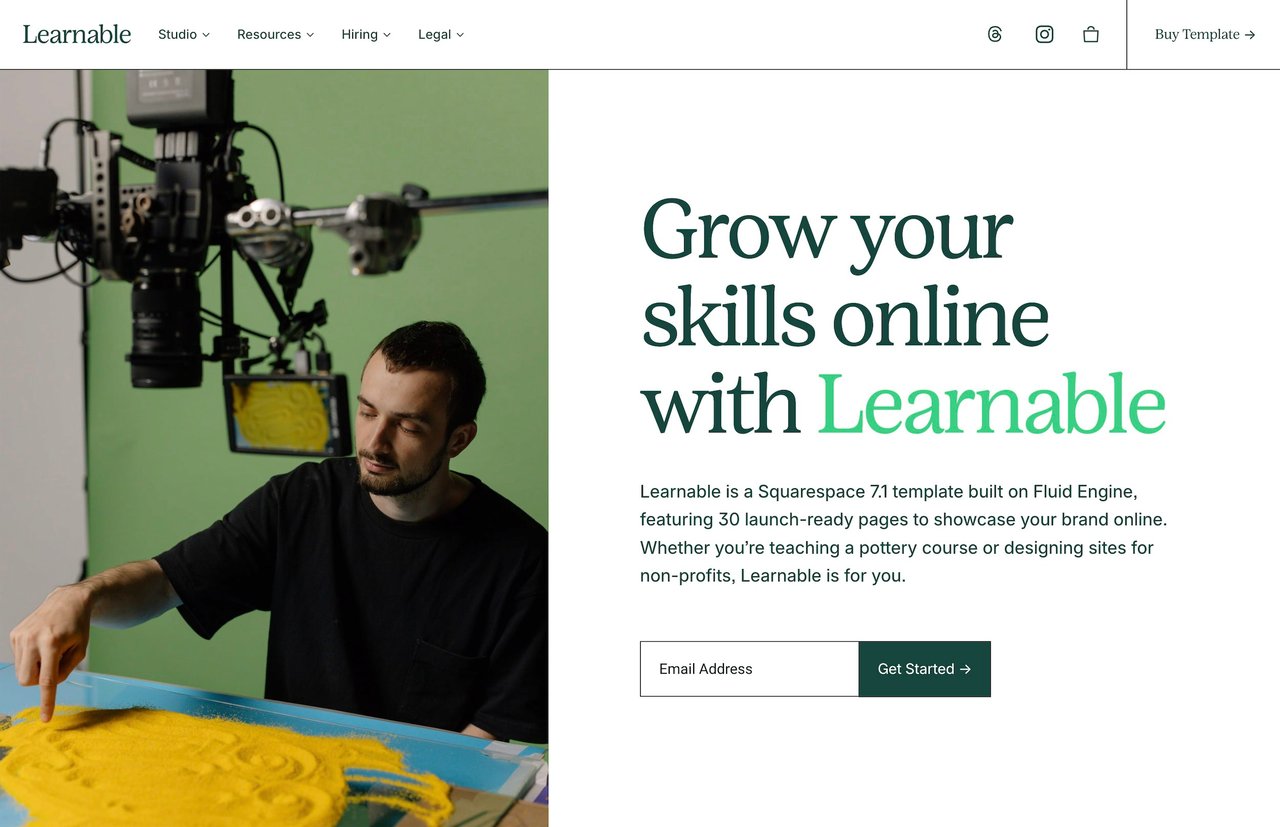
If you're building educational websites with Squarespace, templates designed specifically for course creators and educational institutions can provide a strong starting point. The Learnable template offers pre-built structures for courses, community features, and student engagement tools that follow these UX principles out of the box. For those interested in the technical aspects of optimization, our guide on online course website design features dives deeper into specific implementation strategies.
Great educational UX doesn't happen by accident. It results from intentional design decisions that prioritize user needs, embrace accessibility, and measure success through the lens of learning outcomes. When you get it right, your website becomes more than just an information repository—it transforms into an active partner in the educational journey.
Educational websites face a unique challenge. They need to serve multiple audiences—students seeking course materials, faculty managing classes, prospective students evaluating programs, and parents researching schools. Each group arrives with different goals, technical skills, and time constraints. A well-designed educational website UX bridges these diverse needs while keeping learning at the center of every decision.
Getting educational website UX right means understanding how people actually learn online. It's about creating pathways that feel intuitive whether someone's enrolling in their first course or accessing their hundredth assignment. The best educational sites make complex information feel manageable and help users find exactly what they need without frustration.
Understanding Your Educational Website Users
Before diving into design principles, you need to map out who uses your site and why. Educational websites typically serve five main user groups, each with distinct needs and behaviors.
Current Students
Students visit your site constantly. They're checking assignment deadlines, downloading course materials, accessing discussion boards, and submitting work. They expect quick access to their dashboard and course pages. Mobile optimization is critical here—students often check sites between classes or while commuting.
Prospective Students and Parents
These visitors are in research mode. They're comparing programs, evaluating costs, and trying to understand what makes your institution unique. They need clear program descriptions, transparent pricing, virtual tours, and easy ways to connect with admissions. Parents often influence decisions, so content should address their concerns about safety, outcomes, and value.
Faculty and Staff
Instructors need efficient access to course management tools, grading systems, and communication platforms. They're often juggling multiple classes and hundreds of students. Administrative staff require backend systems for enrollment, records, and reporting. Both groups value functionality over aesthetics—they need tools that work reliably under pressure.
Alumni and Donors
Alumni want to stay connected through events, networking opportunities, and updates about their alma mater. Donors seek information about giving options and the impact of their contributions. Both groups respond to storytelling that showcases student success and institutional achievements.
Community Members
Local residents might be looking for continuing education courses, event venues, or library access. International visitors could be researching partnerships or exchange programs. These users need clear pathways to their specific areas of interest without getting lost in student-focused content.
Core UX Principles for Educational Websites
Successful educational website design starts with principles that put users first. These aren't just best practices—they're essential elements that determine whether your site helps or hinders the learning process.
Clarity Over Cleverness
Educational websites aren't the place for experimental navigation or cryptic menu labels. Users arrive with specific tasks in mind. A student looking for the library hours shouldn't have to guess whether that information lives under "Resources," "Student Life," or "Campus Services." Use clear, descriptive labels that match how your users think and talk.
Consistent Design Patterns
When users learn how one part of your site works, that knowledge should transfer everywhere else. If clicking a course title on one page opens the syllabus, it should do the same throughout the site. Consistency reduces cognitive load, leaving more mental energy for actual learning.
Progressive Disclosure
Not everyone needs everything at once. Show essential information first, then reveal details as users indicate interest. A program page might start with a brief overview, tuition costs, and application deadlines. Deeper content about specific courses, faculty research, or alumni outcomes can live one click deeper. This approach prevents information overload while ensuring motivated users can find comprehensive details.
Task-Oriented Design
Structure your site around what users need to do, not how your institution is organized. Instead of mirroring departmental hierarchies, create pathways based on common tasks: "Apply for Admission," "Register for Classes," "Pay Tuition," or "Find Student Support." This approach is particularly important when building course creator websites on Squarespace, where clear user journeys directly impact enrollment rates.
Navigation and Information Architecture Best Practices
Poor navigation is the fastest way to frustrate educational website users. Students on tight deadlines can't afford to hunt for assignment submission links. Parents comparing programs won't dig through layers of menus to find basic information. Your navigation needs to be intuitive, comprehensive, and fast.
Mega Menus for Complex Sites
Traditional dropdown menus quickly become unwieldy on educational sites. Mega menus provide space to organize dozens of links logically while showing the full scope of options at once. Group related items with clear headings. Include brief descriptions for ambiguous items. Consider adding quick links to the most-visited pages directly in the menu.
Audience-Based Navigation
Many successful educational sites include audience toggles or dedicated portals. A "I am a..." selector lets students, faculty, parents, and alumni see customized navigation and content. This approach acknowledges that different users need different things and helps them avoid irrelevant information.
Breadcrumb Navigation
Educational sites often have deep page hierarchies. Breadcrumbs show users exactly where they are and provide an easy path back up the structure. They're especially valuable for users who land on deep pages from search engines or external links.
Persistent Search
Make search available on every page, not just the homepage. Users should be able to search from wherever they are without backtracking. Include filters for content type (courses, news, events, people) and audience. Display popular searches or suggestions to help users who aren't sure what terms to use.
Mobile-First Design for Educational Institutions
Over 60% of educational website traffic now comes from mobile devices. Students check grades on their phones, submit assignments from tablets, and research programs on whatever device is handy. Mobile-first design isn't optional—it's essential for serving modern learners.
Touch-Friendly Interfaces
Links and buttons need to be large enough to tap accurately, with enough space between elements to prevent misclicks. This is crucial for forms where students might be entering grades or financial information. Aim for touch targets at least 44x44 pixels, with adequate padding between interactive elements.
Responsive Tables and Documents
Course schedules, grade tables, and academic calendars must remain usable on small screens. Consider alternative presentations for complex data on mobile—perhaps a card-based layout instead of a traditional table. Ensure PDFs and documents are mobile-friendly or provide HTML alternatives.
Offline Functionality
Students don't always have reliable internet access. Consider which features could work offline—downloaded course materials, cached schedules, or assignment drafts that sync when connection returns. Progressive Web App features can significantly improve the mobile experience for regular users.
Smart Form Design
Mobile forms need extra attention. Use appropriate input types (email, number, date) to trigger the right keyboard. Break long forms into steps. Save progress automatically. Provide clear error messages inline rather than at the top of the form where mobile users might miss them.
Accessibility and Inclusive Design Requirements
Educational institutions have both legal and ethical obligations to ensure their websites work for everyone. In many countries, educational websites must meet WCAG 2.1 AA standards. But compliance is just the starting point—true inclusive design makes learning better for all users.
Screen Reader Optimization
Proper heading structure helps screen reader users navigate efficiently. Every image needs meaningful alt text, not just generic descriptions. Complex diagrams or charts require detailed text alternatives. Interactive elements must be keyboard accessible with clear focus indicators.
Captions and Transcripts
Video lectures and audio content need synchronized captions. Provide downloadable transcripts for longer content. This helps not just deaf and hard-of-hearing users but also students learning in a second language or those who prefer reading to listening.
Color and Contrast
Text must have sufficient contrast against backgrounds—WCAG requires a ratio of at least 4.5:1 for normal text. Don't rely solely on color to convey information. If you use color coding for course categories or calendar events, include patterns, icons, or text labels as well.
Cognitive Accessibility
Plain language benefits everyone but is essential for users with cognitive disabilities or those reading in a non-native language. Break complex information into digestible chunks. Provide multiple ways to access the same information. Include visual aids like icons or diagrams to support text content.
Content Strategy and Readability Guidelines
Educational websites often struggle with content that's too academic or institutional in tone. While accuracy matters, accessibility matters more. Your content strategy should balance authority with approachability.
Reading Level Considerations
Aim for an 8th to 10th-grade reading level for general content. This ensures accessibility for diverse audiences including international students and community members. Save technical language for course descriptions or academic papers where precision is essential. Tools like Hemingway Editor can help identify overly complex sentences.
Scannable Content Structure
Users rarely read web pages word-for-word. Structure content for scanning with descriptive headings, bullet points for lists, bold text for key concepts, and plenty of white space. Front-load important information in paragraphs and sections.
Multimedia Integration
Different students learn differently. Supplement text with videos, infographics, interactive demos, and audio content. A statistics concept might be explained through text, demonstrated in a video, and reinforced with an interactive graph. This multimodal approach serves diverse learning styles while making content more engaging.
Content Maintenance Strategy
Outdated content erodes trust quickly on educational sites. Create a maintenance schedule for time-sensitive content like course catalogs, faculty directories, and event calendars. Archive rather than delete old content that might have historical value. Set up redirects for moved or merged pages to prevent broken links.
Search Functionality and Findability
A robust search function can make or break the educational website experience. When navigation fails, search becomes the safety net. But search needs to be more sophisticated than a simple keyword match to serve educational users effectively.
Intelligent Search Features
Implement type-ahead suggestions to help users find what they need faster. Include filters for content type, date ranges, departments, and audiences. Support natural language queries like "how do I register for classes" not just keyword searches. Provide "did you mean" suggestions for common misspellings.
Search Results Optimization
Display rich snippets in results showing page type, last update, and relevant excerpt. Highlight search terms in results to help users quickly assess relevance. Sort by relevance but allow users to switch to date or popularity. Include thumbnail images for visual content like event listings or faculty profiles.
Popular and Related Searches
Show trending searches during peak periods like registration or application deadlines. Suggest related searches when results are thin. Learn from user behavior—if many people search for "tuition" then click on "financial aid," consider surfacing financial aid links directly in tuition searches.
Search Analytics and Improvement
Monitor what users search for and whether they find it. Failed searches reveal content gaps or navigation problems. Popular searches might deserve prominent homepage placement. Regular analysis helps you continually improve both search functionality and overall site structure.
Visual Design and Branding Considerations
Educational institutions need to balance contemporary web design with institutional gravitas. Your visual design should feel current enough to appeal to prospective students while maintaining the authority parents and donors expect.
Institutional Identity
School colors, logos, and typography create continuity between digital and physical campus experiences. But don't let tradition override usability. That century-old seal might need simplification for digital use. Traditional school colors might need adjustment to meet accessibility standards online.
Photography and Imagery
Authentic photography outperforms generic stock images every time. Show real students, actual classrooms, and genuine campus moments. Represent the diversity of your community accurately. Update imagery regularly—nothing dates a site faster than obviously old photos.
White Space and Visual Hierarchy
Educational sites tend toward information density. Fight this tendency with generous white space that gives content room to breathe. Use size, color, and positioning to establish clear visual hierarchy. Most important information should be immediately obvious, with supporting details progressively revealed.
Consistent Component Library
Develop a library of reusable design components—buttons, forms, cards, alerts—that maintain consistency across thousands of pages. This speeds development, ensures accessibility compliance, and helps users learn interface patterns once that work everywhere.
Measuring UX Success: Metrics and Testing
Good educational UX isn't just about following best practices—it's about measuring what actually works for your users. Set up systems to track both quantitative metrics and qualitative feedback.
Key Performance Indicators
Track task completion rates for critical user journeys like application submission or course registration. Monitor page load times, especially on mobile networks. Measure search success rates and navigation path efficiency. Set benchmarks and goals for improvement rather than just collecting data.
User Satisfaction Metrics
Deploy targeted surveys at key moments—after application submission, at course completion, or following support interactions. Use standardized measures like System Usability Scale (SUS) for benchmarking. Track Net Promoter Score to gauge whether users would recommend your programs to others.
Behavioral Analytics
Heat mapping tools reveal where users click and how far they scroll. Session recordings show real user struggles firsthand. Form analytics identify fields that cause abandonment. These tools provide insights that surveys and metrics might miss.
A/B Testing Priorities
Test high-impact elements first—call-to-action placement on program pages, application form length, or navigation menu structure. Run tests during appropriate time periods (avoiding holidays or exam weeks). Ensure statistical significance before drawing conclusions, especially given seasonal traffic variations.
The best educational websites measure success not in page views or time on site, but in how effectively they help users complete important tasks—whether that's submitting an assignment, finding financial aid information, or deciding to apply.
Common Pitfalls and How to Avoid Them
Even well-intentioned educational websites fall into predictable traps. Learning from others' mistakes can save significant time and frustration.
Organization-Centric Architecture
The most common mistake is structuring sites around institutional organization charts rather than user needs. Your users don't care which department manages parking permits—they just want to know how to get one. Organize around tasks and topics, not administrative divisions.
Portal Proliferation
Many institutions create separate portals for every audience and function. Students end up juggling logins for the main site, learning management system, library resources, and student services. Where possible, provide single sign-on and integrate functions into a cohesive experience.
PDF Over-reliance
PDFs have their place, but too many educational sites use them as a crutch. Course catalogs, policy manuals, and forms trapped in PDFs are hard to search, terrible on mobile, and inaccessible to many users. Present information in HTML first, with PDFs as supplementary downloads.
Neglecting Error States
What happens when a student submits a form incorrectly? When a page doesn't load? When search returns no results? These error states need as much design attention as the happy path. Clear error messages, helpful suggestions, and graceful fallbacks prevent frustration during critical tasks.
Building Learning-Centered Experiences
The ultimate goal of educational website UX is to support learning—whether that's helping prospective students choose the right program, enabling current students to access course materials efficiently, or connecting alumni with lifelong learning opportunities.
Creating effective educational websites requires balancing diverse user needs with institutional goals. It means embracing accessibility not as a compliance checkbox but as a core design principle. It demands ongoing measurement and iteration based on how real users interact with your site.
For institutions looking to improve their web presence, starting with user research and journey mapping provides the foundation for meaningful improvements. Understanding who uses your site and what they're trying to accomplish should drive every design decision.
If you're building educational websites with Squarespace, templates designed specifically for course creators and educational institutions can provide a strong starting point. The Learnable template offers pre-built structures for courses, community features, and student engagement tools that follow these UX principles out of the box. For those interested in the technical aspects of optimization, our guide on online course website design features dives deeper into specific implementation strategies.
Great educational UX doesn't happen by accident. It results from intentional design decisions that prioritize user needs, embrace accessibility, and measure success through the lens of learning outcomes. When you get it right, your website becomes more than just an information repository—it transforms into an active partner in the educational journey.
Educational websites face a unique challenge. They need to serve multiple audiences—students seeking course materials, faculty managing classes, prospective students evaluating programs, and parents researching schools. Each group arrives with different goals, technical skills, and time constraints. A well-designed educational website UX bridges these diverse needs while keeping learning at the center of every decision.
Getting educational website UX right means understanding how people actually learn online. It's about creating pathways that feel intuitive whether someone's enrolling in their first course or accessing their hundredth assignment. The best educational sites make complex information feel manageable and help users find exactly what they need without frustration.
Understanding Your Educational Website Users
Before diving into design principles, you need to map out who uses your site and why. Educational websites typically serve five main user groups, each with distinct needs and behaviors.
Current Students
Students visit your site constantly. They're checking assignment deadlines, downloading course materials, accessing discussion boards, and submitting work. They expect quick access to their dashboard and course pages. Mobile optimization is critical here—students often check sites between classes or while commuting.
Prospective Students and Parents
These visitors are in research mode. They're comparing programs, evaluating costs, and trying to understand what makes your institution unique. They need clear program descriptions, transparent pricing, virtual tours, and easy ways to connect with admissions. Parents often influence decisions, so content should address their concerns about safety, outcomes, and value.
Faculty and Staff
Instructors need efficient access to course management tools, grading systems, and communication platforms. They're often juggling multiple classes and hundreds of students. Administrative staff require backend systems for enrollment, records, and reporting. Both groups value functionality over aesthetics—they need tools that work reliably under pressure.
Alumni and Donors
Alumni want to stay connected through events, networking opportunities, and updates about their alma mater. Donors seek information about giving options and the impact of their contributions. Both groups respond to storytelling that showcases student success and institutional achievements.
Community Members
Local residents might be looking for continuing education courses, event venues, or library access. International visitors could be researching partnerships or exchange programs. These users need clear pathways to their specific areas of interest without getting lost in student-focused content.
Core UX Principles for Educational Websites
Successful educational website design starts with principles that put users first. These aren't just best practices—they're essential elements that determine whether your site helps or hinders the learning process.
Clarity Over Cleverness
Educational websites aren't the place for experimental navigation or cryptic menu labels. Users arrive with specific tasks in mind. A student looking for the library hours shouldn't have to guess whether that information lives under "Resources," "Student Life," or "Campus Services." Use clear, descriptive labels that match how your users think and talk.
Consistent Design Patterns
When users learn how one part of your site works, that knowledge should transfer everywhere else. If clicking a course title on one page opens the syllabus, it should do the same throughout the site. Consistency reduces cognitive load, leaving more mental energy for actual learning.
Progressive Disclosure
Not everyone needs everything at once. Show essential information first, then reveal details as users indicate interest. A program page might start with a brief overview, tuition costs, and application deadlines. Deeper content about specific courses, faculty research, or alumni outcomes can live one click deeper. This approach prevents information overload while ensuring motivated users can find comprehensive details.
Task-Oriented Design
Structure your site around what users need to do, not how your institution is organized. Instead of mirroring departmental hierarchies, create pathways based on common tasks: "Apply for Admission," "Register for Classes," "Pay Tuition," or "Find Student Support." This approach is particularly important when building course creator websites on Squarespace, where clear user journeys directly impact enrollment rates.
Navigation and Information Architecture Best Practices
Poor navigation is the fastest way to frustrate educational website users. Students on tight deadlines can't afford to hunt for assignment submission links. Parents comparing programs won't dig through layers of menus to find basic information. Your navigation needs to be intuitive, comprehensive, and fast.
Mega Menus for Complex Sites
Traditional dropdown menus quickly become unwieldy on educational sites. Mega menus provide space to organize dozens of links logically while showing the full scope of options at once. Group related items with clear headings. Include brief descriptions for ambiguous items. Consider adding quick links to the most-visited pages directly in the menu.
Audience-Based Navigation
Many successful educational sites include audience toggles or dedicated portals. A "I am a..." selector lets students, faculty, parents, and alumni see customized navigation and content. This approach acknowledges that different users need different things and helps them avoid irrelevant information.
Breadcrumb Navigation
Educational sites often have deep page hierarchies. Breadcrumbs show users exactly where they are and provide an easy path back up the structure. They're especially valuable for users who land on deep pages from search engines or external links.
Persistent Search
Make search available on every page, not just the homepage. Users should be able to search from wherever they are without backtracking. Include filters for content type (courses, news, events, people) and audience. Display popular searches or suggestions to help users who aren't sure what terms to use.
Mobile-First Design for Educational Institutions
Over 60% of educational website traffic now comes from mobile devices. Students check grades on their phones, submit assignments from tablets, and research programs on whatever device is handy. Mobile-first design isn't optional—it's essential for serving modern learners.
Touch-Friendly Interfaces
Links and buttons need to be large enough to tap accurately, with enough space between elements to prevent misclicks. This is crucial for forms where students might be entering grades or financial information. Aim for touch targets at least 44x44 pixels, with adequate padding between interactive elements.
Responsive Tables and Documents
Course schedules, grade tables, and academic calendars must remain usable on small screens. Consider alternative presentations for complex data on mobile—perhaps a card-based layout instead of a traditional table. Ensure PDFs and documents are mobile-friendly or provide HTML alternatives.
Offline Functionality
Students don't always have reliable internet access. Consider which features could work offline—downloaded course materials, cached schedules, or assignment drafts that sync when connection returns. Progressive Web App features can significantly improve the mobile experience for regular users.
Smart Form Design
Mobile forms need extra attention. Use appropriate input types (email, number, date) to trigger the right keyboard. Break long forms into steps. Save progress automatically. Provide clear error messages inline rather than at the top of the form where mobile users might miss them.
Accessibility and Inclusive Design Requirements
Educational institutions have both legal and ethical obligations to ensure their websites work for everyone. In many countries, educational websites must meet WCAG 2.1 AA standards. But compliance is just the starting point—true inclusive design makes learning better for all users.
Screen Reader Optimization
Proper heading structure helps screen reader users navigate efficiently. Every image needs meaningful alt text, not just generic descriptions. Complex diagrams or charts require detailed text alternatives. Interactive elements must be keyboard accessible with clear focus indicators.
Captions and Transcripts
Video lectures and audio content need synchronized captions. Provide downloadable transcripts for longer content. This helps not just deaf and hard-of-hearing users but also students learning in a second language or those who prefer reading to listening.
Color and Contrast
Text must have sufficient contrast against backgrounds—WCAG requires a ratio of at least 4.5:1 for normal text. Don't rely solely on color to convey information. If you use color coding for course categories or calendar events, include patterns, icons, or text labels as well.
Cognitive Accessibility
Plain language benefits everyone but is essential for users with cognitive disabilities or those reading in a non-native language. Break complex information into digestible chunks. Provide multiple ways to access the same information. Include visual aids like icons or diagrams to support text content.
Content Strategy and Readability Guidelines
Educational websites often struggle with content that's too academic or institutional in tone. While accuracy matters, accessibility matters more. Your content strategy should balance authority with approachability.
Reading Level Considerations
Aim for an 8th to 10th-grade reading level for general content. This ensures accessibility for diverse audiences including international students and community members. Save technical language for course descriptions or academic papers where precision is essential. Tools like Hemingway Editor can help identify overly complex sentences.
Scannable Content Structure
Users rarely read web pages word-for-word. Structure content for scanning with descriptive headings, bullet points for lists, bold text for key concepts, and plenty of white space. Front-load important information in paragraphs and sections.
Multimedia Integration
Different students learn differently. Supplement text with videos, infographics, interactive demos, and audio content. A statistics concept might be explained through text, demonstrated in a video, and reinforced with an interactive graph. This multimodal approach serves diverse learning styles while making content more engaging.
Content Maintenance Strategy
Outdated content erodes trust quickly on educational sites. Create a maintenance schedule for time-sensitive content like course catalogs, faculty directories, and event calendars. Archive rather than delete old content that might have historical value. Set up redirects for moved or merged pages to prevent broken links.
Search Functionality and Findability
A robust search function can make or break the educational website experience. When navigation fails, search becomes the safety net. But search needs to be more sophisticated than a simple keyword match to serve educational users effectively.
Intelligent Search Features
Implement type-ahead suggestions to help users find what they need faster. Include filters for content type, date ranges, departments, and audiences. Support natural language queries like "how do I register for classes" not just keyword searches. Provide "did you mean" suggestions for common misspellings.
Search Results Optimization
Display rich snippets in results showing page type, last update, and relevant excerpt. Highlight search terms in results to help users quickly assess relevance. Sort by relevance but allow users to switch to date or popularity. Include thumbnail images for visual content like event listings or faculty profiles.
Popular and Related Searches
Show trending searches during peak periods like registration or application deadlines. Suggest related searches when results are thin. Learn from user behavior—if many people search for "tuition" then click on "financial aid," consider surfacing financial aid links directly in tuition searches.
Search Analytics and Improvement
Monitor what users search for and whether they find it. Failed searches reveal content gaps or navigation problems. Popular searches might deserve prominent homepage placement. Regular analysis helps you continually improve both search functionality and overall site structure.
Visual Design and Branding Considerations
Educational institutions need to balance contemporary web design with institutional gravitas. Your visual design should feel current enough to appeal to prospective students while maintaining the authority parents and donors expect.
Institutional Identity
School colors, logos, and typography create continuity between digital and physical campus experiences. But don't let tradition override usability. That century-old seal might need simplification for digital use. Traditional school colors might need adjustment to meet accessibility standards online.
Photography and Imagery
Authentic photography outperforms generic stock images every time. Show real students, actual classrooms, and genuine campus moments. Represent the diversity of your community accurately. Update imagery regularly—nothing dates a site faster than obviously old photos.
White Space and Visual Hierarchy
Educational sites tend toward information density. Fight this tendency with generous white space that gives content room to breathe. Use size, color, and positioning to establish clear visual hierarchy. Most important information should be immediately obvious, with supporting details progressively revealed.
Consistent Component Library
Develop a library of reusable design components—buttons, forms, cards, alerts—that maintain consistency across thousands of pages. This speeds development, ensures accessibility compliance, and helps users learn interface patterns once that work everywhere.
Measuring UX Success: Metrics and Testing
Good educational UX isn't just about following best practices—it's about measuring what actually works for your users. Set up systems to track both quantitative metrics and qualitative feedback.
Key Performance Indicators
Track task completion rates for critical user journeys like application submission or course registration. Monitor page load times, especially on mobile networks. Measure search success rates and navigation path efficiency. Set benchmarks and goals for improvement rather than just collecting data.
User Satisfaction Metrics
Deploy targeted surveys at key moments—after application submission, at course completion, or following support interactions. Use standardized measures like System Usability Scale (SUS) for benchmarking. Track Net Promoter Score to gauge whether users would recommend your programs to others.
Behavioral Analytics
Heat mapping tools reveal where users click and how far they scroll. Session recordings show real user struggles firsthand. Form analytics identify fields that cause abandonment. These tools provide insights that surveys and metrics might miss.
A/B Testing Priorities
Test high-impact elements first—call-to-action placement on program pages, application form length, or navigation menu structure. Run tests during appropriate time periods (avoiding holidays or exam weeks). Ensure statistical significance before drawing conclusions, especially given seasonal traffic variations.
The best educational websites measure success not in page views or time on site, but in how effectively they help users complete important tasks—whether that's submitting an assignment, finding financial aid information, or deciding to apply.
Common Pitfalls and How to Avoid Them
Even well-intentioned educational websites fall into predictable traps. Learning from others' mistakes can save significant time and frustration.
Organization-Centric Architecture
The most common mistake is structuring sites around institutional organization charts rather than user needs. Your users don't care which department manages parking permits—they just want to know how to get one. Organize around tasks and topics, not administrative divisions.
Portal Proliferation
Many institutions create separate portals for every audience and function. Students end up juggling logins for the main site, learning management system, library resources, and student services. Where possible, provide single sign-on and integrate functions into a cohesive experience.
PDF Over-reliance
PDFs have their place, but too many educational sites use them as a crutch. Course catalogs, policy manuals, and forms trapped in PDFs are hard to search, terrible on mobile, and inaccessible to many users. Present information in HTML first, with PDFs as supplementary downloads.
Neglecting Error States
What happens when a student submits a form incorrectly? When a page doesn't load? When search returns no results? These error states need as much design attention as the happy path. Clear error messages, helpful suggestions, and graceful fallbacks prevent frustration during critical tasks.
Building Learning-Centered Experiences
The ultimate goal of educational website UX is to support learning—whether that's helping prospective students choose the right program, enabling current students to access course materials efficiently, or connecting alumni with lifelong learning opportunities.
Creating effective educational websites requires balancing diverse user needs with institutional goals. It means embracing accessibility not as a compliance checkbox but as a core design principle. It demands ongoing measurement and iteration based on how real users interact with your site.
For institutions looking to improve their web presence, starting with user research and journey mapping provides the foundation for meaningful improvements. Understanding who uses your site and what they're trying to accomplish should drive every design decision.
If you're building educational websites with Squarespace, templates designed specifically for course creators and educational institutions can provide a strong starting point. The Learnable template offers pre-built structures for courses, community features, and student engagement tools that follow these UX principles out of the box. For those interested in the technical aspects of optimization, our guide on online course website design features dives deeper into specific implementation strategies.
Great educational UX doesn't happen by accident. It results from intentional design decisions that prioritize user needs, embrace accessibility, and measure success through the lens of learning outcomes. When you get it right, your website becomes more than just an information repository—it transforms into an active partner in the educational journey.
