Article summary
Small business website costs range from under $200 for a DIY build on a platform like Squarespace to $15,000 or more for a custom design from a professional agency. Most small businesses land somewhere between $500 and $5,000. This post breaks down what drives the cost at each level, what you get for your money, and where the real value lies for businesses that need a functional site without an enterprise budget.
The Three Approaches
There are three ways to get a small business website built, and the cost structure is different for each one.
DIY on a Website Builder
Typical cost: $200–$600/year
Platforms like Squarespace, Wix, and WordPress.com let you build a site yourself using templates, drag-and-drop editors, and built-in hosting. You're paying for the platform subscription and a domain name. Everything else is your time.
Cost Component | Estimated Annual Cost |
|---|---|
Platform subscription (Squarespace Business plan) | $396 |
Custom domain | $12–$20 |
Premium template (optional) | $150–$500 (one-time) |
Stock photos (optional) | $0–$100 |
Total first year | $408–$1,016 |
Total subsequent years | $408–$416 |
The DIY approach works well if you're comfortable making design decisions, writing your own copy, and spending 20–40 hours on the initial build. The ongoing cost is low, and you maintain full control over updates and changes.
The risk is that a DIY site can look amateur if you don't have a strong eye for design or clear content. A premium template mitigates this significantly by giving you a professional starting point. The premium vs. free template comparison covers what that difference looks like in practice.
Freelance Web Designer
Typical cost: $2,000–$8,000
Hiring a freelance Squarespace designer or web developer gets you a professionally designed site without the overhead of an agency. You're paying for their expertise in layout, typography, content strategy, and platform-specific knowledge.
Cost Component | Estimated Cost |
|---|---|
Design and development | $2,000–$8,000 |
Copywriting (if not included) | $500–$2,000 |
Photography (if needed) | $300–$1,500 |
Platform subscription | $396/year |
Domain | $12–$20/year |
Total first year | $2,708–$11,920 |
Most freelance Squarespace designers charge between $3,000 and $6,000 for a full site build with 5–10 pages. The range depends on the designer's experience, your project scope, and whether you provide your own content or need them to handle copywriting and image sourcing.
For a detailed breakdown of what designers charge and what affects pricing, the Squarespace designer pricing guide has real numbers and context.
Agency or Custom Build
Typical cost: $8,000–$25,000+
Agencies bring a team: a project manager, a designer, a developer, possibly a copywriter and an SEO strategist. You're paying for a coordinated process and a polished result.
For most small businesses, this level of investment is hard to justify. Agencies are the right choice if you have complex functionality requirements (custom integrations, e-commerce at scale, multi-language support) or if your website is a primary revenue driver that justifies the spend.
If your needs are a clean 5–10 page site that explains your services and captures leads, you don't need an agency. A platform like Squarespace with a premium template or a freelance designer will get you 90% of the result at a fraction of the cost.
What Actually Drives the Cost
Number of Pages
A 5-page site costs less than a 15-page site. Each page requires design, content, and configuration. For most small businesses, 5–10 pages is the right range. If you're unsure how many pages you need, the guide on how many pages a Squarespace site should have walks through the decision.
Content Creation
The biggest hidden cost in any website project is content. Someone has to write the homepage headline, the service descriptions, the about page, the blog posts. If you're doing it yourself, it's free but time-intensive. If you're hiring a copywriter, expect to pay $500–$2,000 for a full site's worth of copy.
Photography is similar. Real photos of your business, team, and work will make your site significantly more effective than stock images. A professional photo session runs $300–$1,500 depending on your market and the photographer.
Custom Functionality
Standard features (contact forms, image galleries, basic e-commerce, blog) are included in every Squarespace plan. Custom functionality is where costs escalate. Booking systems, membership areas, advanced filtering, custom calculators, or integrations with third-party tools all add complexity and cost.
Before paying for custom development, check whether a Squarespace integration or a third-party tool (Acuity, Calendly, Memberspace) can handle the requirement. Platform-native solutions are cheaper and easier to maintain.
Ongoing Maintenance
A website isn't a one-time project. It needs updates, security patches, content refreshes, and occasional redesigns. On Squarespace, the platform handles hosting, security, and software updates automatically. Your ongoing costs are the annual subscription, domain renewal, and whatever time you spend updating content.
If you hire a designer for the initial build, ask about ongoing support. Some designers offer monthly retainers for updates and maintenance ($50–$200/month). Others charge hourly for post-launch work.
Cost Comparison Table
Approach | First-Year Cost | Ongoing Annual Cost | Time Investment | Best For |
|---|---|---|---|---|
DIY with free template | $408–$416 | $408–$416 | 30–50 hours | Tight budget, comfortable with tech |
DIY with premium template | $558–$916 | $408–$416 | 15–30 hours | Want professional results without a designer |
Freelance designer | $2,708–$11,920 | $408–$1,000 | 5–10 hours (your involvement) | Want a polished site, can invest upfront |
Agency | $8,400–$25,000+ | $1,000–$5,000 | 10–20 hours (reviews and feedback) | Complex requirements, larger budget |
Where Premium Templates Fit
A premium template sits in the gap between a free DIY build and a freelance designer. For $150–$500, you get a professionally designed starting point with structured pages, intentional typography, and a layout that's been tested across devices.
The value isn't just aesthetics. Premium templates save time. Instead of spending 15 hours arranging sections, choosing fonts, and tweaking spacing, you start with a layout that already works and spend your time on content instead.
That said, a template doesn't replace strategy. It gives you structure. If you don't know what your homepage should say or what pages your site needs, a template won't answer those questions for you. Start with the guide on building a small business website on Squarespace to sort out the strategic decisions first, then choose a template that fits your direction.
What to Spend If You're Just Starting
If your business is new and revenue is limited, here's a practical framework:
Under $500: Build it yourself on Squarespace using a premium template. Spend your time on content and copy. This gets you a professional-looking site that you can upgrade later as revenue grows.
$500–$3,000: DIY the build with a premium template and hire a copywriter to write your key pages. Good copy on a solid template will outperform a custom-designed site with mediocre copy.
$3,000–$8,000: Hire a freelance designer. This is the sweet spot for most established small businesses. You get professional design, strategic guidance, and a site that's built to convert, while still keeping costs reasonable.
$8,000+: Only if your website is a primary revenue channel (e-commerce, lead generation at scale) or if you have complex technical requirements that justify the investment.
What Not to Spend Money On
Premium plugins you don't need yet. Start with Squarespace's built-in tools. Add third-party integrations only when you hit a specific limitation.
Professional photography before your brand is settled. If you're still figuring out your positioning, hold off on a $1,500 photo shoot. Use clean, well-lit phone photos until your brand direction is clear.
A redesign before your current site has traffic. If your site gets 50 visitors a month, a redesign won't fix the underlying problem. Invest in content and SEO first. Redesign when you have enough traffic that the design is actually the bottleneck.
Start Building
The cost of a small business website in 2026 is lower than most people think, especially if you're willing to do some of the work yourself. A Squarespace subscription, a premium template, and a weekend of focused effort can get you a site that looks professional and functions well. Scale up from there as your business grows.
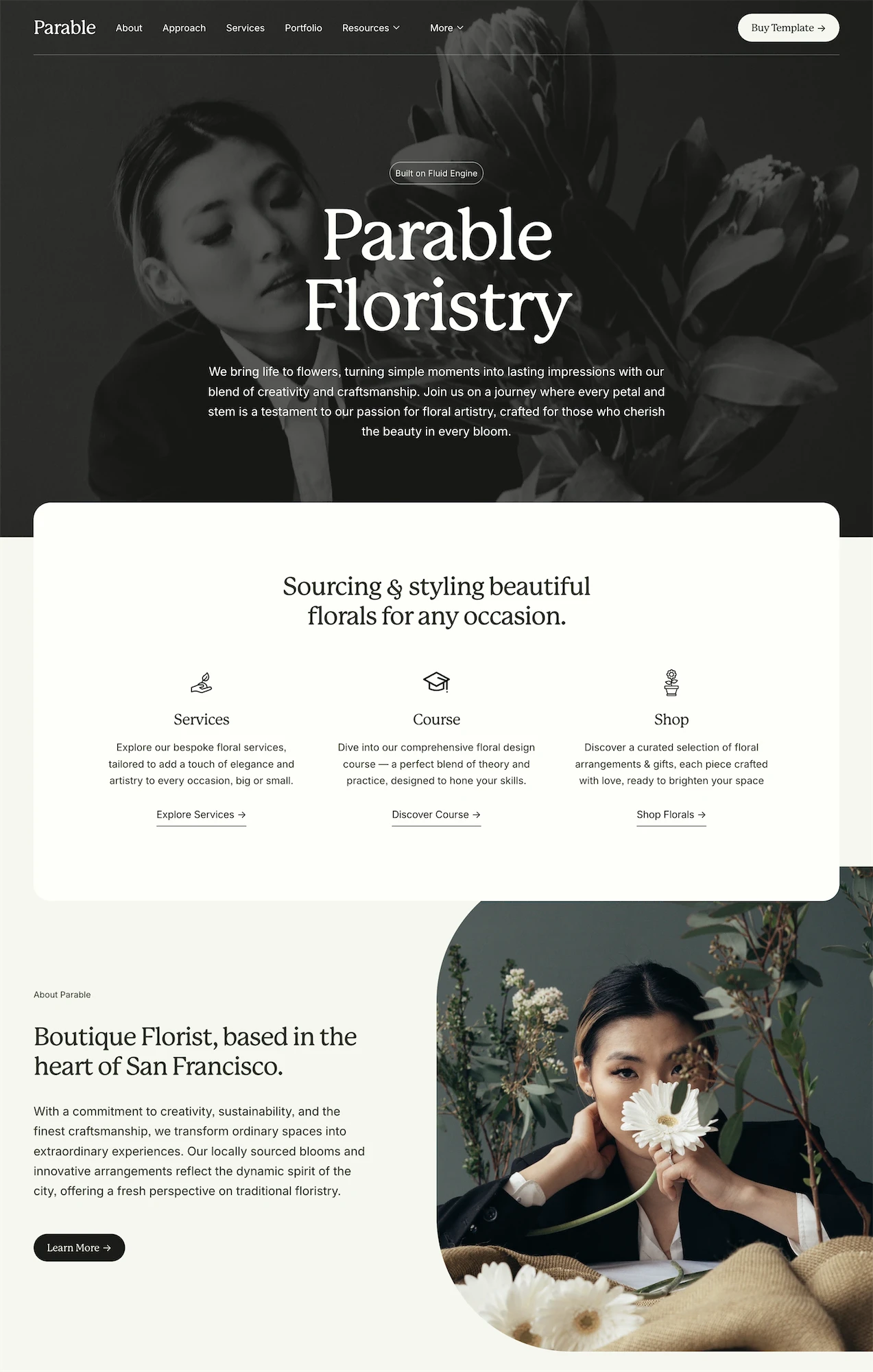
Studio Mesa templates are designed for exactly this use case. Parable is built for small businesses and service providers, with 15 pre-designed pages, an unlimited license, and instant delivery. If you want to understand the full landscape of premium template options, the definitive guide to third-party Squarespace template shops compares licensing, pricing, and quality across the market.
Article summary
Small business website costs range from under $200 for a DIY build on a platform like Squarespace to $15,000 or more for a custom design from a professional agency. Most small businesses land somewhere between $500 and $5,000. This post breaks down what drives the cost at each level, what you get for your money, and where the real value lies for businesses that need a functional site without an enterprise budget.
The Three Approaches
There are three ways to get a small business website built, and the cost structure is different for each one.
DIY on a Website Builder
Typical cost: $200–$600/year
Platforms like Squarespace, Wix, and WordPress.com let you build a site yourself using templates, drag-and-drop editors, and built-in hosting. You're paying for the platform subscription and a domain name. Everything else is your time.
Cost Component | Estimated Annual Cost |
|---|---|
Platform subscription (Squarespace Business plan) | $396 |
Custom domain | $12–$20 |
Premium template (optional) | $150–$500 (one-time) |
Stock photos (optional) | $0–$100 |
Total first year | $408–$1,016 |
Total subsequent years | $408–$416 |
The DIY approach works well if you're comfortable making design decisions, writing your own copy, and spending 20–40 hours on the initial build. The ongoing cost is low, and you maintain full control over updates and changes.
The risk is that a DIY site can look amateur if you don't have a strong eye for design or clear content. A premium template mitigates this significantly by giving you a professional starting point. The premium vs. free template comparison covers what that difference looks like in practice.
Freelance Web Designer
Typical cost: $2,000–$8,000
Hiring a freelance Squarespace designer or web developer gets you a professionally designed site without the overhead of an agency. You're paying for their expertise in layout, typography, content strategy, and platform-specific knowledge.
Cost Component | Estimated Cost |
|---|---|
Design and development | $2,000–$8,000 |
Copywriting (if not included) | $500–$2,000 |
Photography (if needed) | $300–$1,500 |
Platform subscription | $396/year |
Domain | $12–$20/year |
Total first year | $2,708–$11,920 |
Most freelance Squarespace designers charge between $3,000 and $6,000 for a full site build with 5–10 pages. The range depends on the designer's experience, your project scope, and whether you provide your own content or need them to handle copywriting and image sourcing.
For a detailed breakdown of what designers charge and what affects pricing, the Squarespace designer pricing guide has real numbers and context.
Agency or Custom Build
Typical cost: $8,000–$25,000+
Agencies bring a team: a project manager, a designer, a developer, possibly a copywriter and an SEO strategist. You're paying for a coordinated process and a polished result.
For most small businesses, this level of investment is hard to justify. Agencies are the right choice if you have complex functionality requirements (custom integrations, e-commerce at scale, multi-language support) or if your website is a primary revenue driver that justifies the spend.
If your needs are a clean 5–10 page site that explains your services and captures leads, you don't need an agency. A platform like Squarespace with a premium template or a freelance designer will get you 90% of the result at a fraction of the cost.
What Actually Drives the Cost
Number of Pages
A 5-page site costs less than a 15-page site. Each page requires design, content, and configuration. For most small businesses, 5–10 pages is the right range. If you're unsure how many pages you need, the guide on how many pages a Squarespace site should have walks through the decision.
Content Creation
The biggest hidden cost in any website project is content. Someone has to write the homepage headline, the service descriptions, the about page, the blog posts. If you're doing it yourself, it's free but time-intensive. If you're hiring a copywriter, expect to pay $500–$2,000 for a full site's worth of copy.
Photography is similar. Real photos of your business, team, and work will make your site significantly more effective than stock images. A professional photo session runs $300–$1,500 depending on your market and the photographer.
Custom Functionality
Standard features (contact forms, image galleries, basic e-commerce, blog) are included in every Squarespace plan. Custom functionality is where costs escalate. Booking systems, membership areas, advanced filtering, custom calculators, or integrations with third-party tools all add complexity and cost.
Before paying for custom development, check whether a Squarespace integration or a third-party tool (Acuity, Calendly, Memberspace) can handle the requirement. Platform-native solutions are cheaper and easier to maintain.
Ongoing Maintenance
A website isn't a one-time project. It needs updates, security patches, content refreshes, and occasional redesigns. On Squarespace, the platform handles hosting, security, and software updates automatically. Your ongoing costs are the annual subscription, domain renewal, and whatever time you spend updating content.
If you hire a designer for the initial build, ask about ongoing support. Some designers offer monthly retainers for updates and maintenance ($50–$200/month). Others charge hourly for post-launch work.
Cost Comparison Table
Approach | First-Year Cost | Ongoing Annual Cost | Time Investment | Best For |
|---|---|---|---|---|
DIY with free template | $408–$416 | $408–$416 | 30–50 hours | Tight budget, comfortable with tech |
DIY with premium template | $558–$916 | $408–$416 | 15–30 hours | Want professional results without a designer |
Freelance designer | $2,708–$11,920 | $408–$1,000 | 5–10 hours (your involvement) | Want a polished site, can invest upfront |
Agency | $8,400–$25,000+ | $1,000–$5,000 | 10–20 hours (reviews and feedback) | Complex requirements, larger budget |
Where Premium Templates Fit
A premium template sits in the gap between a free DIY build and a freelance designer. For $150–$500, you get a professionally designed starting point with structured pages, intentional typography, and a layout that's been tested across devices.
The value isn't just aesthetics. Premium templates save time. Instead of spending 15 hours arranging sections, choosing fonts, and tweaking spacing, you start with a layout that already works and spend your time on content instead.
That said, a template doesn't replace strategy. It gives you structure. If you don't know what your homepage should say or what pages your site needs, a template won't answer those questions for you. Start with the guide on building a small business website on Squarespace to sort out the strategic decisions first, then choose a template that fits your direction.
What to Spend If You're Just Starting
If your business is new and revenue is limited, here's a practical framework:
Under $500: Build it yourself on Squarespace using a premium template. Spend your time on content and copy. This gets you a professional-looking site that you can upgrade later as revenue grows.
$500–$3,000: DIY the build with a premium template and hire a copywriter to write your key pages. Good copy on a solid template will outperform a custom-designed site with mediocre copy.
$3,000–$8,000: Hire a freelance designer. This is the sweet spot for most established small businesses. You get professional design, strategic guidance, and a site that's built to convert, while still keeping costs reasonable.
$8,000+: Only if your website is a primary revenue channel (e-commerce, lead generation at scale) or if you have complex technical requirements that justify the investment.
What Not to Spend Money On
Premium plugins you don't need yet. Start with Squarespace's built-in tools. Add third-party integrations only when you hit a specific limitation.
Professional photography before your brand is settled. If you're still figuring out your positioning, hold off on a $1,500 photo shoot. Use clean, well-lit phone photos until your brand direction is clear.
A redesign before your current site has traffic. If your site gets 50 visitors a month, a redesign won't fix the underlying problem. Invest in content and SEO first. Redesign when you have enough traffic that the design is actually the bottleneck.
Start Building
The cost of a small business website in 2026 is lower than most people think, especially if you're willing to do some of the work yourself. A Squarespace subscription, a premium template, and a weekend of focused effort can get you a site that looks professional and functions well. Scale up from there as your business grows.
Studio Mesa templates are designed for exactly this use case. Parable is built for small businesses and service providers, with 15 pre-designed pages, an unlimited license, and instant delivery. If you want to understand the full landscape of premium template options, the definitive guide to third-party Squarespace template shops compares licensing, pricing, and quality across the market.
Article summary
Small business website costs range from under $200 for a DIY build on a platform like Squarespace to $15,000 or more for a custom design from a professional agency. Most small businesses land somewhere between $500 and $5,000. This post breaks down what drives the cost at each level, what you get for your money, and where the real value lies for businesses that need a functional site without an enterprise budget.
The Three Approaches
There are three ways to get a small business website built, and the cost structure is different for each one.
DIY on a Website Builder
Typical cost: $200–$600/year
Platforms like Squarespace, Wix, and WordPress.com let you build a site yourself using templates, drag-and-drop editors, and built-in hosting. You're paying for the platform subscription and a domain name. Everything else is your time.
Cost Component | Estimated Annual Cost |
|---|---|
Platform subscription (Squarespace Business plan) | $396 |
Custom domain | $12–$20 |
Premium template (optional) | $150–$500 (one-time) |
Stock photos (optional) | $0–$100 |
Total first year | $408–$1,016 |
Total subsequent years | $408–$416 |
The DIY approach works well if you're comfortable making design decisions, writing your own copy, and spending 20–40 hours on the initial build. The ongoing cost is low, and you maintain full control over updates and changes.
The risk is that a DIY site can look amateur if you don't have a strong eye for design or clear content. A premium template mitigates this significantly by giving you a professional starting point. The premium vs. free template comparison covers what that difference looks like in practice.
Freelance Web Designer
Typical cost: $2,000–$8,000
Hiring a freelance Squarespace designer or web developer gets you a professionally designed site without the overhead of an agency. You're paying for their expertise in layout, typography, content strategy, and platform-specific knowledge.
Cost Component | Estimated Cost |
|---|---|
Design and development | $2,000–$8,000 |
Copywriting (if not included) | $500–$2,000 |
Photography (if needed) | $300–$1,500 |
Platform subscription | $396/year |
Domain | $12–$20/year |
Total first year | $2,708–$11,920 |
Most freelance Squarespace designers charge between $3,000 and $6,000 for a full site build with 5–10 pages. The range depends on the designer's experience, your project scope, and whether you provide your own content or need them to handle copywriting and image sourcing.
For a detailed breakdown of what designers charge and what affects pricing, the Squarespace designer pricing guide has real numbers and context.
Agency or Custom Build
Typical cost: $8,000–$25,000+
Agencies bring a team: a project manager, a designer, a developer, possibly a copywriter and an SEO strategist. You're paying for a coordinated process and a polished result.
For most small businesses, this level of investment is hard to justify. Agencies are the right choice if you have complex functionality requirements (custom integrations, e-commerce at scale, multi-language support) or if your website is a primary revenue driver that justifies the spend.
If your needs are a clean 5–10 page site that explains your services and captures leads, you don't need an agency. A platform like Squarespace with a premium template or a freelance designer will get you 90% of the result at a fraction of the cost.
What Actually Drives the Cost
Number of Pages
A 5-page site costs less than a 15-page site. Each page requires design, content, and configuration. For most small businesses, 5–10 pages is the right range. If you're unsure how many pages you need, the guide on how many pages a Squarespace site should have walks through the decision.
Content Creation
The biggest hidden cost in any website project is content. Someone has to write the homepage headline, the service descriptions, the about page, the blog posts. If you're doing it yourself, it's free but time-intensive. If you're hiring a copywriter, expect to pay $500–$2,000 for a full site's worth of copy.
Photography is similar. Real photos of your business, team, and work will make your site significantly more effective than stock images. A professional photo session runs $300–$1,500 depending on your market and the photographer.
Custom Functionality
Standard features (contact forms, image galleries, basic e-commerce, blog) are included in every Squarespace plan. Custom functionality is where costs escalate. Booking systems, membership areas, advanced filtering, custom calculators, or integrations with third-party tools all add complexity and cost.
Before paying for custom development, check whether a Squarespace integration or a third-party tool (Acuity, Calendly, Memberspace) can handle the requirement. Platform-native solutions are cheaper and easier to maintain.
Ongoing Maintenance
A website isn't a one-time project. It needs updates, security patches, content refreshes, and occasional redesigns. On Squarespace, the platform handles hosting, security, and software updates automatically. Your ongoing costs are the annual subscription, domain renewal, and whatever time you spend updating content.
If you hire a designer for the initial build, ask about ongoing support. Some designers offer monthly retainers for updates and maintenance ($50–$200/month). Others charge hourly for post-launch work.
Cost Comparison Table
Approach | First-Year Cost | Ongoing Annual Cost | Time Investment | Best For |
|---|---|---|---|---|
DIY with free template | $408–$416 | $408–$416 | 30–50 hours | Tight budget, comfortable with tech |
DIY with premium template | $558–$916 | $408–$416 | 15–30 hours | Want professional results without a designer |
Freelance designer | $2,708–$11,920 | $408–$1,000 | 5–10 hours (your involvement) | Want a polished site, can invest upfront |
Agency | $8,400–$25,000+ | $1,000–$5,000 | 10–20 hours (reviews and feedback) | Complex requirements, larger budget |
Where Premium Templates Fit
A premium template sits in the gap between a free DIY build and a freelance designer. For $150–$500, you get a professionally designed starting point with structured pages, intentional typography, and a layout that's been tested across devices.
The value isn't just aesthetics. Premium templates save time. Instead of spending 15 hours arranging sections, choosing fonts, and tweaking spacing, you start with a layout that already works and spend your time on content instead.
That said, a template doesn't replace strategy. It gives you structure. If you don't know what your homepage should say or what pages your site needs, a template won't answer those questions for you. Start with the guide on building a small business website on Squarespace to sort out the strategic decisions first, then choose a template that fits your direction.
What to Spend If You're Just Starting
If your business is new and revenue is limited, here's a practical framework:
Under $500: Build it yourself on Squarespace using a premium template. Spend your time on content and copy. This gets you a professional-looking site that you can upgrade later as revenue grows.
$500–$3,000: DIY the build with a premium template and hire a copywriter to write your key pages. Good copy on a solid template will outperform a custom-designed site with mediocre copy.
$3,000–$8,000: Hire a freelance designer. This is the sweet spot for most established small businesses. You get professional design, strategic guidance, and a site that's built to convert, while still keeping costs reasonable.
$8,000+: Only if your website is a primary revenue channel (e-commerce, lead generation at scale) or if you have complex technical requirements that justify the investment.
What Not to Spend Money On
Premium plugins you don't need yet. Start with Squarespace's built-in tools. Add third-party integrations only when you hit a specific limitation.
Professional photography before your brand is settled. If you're still figuring out your positioning, hold off on a $1,500 photo shoot. Use clean, well-lit phone photos until your brand direction is clear.
A redesign before your current site has traffic. If your site gets 50 visitors a month, a redesign won't fix the underlying problem. Invest in content and SEO first. Redesign when you have enough traffic that the design is actually the bottleneck.
Start Building
The cost of a small business website in 2026 is lower than most people think, especially if you're willing to do some of the work yourself. A Squarespace subscription, a premium template, and a weekend of focused effort can get you a site that looks professional and functions well. Scale up from there as your business grows.
Studio Mesa templates are designed for exactly this use case. Parable is built for small businesses and service providers, with 15 pre-designed pages, an unlimited license, and instant delivery. If you want to understand the full landscape of premium template options, the definitive guide to third-party Squarespace template shops compares licensing, pricing, and quality across the market.