Professional website compliance isn't just about dodging lawsuits—it's about building a digital foundation that serves every visitor while protecting your business from legal exposure. For regulated professions like law firms, medical practices, financial advisors, and government contractors, compliance requirements go beyond basic accessibility to include industry-specific regulations that can trigger significant penalties when ignored.
Most professional services assume their website builder handles compliance automatically. That assumption costs businesses an average of $75,000 in settlements, plus remediation expenses that often exceed the original website budget. The good news? Building a compliant website from the start costs a fraction of fixing one later.
What is Professional Website Compliance?
Professional website compliance means your site meets legal standards for accessibility, privacy, security, and industry-specific regulations. Think of it as a three-layer system: federal accessibility laws that apply to everyone, state regulations that vary by location, and professional standards specific to your industry.
The foundation is ADA Title III compliance, which requires businesses open to the public to make their websites accessible to people with disabilities. Beyond that, healthcare providers must follow HIPAA guidelines for patient information, financial services need SEC and FINRA compliance, and law firms face state bar advertising restrictions.
Compliance isn't a checkbox you complete once. It's an ongoing commitment that requires regular audits, updates, and monitoring as both technology and regulations evolve.
Legal Requirements and Standards
ADA Title III and WCAG Standards
The Americans with Disabilities Act doesn't explicitly mention websites, but courts consistently rule that Title III covers digital properties. While the DOJ hasn't mandated specific technical standards, they consistently reference WCAG 2.1 Level AA as the benchmark for compliance.
WCAG 2.1 AA includes 50 specific success criteria organized around four principles: Perceivable, Operable, Understandable, and Robust (POUR). Key requirements include:
Alternative text for all informative images
Color contrast ratios of at least 4.5:1 for normal text
Keyboard navigation for all interactive elements
Clear focus indicators visible to keyboard users
Consistent navigation across all pages
Error identification that doesn't rely on color alone
Section 508 Requirements
Federal agencies and their contractors must meet Section 508 standards, which align closely with WCAG 2.0 Level AA. If you work with government entities or receive federal funding, Section 508 compliance becomes mandatory, not optional.
State-Level Regulations
California leads with the Unruh Civil Rights Act, which explicitly includes websites and carries statutory damages of $4,000 per violation. New York follows with similar requirements under state human rights law. Professional services operating in multiple states need to meet the highest standard applicable to their audience.
Industry-Specific Requirements
Healthcare websites handling patient information must implement HIPAA-compliant forms and secure data transmission. Law firms face advertising restrictions that vary by state bar—some prohibit testimonials, others require specific disclaimers. Financial advisors need disclosures that meet SEC requirements for investment information.
If you're building on Squarespace for your professional services website, you'll need to understand which compliance features the platform provides and where you'll need custom solutions.
Common Compliance Violations and How to Fix Them
After reviewing hundreds of professional services websites, certain violations appear repeatedly. Here's what to fix first:
Missing or Inadequate Alt Text
Screen readers depend on alt text to describe images to blind users. Decorative images need empty alt attributes (alt=""), while informative images require descriptive text that conveys the same information a sighted user would receive.
Fix: Audit every image on your site. Write alt text that describes the image's purpose, not just its appearance. "Attorney John Smith" is better than "Man in suit."
Poor Color Contrast
Light gray text on white backgrounds might look elegant, but it fails WCAG standards. Normal text needs a 4.5:1 contrast ratio, while large text (18pt+ or 14pt+ bold) requires 3:1.
Fix: Use tools like WebAIM's contrast checker before finalizing any color scheme. When using Squarespace's color themes, test every text and background combination.
Keyboard Navigation Failures
Every interactive element must be reachable and usable with keyboard alone. This includes forms, menus, accordions, and modal windows.
Fix: Tab through your entire site without touching a mouse. Can you reach every link? Can you submit every form? Can you close every popup? Fix anything that requires a mouse.
Form Accessibility Issues
Forms without proper labels leave screen reader users guessing what information goes where. Placeholder text disappears when users start typing, creating confusion for people with cognitive disabilities.
Fix: Every form field needs a visible label that remains visible when the field is filled. Error messages must clearly identify which field has the problem and how to fix it. For complex forms, consider building accessible contact forms that convert while meeting compliance standards.
Video and Audio Without Captions
Any video with speech needs captions for deaf users. Audio content requires transcripts. Auto-generated captions rarely meet accuracy standards for professional content.
Fix: Budget for professional captioning or allocate time for manual caption editing. Include transcripts below audio players.
Website Compliance Audit Process
A thorough compliance audit combines automated testing, manual review, and user testing with assistive technologies. Here's a systematic approach:
Phase 1: Automated Scanning
Start with automated tools like axe DevTools, WAVE, or Lighthouse. These catch obvious issues like missing alt text, color contrast failures, and structural problems. Run scans on every unique page template, not just your homepage.
Automated tools typically catch 30-40% of accessibility issues. They excel at technical violations but miss context-dependent problems.
Phase 2: Manual Testing
Manual testing fills the gaps automation misses:
Keyboard testing: Navigate your entire site using only Tab, Shift+Tab, Enter, and arrow keys
Screen reader testing: Use NVDA (Windows) or VoiceOver (Mac) to experience your site as blind users do
Mobile testing: Check touch targets, pinch-to-zoom functionality, and orientation changes
Cognitive load testing: Evaluate readability, navigation consistency, and error recovery
Phase 3: Functional Testing
Test every user journey from start to finish. Can someone book an appointment using only a keyboard? Can a screen reader user complete your contact form? Document each step and identify barriers.
Phase 4: Documentation
Create a compliance report that documents:
All identified issues with severity ratings
Specific WCAG success criteria violations
Remediation steps for each issue
Timeline and budget estimates
Recommendations for ongoing monitoring
Implementation Best Practices by Website Type
Different professional services face unique compliance challenges based on their content and functionality:
Law Firm Websites
Beyond basic accessibility, law firms must navigate state bar advertising rules. Some states prohibit client testimonials, while others require specific disclaimers about past results. Case results pages need careful structuring to remain compliant while showcasing expertise.
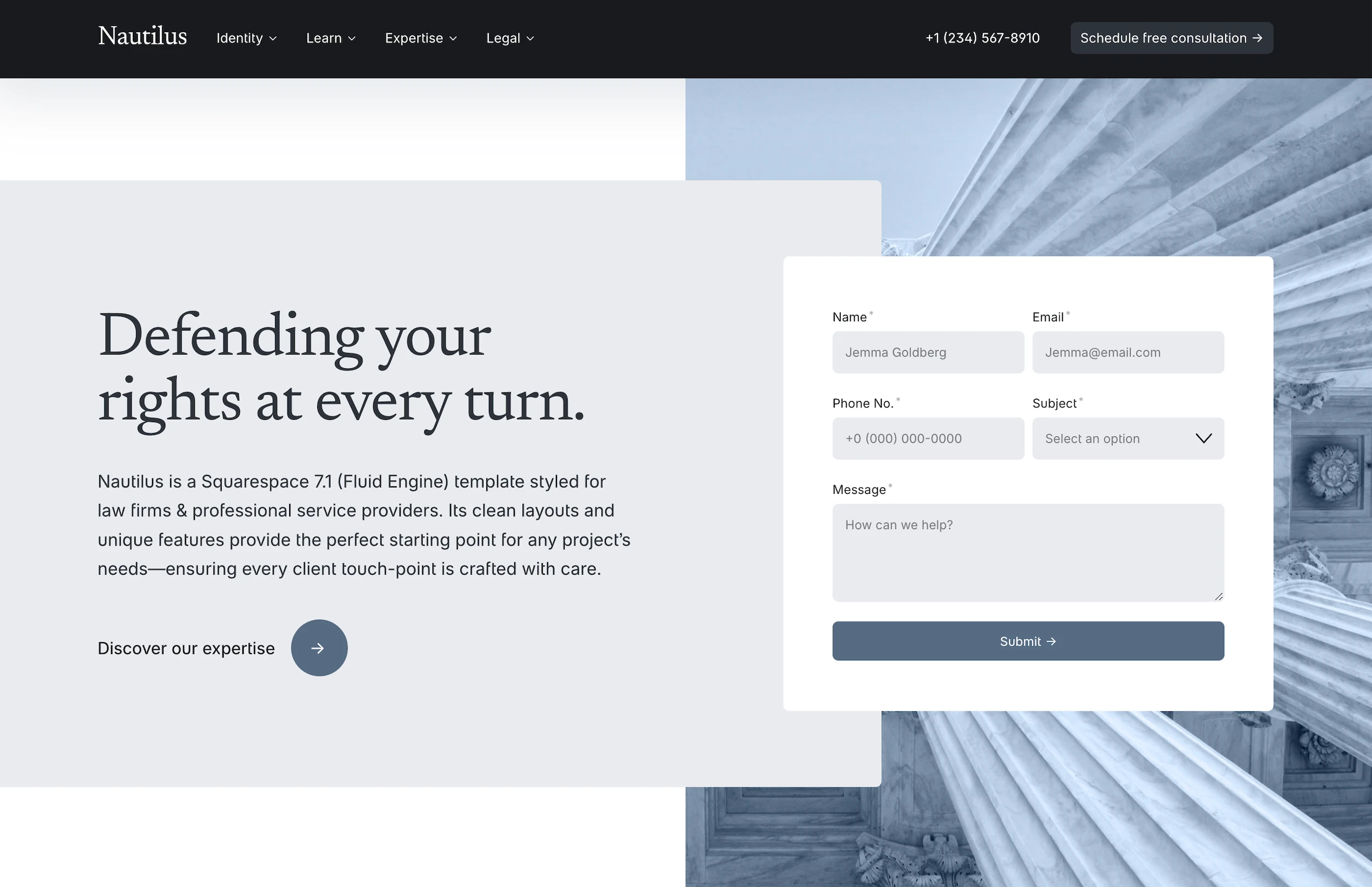
Consider using templates designed for law firms that build in compliance considerations from the start.
Healthcare Practice Websites
Medical and therapy practices face HIPAA requirements for any patient information collection. Contact forms need encryption, appointment scheduling requires secure transmission, and patient portals demand additional security layers.
For mental health practices, building compliant therapy websites means balancing accessibility with privacy protection.
Financial Services Websites
Investment advisors and financial planners must include SEC-required disclosures while maintaining accessibility. Performance data needs alternative formats for screen readers, and calculator tools require keyboard accessibility.
Government Contractors
Section 508 compliance is mandatory, not optional. Every PDF, document, and multimedia element must meet federal standards. Build accessibility testing into your development workflow from day one.
Compliance Costs and Timeline Planning
Understanding compliance costs helps you budget realistically and choose the right approach for your situation:
DIY Compliance Approach
Cost: $500-2,000 in tools and training
Timeline: 40-80 hours over 2-3 months
Best for: Small practices with simple sites and technical staff
The DIY route requires significant time investment but offers complete control. Budget for accessibility testing tools, training courses, and potentially legal review of your compliance documentation.
Automated Tools and Overlays
Cost: $50-500/month
Timeline: 1-2 weeks for initial setup
Best for: Nobody—overlays don't achieve real compliance
Accessibility overlays promise one-click compliance but deliver surface-level fixes that often make sites harder to use with assistive technology. Courts increasingly reject overlay widgets as adequate compliance efforts.
Professional Audit and Remediation
Cost: $5,000-15,000 for audit, $10,000-50,000 for remediation
Timeline: 2-4 weeks for audit, 1-3 months for fixes
Best for: Established practices with complex sites
Professional services provide thorough testing, detailed reports, and expert remediation. Choose firms specializing in your industry for guidance on sector-specific requirements.
Building Compliant from Scratch
Cost: 15-25% premium over standard development
Timeline: No additional time if planned properly
Best for: New sites or complete rebuilds
Starting with professionally designed templates that prioritize accessibility saves money long-term. Building compliance into your design process costs far less than retrofitting later.
Ongoing Maintenance and Monitoring
Compliance isn't a one-time project. Your maintenance plan should include:
Monthly Quick Checks
Run automated scans on new content
Test new features for keyboard accessibility
Review analytics for assistive technology usage
Check third-party integrations for compliance
Quarterly Deep Dives
Manual testing of key user journeys
Screen reader testing of new sections
Color contrast verification after design updates
Form functionality testing across browsers
Annual Comprehensive Audits
Full WCAG compliance review
Legal requirement updates for your industry
Competitive analysis of peer compliance
User testing with people using assistive technology
Documentation Requirements
Maintain an accessibility statement that documents your commitment, current compliance level, known issues with remediation timelines, and contact information for accessibility concerns. Update this statement quarterly or whenever you make significant changes.
Professional Services vs. DIY Solutions
Choosing between professional compliance services and DIY approaches depends on your specific situation:
When DIY Makes Sense
Simple brochure sites with standard content
In-house technical expertise
Time to learn and implement properly
Lower risk tolerance for your industry
When Professional Help Pays Off
Complex functionality like portals or calculators
High litigation risk in your market
Existing compliance issues to remediate
Need for legal defensibility documentation
The real question isn't whether you can afford compliance—it's whether you can afford non-compliance. One lawsuit costs more than years of proper maintenance.
Making Compliance Work for Your Business
Professional website compliance protects your business while expanding your reach to the 26% of adults with disabilities. Start with automated testing to identify obvious issues, then invest in manual review for the nuanced problems automation misses. Build compliance into your workflow rather than treating it as an afterthought.
For professional services ready to build compliant websites efficiently, starting with templates designed with accessibility in mind provides a foundation you can customize while maintaining compliance. The investment in proper compliance today prevents expensive remediation and legal exposure tomorrow.
FAQ
What's the minimum compliance level for professional services websites?
WCAG 2.1 Level AA serves as the baseline for ADA compliance, covering the essential accessibility features courts expect. Some industries require additional standards—healthcare needs HIPAA compliance for patient data, government contractors must meet Section 508, and financial services follow SEC guidelines. Start with WCAG 2.1 AA, then layer on industry-specific requirements.
Do accessibility overlay widgets actually achieve compliance?
No. Overlay widgets apply surface-level fixes that often interfere with assistive technology rather than helping. Courts increasingly recognize that overlays don't constitute good faith compliance efforts. Over 400 companies using overlays have still faced lawsuits. True compliance requires fixing underlying code issues, not adding a toolbar.
How much does professional website compliance cost?
Initial compliance audits run $5,000-15,000 depending on site complexity. Remediation costs vary widely—simple fixes might total $10,000, while complex sites can exceed $50,000. Building compliant from the start adds 15-25% to development costs but saves money compared to retrofitting. Annual maintenance and monitoring typically costs $3,000-10,000.
What happens if my professional website isn't compliant?
Non-compliant websites face demand letters, lawsuits, and settlements averaging $75,000 plus legal fees. Beyond financial risk, you're excluding potential clients with disabilities and damaging your professional reputation. Some industries face additional penalties—healthcare providers risk HIPAA violations, while government contractors can lose federal contracts.
How often should I audit my website for compliance?
Run automated scans monthly on new content and features. Conduct manual accessibility reviews quarterly, focusing on key user paths. Schedule comprehensive professional audits annually or after major site updates. Document all testing and remediation efforts to demonstrate ongoing compliance commitment if challenged.
Professional website compliance isn't just about dodging lawsuits—it's about building a digital foundation that serves every visitor while protecting your business from legal exposure. For regulated professions like law firms, medical practices, financial advisors, and government contractors, compliance requirements go beyond basic accessibility to include industry-specific regulations that can trigger significant penalties when ignored.
Most professional services assume their website builder handles compliance automatically. That assumption costs businesses an average of $75,000 in settlements, plus remediation expenses that often exceed the original website budget. The good news? Building a compliant website from the start costs a fraction of fixing one later.
What is Professional Website Compliance?
Professional website compliance means your site meets legal standards for accessibility, privacy, security, and industry-specific regulations. Think of it as a three-layer system: federal accessibility laws that apply to everyone, state regulations that vary by location, and professional standards specific to your industry.
The foundation is ADA Title III compliance, which requires businesses open to the public to make their websites accessible to people with disabilities. Beyond that, healthcare providers must follow HIPAA guidelines for patient information, financial services need SEC and FINRA compliance, and law firms face state bar advertising restrictions.
Compliance isn't a checkbox you complete once. It's an ongoing commitment that requires regular audits, updates, and monitoring as both technology and regulations evolve.
Legal Requirements and Standards
ADA Title III and WCAG Standards
The Americans with Disabilities Act doesn't explicitly mention websites, but courts consistently rule that Title III covers digital properties. While the DOJ hasn't mandated specific technical standards, they consistently reference WCAG 2.1 Level AA as the benchmark for compliance.
WCAG 2.1 AA includes 50 specific success criteria organized around four principles: Perceivable, Operable, Understandable, and Robust (POUR). Key requirements include:
Alternative text for all informative images
Color contrast ratios of at least 4.5:1 for normal text
Keyboard navigation for all interactive elements
Clear focus indicators visible to keyboard users
Consistent navigation across all pages
Error identification that doesn't rely on color alone
Section 508 Requirements
Federal agencies and their contractors must meet Section 508 standards, which align closely with WCAG 2.0 Level AA. If you work with government entities or receive federal funding, Section 508 compliance becomes mandatory, not optional.
State-Level Regulations
California leads with the Unruh Civil Rights Act, which explicitly includes websites and carries statutory damages of $4,000 per violation. New York follows with similar requirements under state human rights law. Professional services operating in multiple states need to meet the highest standard applicable to their audience.
Industry-Specific Requirements
Healthcare websites handling patient information must implement HIPAA-compliant forms and secure data transmission. Law firms face advertising restrictions that vary by state bar—some prohibit testimonials, others require specific disclaimers. Financial advisors need disclosures that meet SEC requirements for investment information.
If you're building on Squarespace for your professional services website, you'll need to understand which compliance features the platform provides and where you'll need custom solutions.
Common Compliance Violations and How to Fix Them
After reviewing hundreds of professional services websites, certain violations appear repeatedly. Here's what to fix first:
Missing or Inadequate Alt Text
Screen readers depend on alt text to describe images to blind users. Decorative images need empty alt attributes (alt=""), while informative images require descriptive text that conveys the same information a sighted user would receive.
Fix: Audit every image on your site. Write alt text that describes the image's purpose, not just its appearance. "Attorney John Smith" is better than "Man in suit."
Poor Color Contrast
Light gray text on white backgrounds might look elegant, but it fails WCAG standards. Normal text needs a 4.5:1 contrast ratio, while large text (18pt+ or 14pt+ bold) requires 3:1.
Fix: Use tools like WebAIM's contrast checker before finalizing any color scheme. When using Squarespace's color themes, test every text and background combination.
Keyboard Navigation Failures
Every interactive element must be reachable and usable with keyboard alone. This includes forms, menus, accordions, and modal windows.
Fix: Tab through your entire site without touching a mouse. Can you reach every link? Can you submit every form? Can you close every popup? Fix anything that requires a mouse.
Form Accessibility Issues
Forms without proper labels leave screen reader users guessing what information goes where. Placeholder text disappears when users start typing, creating confusion for people with cognitive disabilities.
Fix: Every form field needs a visible label that remains visible when the field is filled. Error messages must clearly identify which field has the problem and how to fix it. For complex forms, consider building accessible contact forms that convert while meeting compliance standards.
Video and Audio Without Captions
Any video with speech needs captions for deaf users. Audio content requires transcripts. Auto-generated captions rarely meet accuracy standards for professional content.
Fix: Budget for professional captioning or allocate time for manual caption editing. Include transcripts below audio players.
Website Compliance Audit Process
A thorough compliance audit combines automated testing, manual review, and user testing with assistive technologies. Here's a systematic approach:
Phase 1: Automated Scanning
Start with automated tools like axe DevTools, WAVE, or Lighthouse. These catch obvious issues like missing alt text, color contrast failures, and structural problems. Run scans on every unique page template, not just your homepage.
Automated tools typically catch 30-40% of accessibility issues. They excel at technical violations but miss context-dependent problems.
Phase 2: Manual Testing
Manual testing fills the gaps automation misses:
Keyboard testing: Navigate your entire site using only Tab, Shift+Tab, Enter, and arrow keys
Screen reader testing: Use NVDA (Windows) or VoiceOver (Mac) to experience your site as blind users do
Mobile testing: Check touch targets, pinch-to-zoom functionality, and orientation changes
Cognitive load testing: Evaluate readability, navigation consistency, and error recovery
Phase 3: Functional Testing
Test every user journey from start to finish. Can someone book an appointment using only a keyboard? Can a screen reader user complete your contact form? Document each step and identify barriers.
Phase 4: Documentation
Create a compliance report that documents:
All identified issues with severity ratings
Specific WCAG success criteria violations
Remediation steps for each issue
Timeline and budget estimates
Recommendations for ongoing monitoring
Implementation Best Practices by Website Type
Different professional services face unique compliance challenges based on their content and functionality:
Law Firm Websites
Beyond basic accessibility, law firms must navigate state bar advertising rules. Some states prohibit client testimonials, while others require specific disclaimers about past results. Case results pages need careful structuring to remain compliant while showcasing expertise.
Consider using templates designed for law firms that build in compliance considerations from the start.
Healthcare Practice Websites
Medical and therapy practices face HIPAA requirements for any patient information collection. Contact forms need encryption, appointment scheduling requires secure transmission, and patient portals demand additional security layers.
For mental health practices, building compliant therapy websites means balancing accessibility with privacy protection.
Financial Services Websites
Investment advisors and financial planners must include SEC-required disclosures while maintaining accessibility. Performance data needs alternative formats for screen readers, and calculator tools require keyboard accessibility.
Government Contractors
Section 508 compliance is mandatory, not optional. Every PDF, document, and multimedia element must meet federal standards. Build accessibility testing into your development workflow from day one.
Compliance Costs and Timeline Planning
Understanding compliance costs helps you budget realistically and choose the right approach for your situation:
DIY Compliance Approach
Cost: $500-2,000 in tools and training
Timeline: 40-80 hours over 2-3 months
Best for: Small practices with simple sites and technical staff
The DIY route requires significant time investment but offers complete control. Budget for accessibility testing tools, training courses, and potentially legal review of your compliance documentation.
Automated Tools and Overlays
Cost: $50-500/month
Timeline: 1-2 weeks for initial setup
Best for: Nobody—overlays don't achieve real compliance
Accessibility overlays promise one-click compliance but deliver surface-level fixes that often make sites harder to use with assistive technology. Courts increasingly reject overlay widgets as adequate compliance efforts.
Professional Audit and Remediation
Cost: $5,000-15,000 for audit, $10,000-50,000 for remediation
Timeline: 2-4 weeks for audit, 1-3 months for fixes
Best for: Established practices with complex sites
Professional services provide thorough testing, detailed reports, and expert remediation. Choose firms specializing in your industry for guidance on sector-specific requirements.
Building Compliant from Scratch
Cost: 15-25% premium over standard development
Timeline: No additional time if planned properly
Best for: New sites or complete rebuilds
Starting with professionally designed templates that prioritize accessibility saves money long-term. Building compliance into your design process costs far less than retrofitting later.
Ongoing Maintenance and Monitoring
Compliance isn't a one-time project. Your maintenance plan should include:
Monthly Quick Checks
Run automated scans on new content
Test new features for keyboard accessibility
Review analytics for assistive technology usage
Check third-party integrations for compliance
Quarterly Deep Dives
Manual testing of key user journeys
Screen reader testing of new sections
Color contrast verification after design updates
Form functionality testing across browsers
Annual Comprehensive Audits
Full WCAG compliance review
Legal requirement updates for your industry
Competitive analysis of peer compliance
User testing with people using assistive technology
Documentation Requirements
Maintain an accessibility statement that documents your commitment, current compliance level, known issues with remediation timelines, and contact information for accessibility concerns. Update this statement quarterly or whenever you make significant changes.
Professional Services vs. DIY Solutions
Choosing between professional compliance services and DIY approaches depends on your specific situation:
When DIY Makes Sense
Simple brochure sites with standard content
In-house technical expertise
Time to learn and implement properly
Lower risk tolerance for your industry
When Professional Help Pays Off
Complex functionality like portals or calculators
High litigation risk in your market
Existing compliance issues to remediate
Need for legal defensibility documentation
The real question isn't whether you can afford compliance—it's whether you can afford non-compliance. One lawsuit costs more than years of proper maintenance.
Making Compliance Work for Your Business
Professional website compliance protects your business while expanding your reach to the 26% of adults with disabilities. Start with automated testing to identify obvious issues, then invest in manual review for the nuanced problems automation misses. Build compliance into your workflow rather than treating it as an afterthought.
For professional services ready to build compliant websites efficiently, starting with templates designed with accessibility in mind provides a foundation you can customize while maintaining compliance. The investment in proper compliance today prevents expensive remediation and legal exposure tomorrow.
FAQ
What's the minimum compliance level for professional services websites?
WCAG 2.1 Level AA serves as the baseline for ADA compliance, covering the essential accessibility features courts expect. Some industries require additional standards—healthcare needs HIPAA compliance for patient data, government contractors must meet Section 508, and financial services follow SEC guidelines. Start with WCAG 2.1 AA, then layer on industry-specific requirements.
Do accessibility overlay widgets actually achieve compliance?
No. Overlay widgets apply surface-level fixes that often interfere with assistive technology rather than helping. Courts increasingly recognize that overlays don't constitute good faith compliance efforts. Over 400 companies using overlays have still faced lawsuits. True compliance requires fixing underlying code issues, not adding a toolbar.
How much does professional website compliance cost?
Initial compliance audits run $5,000-15,000 depending on site complexity. Remediation costs vary widely—simple fixes might total $10,000, while complex sites can exceed $50,000. Building compliant from the start adds 15-25% to development costs but saves money compared to retrofitting. Annual maintenance and monitoring typically costs $3,000-10,000.
What happens if my professional website isn't compliant?
Non-compliant websites face demand letters, lawsuits, and settlements averaging $75,000 plus legal fees. Beyond financial risk, you're excluding potential clients with disabilities and damaging your professional reputation. Some industries face additional penalties—healthcare providers risk HIPAA violations, while government contractors can lose federal contracts.
How often should I audit my website for compliance?
Run automated scans monthly on new content and features. Conduct manual accessibility reviews quarterly, focusing on key user paths. Schedule comprehensive professional audits annually or after major site updates. Document all testing and remediation efforts to demonstrate ongoing compliance commitment if challenged.
Professional website compliance isn't just about dodging lawsuits—it's about building a digital foundation that serves every visitor while protecting your business from legal exposure. For regulated professions like law firms, medical practices, financial advisors, and government contractors, compliance requirements go beyond basic accessibility to include industry-specific regulations that can trigger significant penalties when ignored.
Most professional services assume their website builder handles compliance automatically. That assumption costs businesses an average of $75,000 in settlements, plus remediation expenses that often exceed the original website budget. The good news? Building a compliant website from the start costs a fraction of fixing one later.
What is Professional Website Compliance?
Professional website compliance means your site meets legal standards for accessibility, privacy, security, and industry-specific regulations. Think of it as a three-layer system: federal accessibility laws that apply to everyone, state regulations that vary by location, and professional standards specific to your industry.
The foundation is ADA Title III compliance, which requires businesses open to the public to make their websites accessible to people with disabilities. Beyond that, healthcare providers must follow HIPAA guidelines for patient information, financial services need SEC and FINRA compliance, and law firms face state bar advertising restrictions.
Compliance isn't a checkbox you complete once. It's an ongoing commitment that requires regular audits, updates, and monitoring as both technology and regulations evolve.
Legal Requirements and Standards
ADA Title III and WCAG Standards
The Americans with Disabilities Act doesn't explicitly mention websites, but courts consistently rule that Title III covers digital properties. While the DOJ hasn't mandated specific technical standards, they consistently reference WCAG 2.1 Level AA as the benchmark for compliance.
WCAG 2.1 AA includes 50 specific success criteria organized around four principles: Perceivable, Operable, Understandable, and Robust (POUR). Key requirements include:
Alternative text for all informative images
Color contrast ratios of at least 4.5:1 for normal text
Keyboard navigation for all interactive elements
Clear focus indicators visible to keyboard users
Consistent navigation across all pages
Error identification that doesn't rely on color alone
Section 508 Requirements
Federal agencies and their contractors must meet Section 508 standards, which align closely with WCAG 2.0 Level AA. If you work with government entities or receive federal funding, Section 508 compliance becomes mandatory, not optional.
State-Level Regulations
California leads with the Unruh Civil Rights Act, which explicitly includes websites and carries statutory damages of $4,000 per violation. New York follows with similar requirements under state human rights law. Professional services operating in multiple states need to meet the highest standard applicable to their audience.
Industry-Specific Requirements
Healthcare websites handling patient information must implement HIPAA-compliant forms and secure data transmission. Law firms face advertising restrictions that vary by state bar—some prohibit testimonials, others require specific disclaimers. Financial advisors need disclosures that meet SEC requirements for investment information.
If you're building on Squarespace for your professional services website, you'll need to understand which compliance features the platform provides and where you'll need custom solutions.
Common Compliance Violations and How to Fix Them
After reviewing hundreds of professional services websites, certain violations appear repeatedly. Here's what to fix first:
Missing or Inadequate Alt Text
Screen readers depend on alt text to describe images to blind users. Decorative images need empty alt attributes (alt=""), while informative images require descriptive text that conveys the same information a sighted user would receive.
Fix: Audit every image on your site. Write alt text that describes the image's purpose, not just its appearance. "Attorney John Smith" is better than "Man in suit."
Poor Color Contrast
Light gray text on white backgrounds might look elegant, but it fails WCAG standards. Normal text needs a 4.5:1 contrast ratio, while large text (18pt+ or 14pt+ bold) requires 3:1.
Fix: Use tools like WebAIM's contrast checker before finalizing any color scheme. When using Squarespace's color themes, test every text and background combination.
Keyboard Navigation Failures
Every interactive element must be reachable and usable with keyboard alone. This includes forms, menus, accordions, and modal windows.
Fix: Tab through your entire site without touching a mouse. Can you reach every link? Can you submit every form? Can you close every popup? Fix anything that requires a mouse.
Form Accessibility Issues
Forms without proper labels leave screen reader users guessing what information goes where. Placeholder text disappears when users start typing, creating confusion for people with cognitive disabilities.
Fix: Every form field needs a visible label that remains visible when the field is filled. Error messages must clearly identify which field has the problem and how to fix it. For complex forms, consider building accessible contact forms that convert while meeting compliance standards.
Video and Audio Without Captions
Any video with speech needs captions for deaf users. Audio content requires transcripts. Auto-generated captions rarely meet accuracy standards for professional content.
Fix: Budget for professional captioning or allocate time for manual caption editing. Include transcripts below audio players.
Website Compliance Audit Process
A thorough compliance audit combines automated testing, manual review, and user testing with assistive technologies. Here's a systematic approach:
Phase 1: Automated Scanning
Start with automated tools like axe DevTools, WAVE, or Lighthouse. These catch obvious issues like missing alt text, color contrast failures, and structural problems. Run scans on every unique page template, not just your homepage.
Automated tools typically catch 30-40% of accessibility issues. They excel at technical violations but miss context-dependent problems.
Phase 2: Manual Testing
Manual testing fills the gaps automation misses:
Keyboard testing: Navigate your entire site using only Tab, Shift+Tab, Enter, and arrow keys
Screen reader testing: Use NVDA (Windows) or VoiceOver (Mac) to experience your site as blind users do
Mobile testing: Check touch targets, pinch-to-zoom functionality, and orientation changes
Cognitive load testing: Evaluate readability, navigation consistency, and error recovery
Phase 3: Functional Testing
Test every user journey from start to finish. Can someone book an appointment using only a keyboard? Can a screen reader user complete your contact form? Document each step and identify barriers.
Phase 4: Documentation
Create a compliance report that documents:
All identified issues with severity ratings
Specific WCAG success criteria violations
Remediation steps for each issue
Timeline and budget estimates
Recommendations for ongoing monitoring
Implementation Best Practices by Website Type
Different professional services face unique compliance challenges based on their content and functionality:
Law Firm Websites
Beyond basic accessibility, law firms must navigate state bar advertising rules. Some states prohibit client testimonials, while others require specific disclaimers about past results. Case results pages need careful structuring to remain compliant while showcasing expertise.
Consider using templates designed for law firms that build in compliance considerations from the start.
Healthcare Practice Websites
Medical and therapy practices face HIPAA requirements for any patient information collection. Contact forms need encryption, appointment scheduling requires secure transmission, and patient portals demand additional security layers.
For mental health practices, building compliant therapy websites means balancing accessibility with privacy protection.
Financial Services Websites
Investment advisors and financial planners must include SEC-required disclosures while maintaining accessibility. Performance data needs alternative formats for screen readers, and calculator tools require keyboard accessibility.
Government Contractors
Section 508 compliance is mandatory, not optional. Every PDF, document, and multimedia element must meet federal standards. Build accessibility testing into your development workflow from day one.
Compliance Costs and Timeline Planning
Understanding compliance costs helps you budget realistically and choose the right approach for your situation:
DIY Compliance Approach
Cost: $500-2,000 in tools and training
Timeline: 40-80 hours over 2-3 months
Best for: Small practices with simple sites and technical staff
The DIY route requires significant time investment but offers complete control. Budget for accessibility testing tools, training courses, and potentially legal review of your compliance documentation.
Automated Tools and Overlays
Cost: $50-500/month
Timeline: 1-2 weeks for initial setup
Best for: Nobody—overlays don't achieve real compliance
Accessibility overlays promise one-click compliance but deliver surface-level fixes that often make sites harder to use with assistive technology. Courts increasingly reject overlay widgets as adequate compliance efforts.
Professional Audit and Remediation
Cost: $5,000-15,000 for audit, $10,000-50,000 for remediation
Timeline: 2-4 weeks for audit, 1-3 months for fixes
Best for: Established practices with complex sites
Professional services provide thorough testing, detailed reports, and expert remediation. Choose firms specializing in your industry for guidance on sector-specific requirements.
Building Compliant from Scratch
Cost: 15-25% premium over standard development
Timeline: No additional time if planned properly
Best for: New sites or complete rebuilds
Starting with professionally designed templates that prioritize accessibility saves money long-term. Building compliance into your design process costs far less than retrofitting later.
Ongoing Maintenance and Monitoring
Compliance isn't a one-time project. Your maintenance plan should include:
Monthly Quick Checks
Run automated scans on new content
Test new features for keyboard accessibility
Review analytics for assistive technology usage
Check third-party integrations for compliance
Quarterly Deep Dives
Manual testing of key user journeys
Screen reader testing of new sections
Color contrast verification after design updates
Form functionality testing across browsers
Annual Comprehensive Audits
Full WCAG compliance review
Legal requirement updates for your industry
Competitive analysis of peer compliance
User testing with people using assistive technology
Documentation Requirements
Maintain an accessibility statement that documents your commitment, current compliance level, known issues with remediation timelines, and contact information for accessibility concerns. Update this statement quarterly or whenever you make significant changes.
Professional Services vs. DIY Solutions
Choosing between professional compliance services and DIY approaches depends on your specific situation:
When DIY Makes Sense
Simple brochure sites with standard content
In-house technical expertise
Time to learn and implement properly
Lower risk tolerance for your industry
When Professional Help Pays Off
Complex functionality like portals or calculators
High litigation risk in your market
Existing compliance issues to remediate
Need for legal defensibility documentation
The real question isn't whether you can afford compliance—it's whether you can afford non-compliance. One lawsuit costs more than years of proper maintenance.
Making Compliance Work for Your Business
Professional website compliance protects your business while expanding your reach to the 26% of adults with disabilities. Start with automated testing to identify obvious issues, then invest in manual review for the nuanced problems automation misses. Build compliance into your workflow rather than treating it as an afterthought.
For professional services ready to build compliant websites efficiently, starting with templates designed with accessibility in mind provides a foundation you can customize while maintaining compliance. The investment in proper compliance today prevents expensive remediation and legal exposure tomorrow.
FAQ
What's the minimum compliance level for professional services websites?
WCAG 2.1 Level AA serves as the baseline for ADA compliance, covering the essential accessibility features courts expect. Some industries require additional standards—healthcare needs HIPAA compliance for patient data, government contractors must meet Section 508, and financial services follow SEC guidelines. Start with WCAG 2.1 AA, then layer on industry-specific requirements.
Do accessibility overlay widgets actually achieve compliance?
No. Overlay widgets apply surface-level fixes that often interfere with assistive technology rather than helping. Courts increasingly recognize that overlays don't constitute good faith compliance efforts. Over 400 companies using overlays have still faced lawsuits. True compliance requires fixing underlying code issues, not adding a toolbar.
How much does professional website compliance cost?
Initial compliance audits run $5,000-15,000 depending on site complexity. Remediation costs vary widely—simple fixes might total $10,000, while complex sites can exceed $50,000. Building compliant from the start adds 15-25% to development costs but saves money compared to retrofitting. Annual maintenance and monitoring typically costs $3,000-10,000.
What happens if my professional website isn't compliant?
Non-compliant websites face demand letters, lawsuits, and settlements averaging $75,000 plus legal fees. Beyond financial risk, you're excluding potential clients with disabilities and damaging your professional reputation. Some industries face additional penalties—healthcare providers risk HIPAA violations, while government contractors can lose federal contracts.
How often should I audit my website for compliance?
Run automated scans monthly on new content and features. Conduct manual accessibility reviews quarterly, focusing on key user paths. Schedule comprehensive professional audits annually or after major site updates. Document all testing and remediation efforts to demonstrate ongoing compliance commitment if challenged.
