Article chapters

Article chapters

Article chapters

Strategy

Design Studio Website Structure: How to Showcase Your Process and Results

Design Studio Website Structure: How to Showcase Your Process and Results

Your design studio website needs to do more than display pretty pictures. Learn how to structure your site to demonstrate process, prove results, and convert visitors into premium clients.

Your design studio website needs to do more than display pretty pictures. Learn how to structure your site to demonstrate process, prove results, and convert visitors into premium clients.

Your design studio website needs to do more than display pretty pictures. It needs to convert visitors into clients by demonstrating your process, proving your results, and making it absurdly easy for the right people to hire you.

Most design studios get this backwards. They lead with awards and accolades, bury their process in an About page, and scatter case studies across disconnected portfolio pages. Then they wonder why inquiries come from price-shoppers instead of ideal clients.

Here's how to structure a design studio website that attracts better clients and commands premium rates.


The Three Elements Every Design Studio Website Must Balance

Before diving into specific pages and features, understand what your website needs to accomplish. A successful design studio website balances three core elements:

Visual Impact: Your work needs to look exceptional within seconds of someone landing on your site. But visual impact alone won't close deals.

Strategic Thinking: Potential clients hire design studios to solve business problems, not just create beautiful things. Your site structure needs to demonstrate how you think, not just what you make.

Clear Next Steps: Every page should guide visitors toward a specific action, whether that's viewing a case study, understanding your process, or starting a conversation.

Miss any of these three elements and your website becomes either a pretty gallery that doesn't convert, a boring consultancy site that doesn't inspire, or a confusing maze that frustrates potential clients.


Homepage Structure That Converts Visitors to Clients

Your homepage has about three seconds to answer the question: "Can this studio solve my specific problem?" Structure it to provide immediate clarity.

Start with a positioning statement that explains exactly who you help and how. "Brand strategy and design for ambitious startups" tells visitors more than "We create beautiful brands." Follow with 3-4 featured projects that demonstrate your range and results. Don't just show the final designs—include a brief outcome metric for each project.

Below the fold, introduce your process with a simple visual diagram or numbered steps. Potential clients want to know what working with you looks like before they reach out. End with recent client logos and a clear path to either view more work or start a project discussion.

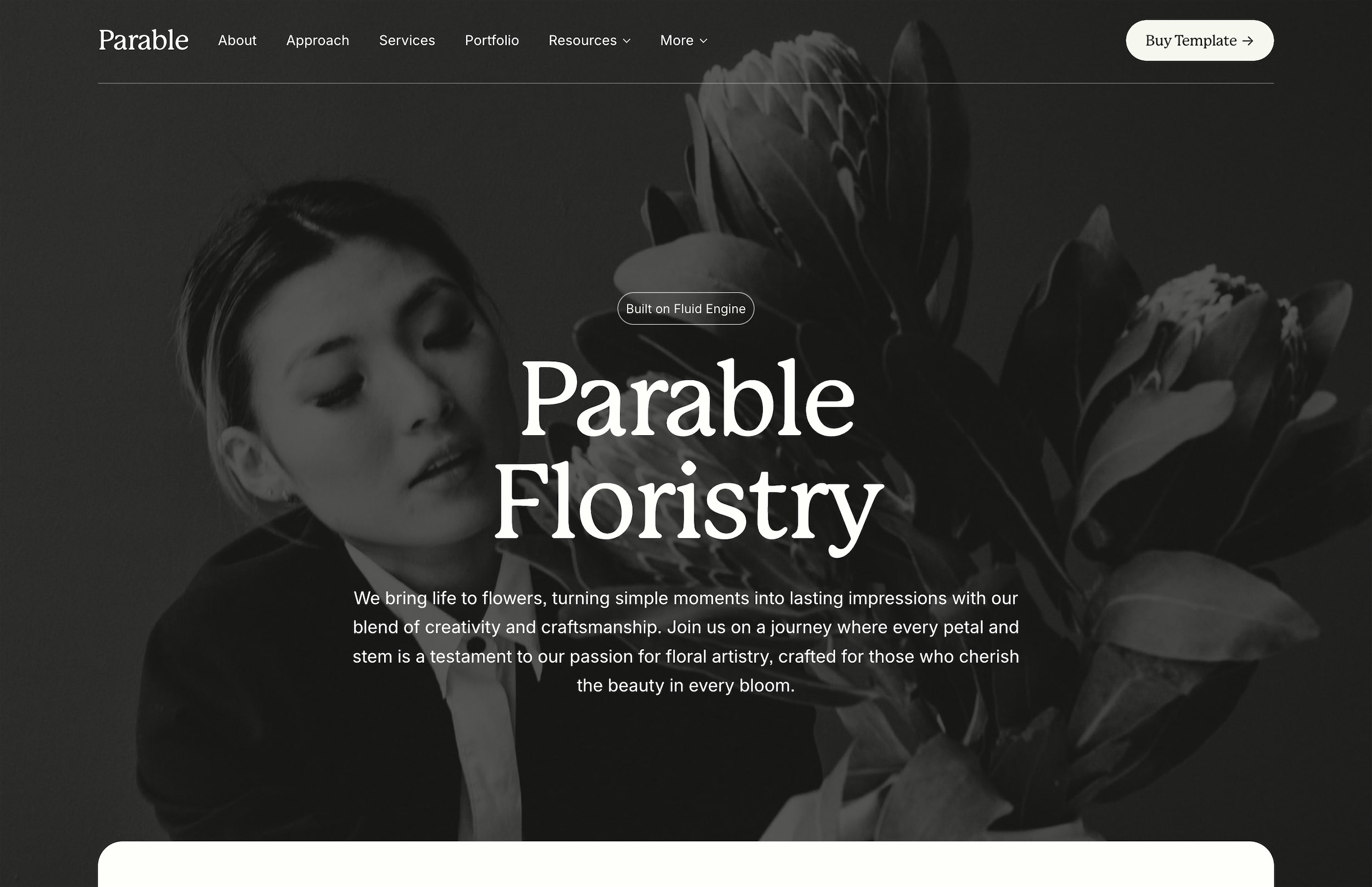
If you're looking for a solid foundation, Parable includes a homepage structure specifically designed for studios that balance multiple services with portfolio work.


Case Study Pages That Tell the Complete Story

Portfolio pages that only show final deliverables miss the point entirely. Clients don't just buy outcomes—they buy your ability to navigate from problem to solution.

Structure each case study as a complete narrative arc. Open with the client's challenge in specific business terms. A food delivery startup needed to differentiate in a crowded market. A nonprofit struggled to communicate complex programs to diverse audiences. Make the problem tangible.

Document your strategic approach before showing any visuals. What insights shaped the creative direction? What constraints did you work within? How did you validate your concepts? This middle section proves you're a strategic partner, not just a vendor.

Present the visual work in context—mockups on devices, signage in environments, packaging on shelves. Then close with measurable results whenever possible. A 40% increase in qualified leads beats "The client was thrilled" every time.


Process Pages That Pre-Sell Your Approach

A dedicated process page might be the most underutilized tool in design studio websites. Done right, it pre-qualifies clients and sets expectations before the first call.

Break your process into digestible phases with clear deliverables for each. Discovery phase: stakeholder interviews, competitive analysis, brand audit. Strategy phase: positioning framework, messaging hierarchy, visual direction. Design phase: concept development, refinement rounds, final deliverables.

Include timelines and what you need from clients at each stage. When prospects understand your process requires their active participation over 12 weeks, you stop getting inquiries from people who need something by next Tuesday.

Consider adding a downloadable PDF that expands on your process. It positions you as the expert while giving serious prospects something to share with their team. For more on creating compelling service pages, check out how to create a services page that converts.


Service Pages Organized by Client Outcome

Most studios organize services by deliverable: logo design, web design, packaging design. But clients don't wake up wanting a logo. They wake up wanting more customers, clearer differentiation, or stronger market position.

Restructure your services around client outcomes instead. "Launch Your Startup" might include brand strategy, identity design, and website development. "Refresh Your Established Brand" could cover brand audits, evolutionary identity updates, and rollout strategies.

Each service page should follow a similar structure: the business challenge this service addresses, your specific approach to solving it, what's included, relevant case studies, and investment ranges. Yes, publish your pricing—at least in ranges. It saves everyone time.


About Pages That Build Trust Without the Fluff

Skip the manifesto about creativity and passion. Your About page should answer three questions: Who are you? Why should I trust you? Why do you do this work?

Lead with credentials that matter to clients—years in business, notable clients, relevant expertise. Follow with brief bios that emphasize experience over personality quirks. Include real photos, not just headshots. Show your team in your actual workspace or collaborating on projects.

Close with your studio's point of view on design. Not philosophy—practical beliefs about how design creates business value. This section attracts clients who share your perspective and filters those who don't.


Essential Features for Modern Design Studio Websites

Beyond core pages, certain features dramatically improve how design studio websites function for both visitors and owners.

Dynamic Portfolio Filtering: Let visitors sort work by industry, service type, or project scale. A nonprofit executive should quickly find relevant nonprofit case studies. Use clear category labels and ensure filtered views load instantly.

Integrated Project Inquiry Forms: Generic contact forms generate generic inquiries. Create a project inquiry form that asks about budget ranges, timelines, and project goals. Include conditional logic—branding projects get different questions than web design projects.

Client Portal or Resources Section: Give current clients a dedicated login area for project assets, timelines, and deliverables. It reduces email volume while positioning your studio as organized and professional.

Journal or Insights Section: Share perspective on design trends, case study deep-dives, or industry observations. It demonstrates expertise while improving SEO.


Mobile Experience for Design Studios

Over 60% of initial site visits come from mobile devices, yet many design studio websites treat mobile as an afterthought. Visual work needs to shine on small screens without sacrificing load speed.

Optimize images aggressively. A 4000-pixel-wide case study image looks identical to a 1200-pixel version on mobile but loads four times slower. Use responsive images that serve appropriate sizes based on device.

Simplify navigation for touch interfaces. Hover effects don't exist on mobile, so ensure all interactive elements have clear touch states. Test your project inquiry form on a phone—if it's frustrating to complete, you're losing leads.

Consider mobile-specific content priorities. The desktop homepage might feature a large video reel, but mobile visitors want to see your work immediately. Adjust content stacking to put portfolio pieces higher on mobile layouts.

SEO Structure for Design Studio Websites

Design studios face unique SEO challenges. You want to rank for both service keywords ("brand design agency") and location terms ("design studio in Austin") without keyword stuffing your beautifully crafted copy.

Build topic authority through case study content. Each project page should target long-tail keywords naturally. "Sustainable packaging design for natural food brands" captures specific searches while showcasing expertise.

Create location-specific landing pages if you serve multiple markets. "Serving startups in Seattle" feels more relevant than a generic studio site to local searchers. Include genuine local context—mention neighborhood names, reference local business challenges, feature regional clients.

Structure URLs logically: yoursite.com/work/client-name for case studies, yoursite.com/services/brand-strategy for service pages. This hierarchy helps search engines understand your site structure while keeping URLs clean. For a comprehensive SEO approach, refer to the complete guide to Squarespace SEO.


Measuring What Matters: Analytics for Design Studios

Vanity metrics like total page views tell you nothing useful. Focus on metrics that indicate business value.

Track portfolio engagement depth. How many case studies does the average visitor view? Which projects generate the most time on site? This data reveals which work resonates with your audience.

Monitor inquiry form starts versus completions. A high abandonment rate might mean you're asking for too much information too soon. Test shorter forms or multi-step formats to improve completion rates.

Set up goal tracking for key actions: PDF downloads, project inquiry submissions, email newsletter signups. Connect these goals to traffic sources to understand which marketing efforts drive qualified leads versus casual browsers.


Common Design Studio Website Mistakes to Avoid

After reviewing hundreds of design studio websites, certain patterns consistently undermine effectiveness.

Mystery Navigation: Clever navigation labels like "What We Make" instead of "Work" or "Portfolio" confuse visitors. Save creativity for your client work. Use clear, standard labels for navigation.

Buried Contact Information: Requiring visitors to hunt for contact details suggests you don't actually want new business. Include email and location in your footer on every page.

Autoplay Everything: Background videos, animated transitions, and automatic slideshows might impress other designers but annoy potential clients trying to evaluate your work. Let visitors control their experience.

Vague Service Descriptions: "We create experiences that inspire" means nothing to a CMO with a specific brief and budget. Be concrete about what you do and for whom.


Platform Considerations for Design Studio Websites

Your choice of website platform impacts both initial build and ongoing management. Design studios need platforms that showcase visual work beautifully while remaining easy to update.

Content management systems like Squarespace excel at balancing design flexibility with user-friendly editing. You can create sophisticated layouts without coding, then easily update case studies as new projects complete. The built-in responsive design ensures work looks exceptional across devices.

If you need specific guidance for building agency sites on Squarespace, we've documented the complete process including portfolio setup and client presentation features.

Whatever platform you choose, prioritize easy content updates. Your website should evolve with your portfolio, not become a static museum of past work.


Investment and Pricing Transparency

The eternal question: should you publish pricing on your design studio website? The answer depends on your business model and target clients.

Publishing price ranges qualifies inquiries and saves sales time. "Branding projects start at $15,000" immediately filters out someone with a $2,000 budget. It also positions you relative to competitors—clients researching multiple studios appreciate transparency.

If you choose not to publish pricing, at least acknowledge the elephant in the room. Include a page explaining how you approach pricing, what factors influence project costs, and how prospects can get accurate estimates. Mystery breeds mistrust.

Consider creating downloadable pricing guides for common project types. This captures contact information while providing value, turning pricing curiosity into qualified leads.


Building Your Design Studio Website: Next Steps

A well-structured design studio website becomes your most effective sales tool. It works 24/7 to attract ideal clients, demonstrate your expertise, and start meaningful conversations about their business challenges.

Start by auditing your current site against the elements covered here. Where do you lose visitors? Which pages generate the most inquiries? What questions do prospects consistently ask that your site should already answer?

Prioritize fixing the biggest gaps first. If your case studies only show final designs, add process documentation to one project and test the response. If your service pages list deliverables instead of outcomes, rewrite one page and track inquiry quality.

For studios ready to rebuild entirely, starting with a professional template accelerates the process. Premium Squarespace templates designed specifically for creative businesses include the strategic page structures and conversion elements discussed throughout this guide, letting you focus on content while the technical foundation is already solid.


Frequently Asked Questions

How many portfolio pieces should a design studio website include?

Quality beats quantity—6-10 exceptional case studies demonstrating range and depth outperform 30 surface-level portfolio pieces. Each case study should tell a complete story from challenge through solution to results. Add new projects only when they showcase capabilities not already represented or replace weaker examples. Focus on recent work (within 2-3 years) unless older projects remain genuinely relevant.

Should design studios use templates or build custom websites?

Starting with a professional template makes sense for most design studios, especially those billing time to client projects instead of internal development. Modern templates offer extensive customization while handling responsive design, performance optimization, and accessibility standards. Customize the template to match your brand rather than building from scratch—your time creates more value serving clients than coding websites.

What CMS works best for design studio websites?

Squarespace provides the ideal balance for most design studios: sophisticated design tools without technical complexity. WordPress offers more flexibility but requires ongoing maintenance. Webflow suits studios with technical expertise who want granular control. Avoid overcomplicated systems—you need a platform that lets you update case studies quickly between client projects, not one that requires a developer for basic changes.

How can design studios improve website conversion rates?

Focus on reducing friction in the inquiry process. Simplify contact forms to essential fields only. Add clear calls-to-action on every page pointing toward project inquiries. Publish case studies that emphasize business results, not just visual outcomes. Include pricing ranges to pre-qualify leads. Most importantly, ensure your site loads quickly—every second of delay costs potential inquiries.

Do design studio websites need blogs?

Blogs benefit design studios when used strategically, not as obligation. Share project deep-dives, design process insights, or industry perspective—content that demonstrates expertise while attracting search traffic. Avoid generic design trend roundups. Publish only when you have substantial insights to share. Consistency matters less than quality for design studio content marketing.

Your design studio website needs to do more than display pretty pictures. It needs to convert visitors into clients by demonstrating your process, proving your results, and making it absurdly easy for the right people to hire you.

Most design studios get this backwards. They lead with awards and accolades, bury their process in an About page, and scatter case studies across disconnected portfolio pages. Then they wonder why inquiries come from price-shoppers instead of ideal clients.

Here's how to structure a design studio website that attracts better clients and commands premium rates.


The Three Elements Every Design Studio Website Must Balance

Before diving into specific pages and features, understand what your website needs to accomplish. A successful design studio website balances three core elements:

Visual Impact: Your work needs to look exceptional within seconds of someone landing on your site. But visual impact alone won't close deals.

Strategic Thinking: Potential clients hire design studios to solve business problems, not just create beautiful things. Your site structure needs to demonstrate how you think, not just what you make.

Clear Next Steps: Every page should guide visitors toward a specific action, whether that's viewing a case study, understanding your process, or starting a conversation.

Miss any of these three elements and your website becomes either a pretty gallery that doesn't convert, a boring consultancy site that doesn't inspire, or a confusing maze that frustrates potential clients.


Homepage Structure That Converts Visitors to Clients

Your homepage has about three seconds to answer the question: "Can this studio solve my specific problem?" Structure it to provide immediate clarity.

Start with a positioning statement that explains exactly who you help and how. "Brand strategy and design for ambitious startups" tells visitors more than "We create beautiful brands." Follow with 3-4 featured projects that demonstrate your range and results. Don't just show the final designs—include a brief outcome metric for each project.

Below the fold, introduce your process with a simple visual diagram or numbered steps. Potential clients want to know what working with you looks like before they reach out. End with recent client logos and a clear path to either view more work or start a project discussion.

If you're looking for a solid foundation, Parable includes a homepage structure specifically designed for studios that balance multiple services with portfolio work.


Case Study Pages That Tell the Complete Story

Portfolio pages that only show final deliverables miss the point entirely. Clients don't just buy outcomes—they buy your ability to navigate from problem to solution.

Structure each case study as a complete narrative arc. Open with the client's challenge in specific business terms. A food delivery startup needed to differentiate in a crowded market. A nonprofit struggled to communicate complex programs to diverse audiences. Make the problem tangible.

Document your strategic approach before showing any visuals. What insights shaped the creative direction? What constraints did you work within? How did you validate your concepts? This middle section proves you're a strategic partner, not just a vendor.

Present the visual work in context—mockups on devices, signage in environments, packaging on shelves. Then close with measurable results whenever possible. A 40% increase in qualified leads beats "The client was thrilled" every time.


Process Pages That Pre-Sell Your Approach

A dedicated process page might be the most underutilized tool in design studio websites. Done right, it pre-qualifies clients and sets expectations before the first call.

Break your process into digestible phases with clear deliverables for each. Discovery phase: stakeholder interviews, competitive analysis, brand audit. Strategy phase: positioning framework, messaging hierarchy, visual direction. Design phase: concept development, refinement rounds, final deliverables.

Include timelines and what you need from clients at each stage. When prospects understand your process requires their active participation over 12 weeks, you stop getting inquiries from people who need something by next Tuesday.

Consider adding a downloadable PDF that expands on your process. It positions you as the expert while giving serious prospects something to share with their team. For more on creating compelling service pages, check out how to create a services page that converts.


Service Pages Organized by Client Outcome

Most studios organize services by deliverable: logo design, web design, packaging design. But clients don't wake up wanting a logo. They wake up wanting more customers, clearer differentiation, or stronger market position.

Restructure your services around client outcomes instead. "Launch Your Startup" might include brand strategy, identity design, and website development. "Refresh Your Established Brand" could cover brand audits, evolutionary identity updates, and rollout strategies.

Each service page should follow a similar structure: the business challenge this service addresses, your specific approach to solving it, what's included, relevant case studies, and investment ranges. Yes, publish your pricing—at least in ranges. It saves everyone time.


About Pages That Build Trust Without the Fluff

Skip the manifesto about creativity and passion. Your About page should answer three questions: Who are you? Why should I trust you? Why do you do this work?

Lead with credentials that matter to clients—years in business, notable clients, relevant expertise. Follow with brief bios that emphasize experience over personality quirks. Include real photos, not just headshots. Show your team in your actual workspace or collaborating on projects.

Close with your studio's point of view on design. Not philosophy—practical beliefs about how design creates business value. This section attracts clients who share your perspective and filters those who don't.


Essential Features for Modern Design Studio Websites

Beyond core pages, certain features dramatically improve how design studio websites function for both visitors and owners.

Dynamic Portfolio Filtering: Let visitors sort work by industry, service type, or project scale. A nonprofit executive should quickly find relevant nonprofit case studies. Use clear category labels and ensure filtered views load instantly.

Integrated Project Inquiry Forms: Generic contact forms generate generic inquiries. Create a project inquiry form that asks about budget ranges, timelines, and project goals. Include conditional logic—branding projects get different questions than web design projects.

Client Portal or Resources Section: Give current clients a dedicated login area for project assets, timelines, and deliverables. It reduces email volume while positioning your studio as organized and professional.

Journal or Insights Section: Share perspective on design trends, case study deep-dives, or industry observations. It demonstrates expertise while improving SEO.


Mobile Experience for Design Studios

Over 60% of initial site visits come from mobile devices, yet many design studio websites treat mobile as an afterthought. Visual work needs to shine on small screens without sacrificing load speed.

Optimize images aggressively. A 4000-pixel-wide case study image looks identical to a 1200-pixel version on mobile but loads four times slower. Use responsive images that serve appropriate sizes based on device.

Simplify navigation for touch interfaces. Hover effects don't exist on mobile, so ensure all interactive elements have clear touch states. Test your project inquiry form on a phone—if it's frustrating to complete, you're losing leads.

Consider mobile-specific content priorities. The desktop homepage might feature a large video reel, but mobile visitors want to see your work immediately. Adjust content stacking to put portfolio pieces higher on mobile layouts.


SEO Structure for Design Studio Websites

Design studios face unique SEO challenges. You want to rank for both service keywords ("brand design agency") and location terms ("design studio in Austin") without keyword stuffing your beautifully crafted copy.

Build topic authority through case study content. Each project page should target long-tail keywords naturally. "Sustainable packaging design for natural food brands" captures specific searches while showcasing expertise.

Create location-specific landing pages if you serve multiple markets. "Serving startups in Seattle" feels more relevant than a generic studio site to local searchers. Include genuine local context—mention neighborhood names, reference local business challenges, feature regional clients.

Structure URLs logically: yoursite.com/work/client-name for case studies, yoursite.com/services/brand-strategy for service pages. This hierarchy helps search engines understand your site structure while keeping URLs clean. For a comprehensive SEO approach, refer to the complete guide to Squarespace SEO.


Measuring What Matters: Analytics for Design Studios

Vanity metrics like total page views tell you nothing useful. Focus on metrics that indicate business value.

Track portfolio engagement depth. How many case studies does the average visitor view? Which projects generate the most time on site? This data reveals which work resonates with your audience.

Monitor inquiry form starts versus completions. A high abandonment rate might mean you're asking for too much information too soon. Test shorter forms or multi-step formats to improve completion rates.

Set up goal tracking for key actions: PDF downloads, project inquiry submissions, email newsletter signups. Connect these goals to traffic sources to understand which marketing efforts drive qualified leads versus casual browsers.


Common Design Studio Website Mistakes to Avoid

After reviewing hundreds of design studio websites, certain patterns consistently undermine effectiveness.

Mystery Navigation: Clever navigation labels like "What We Make" instead of "Work" or "Portfolio" confuse visitors. Save creativity for your client work. Use clear, standard labels for navigation.

Buried Contact Information: Requiring visitors to hunt for contact details suggests you don't actually want new business. Include email and location in your footer on every page.

Autoplay Everything: Background videos, animated transitions, and automatic slideshows might impress other designers but annoy potential clients trying to evaluate your work. Let visitors control their experience.

Vague Service Descriptions: "We create experiences that inspire" means nothing to a CMO with a specific brief and budget. Be concrete about what you do and for whom.


Platform Considerations for Design Studio Websites

Your choice of website platform impacts both initial build and ongoing management. Design studios need platforms that showcase visual work beautifully while remaining easy to update.

Content management systems like Squarespace excel at balancing design flexibility with user-friendly editing. You can create sophisticated layouts without coding, then easily update case studies as new projects complete. The built-in responsive design ensures work looks exceptional across devices.

If you need specific guidance for building agency sites on Squarespace, we've documented the complete process including portfolio setup and client presentation features.

Whatever platform you choose, prioritize easy content updates. Your website should evolve with your portfolio, not become a static museum of past work.


Investment and Pricing Transparency

The eternal question: should you publish pricing on your design studio website? The answer depends on your business model and target clients.

Publishing price ranges qualifies inquiries and saves sales time. "Branding projects start at $15,000" immediately filters out someone with a $2,000 budget. It also positions you relative to competitors—clients researching multiple studios appreciate transparency.

If you choose not to publish pricing, at least acknowledge the elephant in the room. Include a page explaining how you approach pricing, what factors influence project costs, and how prospects can get accurate estimates. Mystery breeds mistrust.

Consider creating downloadable pricing guides for common project types. This captures contact information while providing value, turning pricing curiosity into qualified leads.


Building Your Design Studio Website: Next Steps

A well-structured design studio website becomes your most effective sales tool. It works 24/7 to attract ideal clients, demonstrate your expertise, and start meaningful conversations about their business challenges.

Start by auditing your current site against the elements covered here. Where do you lose visitors? Which pages generate the most inquiries? What questions do prospects consistently ask that your site should already answer?

Prioritize fixing the biggest gaps first. If your case studies only show final designs, add process documentation to one project and test the response. If your service pages list deliverables instead of outcomes, rewrite one page and track inquiry quality.

For studios ready to rebuild entirely, starting with a professional template accelerates the process. Premium Squarespace templates designed specifically for creative businesses include the strategic page structures and conversion elements discussed throughout this guide, letting you focus on content while the technical foundation is already solid.


Frequently Asked Questions

How many portfolio pieces should a design studio website include?

Quality beats quantity—6-10 exceptional case studies demonstrating range and depth outperform 30 surface-level portfolio pieces. Each case study should tell a complete story from challenge through solution to results. Add new projects only when they showcase capabilities not already represented or replace weaker examples. Focus on recent work (within 2-3 years) unless older projects remain genuinely relevant.

Should design studios use templates or build custom websites?

Starting with a professional template makes sense for most design studios, especially those billing time to client projects instead of internal development. Modern templates offer extensive customization while handling responsive design, performance optimization, and accessibility standards. Customize the template to match your brand rather than building from scratch—your time creates more value serving clients than coding websites.

What CMS works best for design studio websites?

Squarespace provides the ideal balance for most design studios: sophisticated design tools without technical complexity. WordPress offers more flexibility but requires ongoing maintenance. Webflow suits studios with technical expertise who want granular control. Avoid overcomplicated systems—you need a platform that lets you update case studies quickly between client projects, not one that requires a developer for basic changes.

How can design studios improve website conversion rates?

Focus on reducing friction in the inquiry process. Simplify contact forms to essential fields only. Add clear calls-to-action on every page pointing toward project inquiries. Publish case studies that emphasize business results, not just visual outcomes. Include pricing ranges to pre-qualify leads. Most importantly, ensure your site loads quickly—every second of delay costs potential inquiries.

Do design studio websites need blogs?

Blogs benefit design studios when used strategically, not as obligation. Share project deep-dives, design process insights, or industry perspective—content that demonstrates expertise while attracting search traffic. Avoid generic design trend roundups. Publish only when you have substantial insights to share. Consistency matters less than quality for design studio content marketing.

Templates mentioned in this post

Templates mentioned in this post

Design smarter, launch faster.

Studio Mesa makes Squarespace templates.

Templates for mission-driven businesses. All templates include 15 launch-ready pages, delivered instantly, with lifetime email support and an Unlimited License.

Subscribe

New template announcements

Design smarter, launch faster.

Studio Mesa makes Squarespace templates.

Templates for mission-driven businesses. All templates include 15 launch-ready pages, delivered instantly, with lifetime email support and an Unlimited License.

Subscribe

New template announcements

Design smarter, launch faster.

Studio Mesa makes Squarespace templates.

Templates for mission-driven businesses. All templates include 15 launch-ready pages, delivered instantly, with lifetime email support and an Unlimited License.

Subscribe

New template announcements