Understanding What You're Actually Choosing Between
Squarespace is a fully hosted website builder. You pay one monthly fee and get everything: hosting, security, updates, templates, and support. Think of it as renting a fully furnished office space where maintenance is included.
WordPress comes in two flavors. WordPress.com works similarly to Squarespace as a hosted solution. WordPress.org is self-hosted software you install on your own web hosting. Most serious WordPress users choose the self-hosted version for maximum control, so that's what we'll focus on here.
The self-hosted WordPress model is like buying an empty building. You have complete freedom to customize everything, but you're responsible for furnishing, maintenance, security, and utilities. This fundamental difference shapes every other comparison point.
Ease of Use and Learning Curve
Squarespace wins on immediate usability. You can have a professional-looking site live within hours. The visual editor shows exactly what visitors will see as you build. Drag sections around, click to edit text, upload images directly where you want them.
I recently helped a nonprofit launch their donation campaign site in a single afternoon using Squarespace. The development director had never built a website before, but she understood the interface immediately because it works like familiar tools such as Canva or PowerPoint.
WordPress requires more setup time and technical understanding. First, you need hosting. Then you install WordPress, choose a theme, add plugins for functionality, and configure settings. The block editor (Gutenberg) has improved significantly, but you're still working with an abstraction layer rather than true visual editing.
However, WordPress's complexity comes with flexibility. Once you understand the basics, you can create virtually any type of website. Page builders like Elementor or Divi add visual editing capabilities that rival Squarespace, though they add another layer of complexity and cost.
Time Investment Reality Check
A typical Squarespace site for a small nonprofit or therapy practice takes 10-20 hours from template selection to launch. That includes content creation, basic customization, and testing.
The same site on WordPress typically requires 30-50 hours when you factor in:
Hosting setup and configuration
Theme selection and customization
Plugin research and installation
Security hardening
Performance optimization
Troubleshooting conflicts
For organizations with limited time or technical resources, this difference matters significantly.
Real Cost Comparison Beyond the Sticker Price
Squarespace pricing is straightforward:
Personal Plan: $23/month (basic websites)
Business Plan: $33/month (includes e-commerce)
Commerce Plans: $36-$72/month (advanced selling features)
These prices include hosting, SSL certificates, security, and unlimited bandwidth. Premium templates from shops like Studio Mesa add a one-time cost of $150-300 but often save dozens of hours in design time.
WordPress costs vary wildly depending on your choices:
Hosting: $10-50/month for quality managed WordPress hosting
Premium theme: $50-100 (one-time)
Essential plugins: $200-500/year for premium versions
Security and backup services: $100-300/year
Developer maintenance: $100-500/month if outsourced
A professionally maintained WordPress site typically costs $2,000-5,000 annually when you include all expenses. Budget hosting and free plugins reduce this significantly but often create performance and security issues.
Hidden Cost Considerations
WordPress's hidden costs catch many organizations off guard. Plugin conflicts can break your site without warning. Security breaches require expensive emergency fixes. Performance optimization might necessitate upgraded hosting or developer intervention.
One church I worked with spent $3,000 fixing their WordPress site after a plugin update conflicted with their theme. They switched to Squarespace and haven't had a technical issue in two years.
Squarespace's hidden costs are minimal but exist. Custom functionality beyond the platform's capabilities requires workarounds or isn't possible. Some third-party integrations require upgraded plans. Advanced code customization needs CSS/JavaScript knowledge or developer help.
Design Quality and Customization Options
Squarespace templates consistently deliver professional aesthetics. The platform's design constraints actually help non-designers create beautiful sites by preventing common mistakes. Typography, spacing, and responsive behavior work correctly by default.
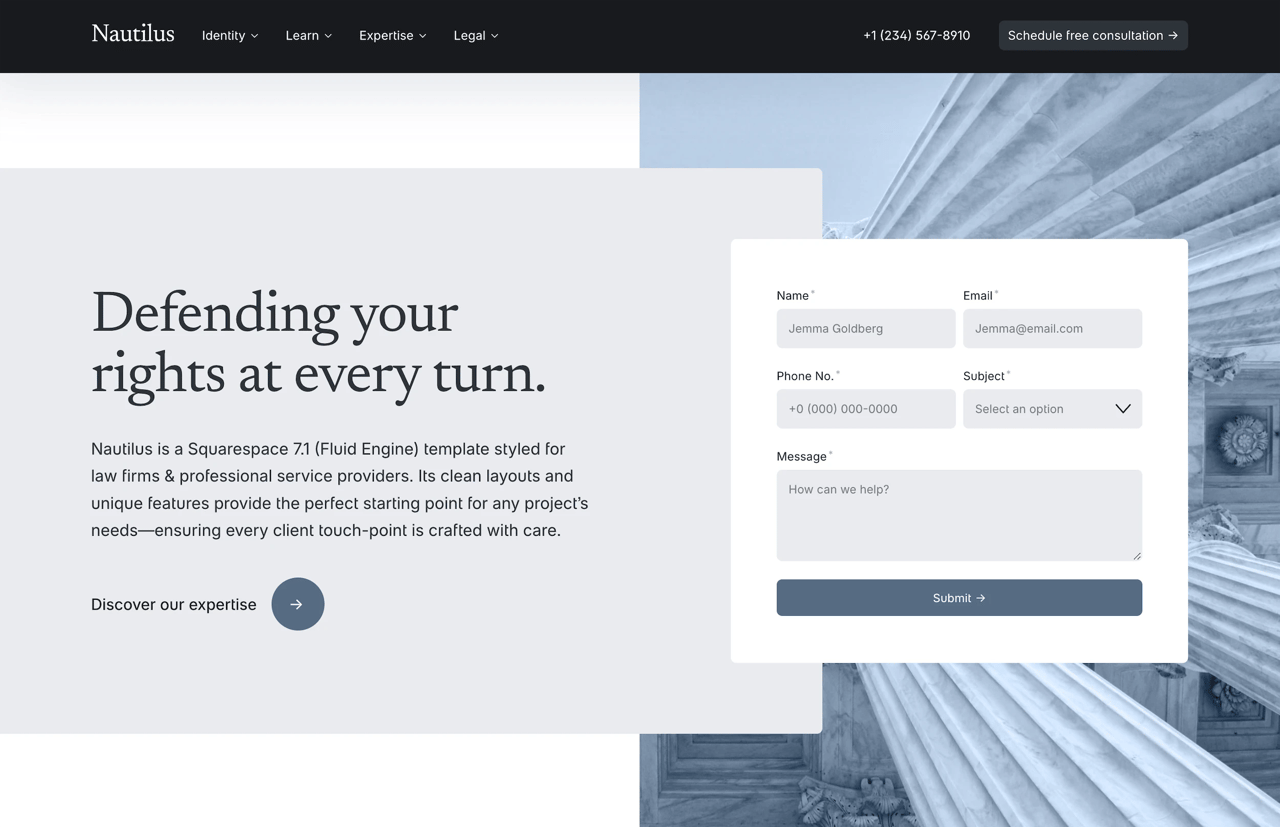
Every Squarespace template includes multiple style variations and extensive customization options through the Style Editor. You can adjust colors, fonts, spacing, and layouts without touching code. The Nautilus template, for example, includes 12 different header layouts and 30+ section variations while maintaining design consistency.
WordPress offers unlimited design possibilities through its massive theme ecosystem. You'll find themes for every conceivable niche and style. Premium theme shops like ThemeForest offer thousands of options starting at $60.
The challenge lies in quality consistency. Many WordPress themes suffer from bloated code, poor mobile responsiveness, or abandonment by developers. Research carefully before purchasing, checking update frequency and support responsiveness.
Customization Reality for Non-Developers
Squarespace customization happens through visual controls and occasional CSS tweaks. Most organizations can achieve their desired look without hiring a developer. The platform's code injection areas allow advanced customization when needed.
WordPress customization ranges from simple theme options to complete custom development. Page builders bridge the gap for non-developers but add complexity. Many organizations start with a page builder for flexibility but later hire developers to fix performance issues or achieve specific functionality.
The best platform isn't the one with the most features. It's the one that lets you focus on your mission instead of website maintenance.
SEO Capabilities and Marketing Tools
Both platforms handle SEO fundamentals well. You can optimize page titles, meta descriptions, URLs, and image alt text on either platform. The real differences lie in advanced optimization and third-party tool integration.
Squarespace includes built-in SEO features that cover most organizations' needs:
Automatic XML sitemaps
Clean URL structures
Mobile-responsive design (crucial for Google rankings)
Built-in analytics
Social media integration
Email campaign tools
The platform handles technical SEO automatically. Page speed is generally good, though not exceptional. You can't install advanced SEO plugins, but most sites don't need them.
WordPress with plugins like Yoast SEO or RankMath offers more granular control:
Advanced schema markup
Detailed content analysis
Redirect management
XML sitemap customization
Integration with dozens of marketing tools
This flexibility comes with responsibility. Poor hosting, bloated themes, or too many plugins can destroy page speed and hurt rankings. I've seen WordPress sites with 50+ plugins loading slowly despite expensive hosting.
Marketing Integration Differences
Squarespace's marketing tools are integrated and easy to use. Email campaigns, social media scheduling, and basic automation work within the same interface. The learning curve is minimal.
WordPress integrates with virtually every marketing tool available but requires separate accounts, configurations, and often premium plugins. You get more power but significantly more complexity.
For most mission-driven organizations, Squarespace's built-in tools handle email newsletters, donation campaigns, and event promotion effectively. Larger organizations running sophisticated marketing automation might need WordPress's flexibility.
E-commerce Features for Fundraising and Sales
Many mission-driven organizations need e-commerce functionality for donations, event tickets, merchandise, or course sales. Both platforms handle these needs differently.
Squarespace Commerce includes:
Integrated shopping cart and checkout
Donation buttons with suggested amounts
Membership areas for exclusive content
Digital product delivery
Inventory management
Tax calculation
Abandoned cart recovery (higher plans)
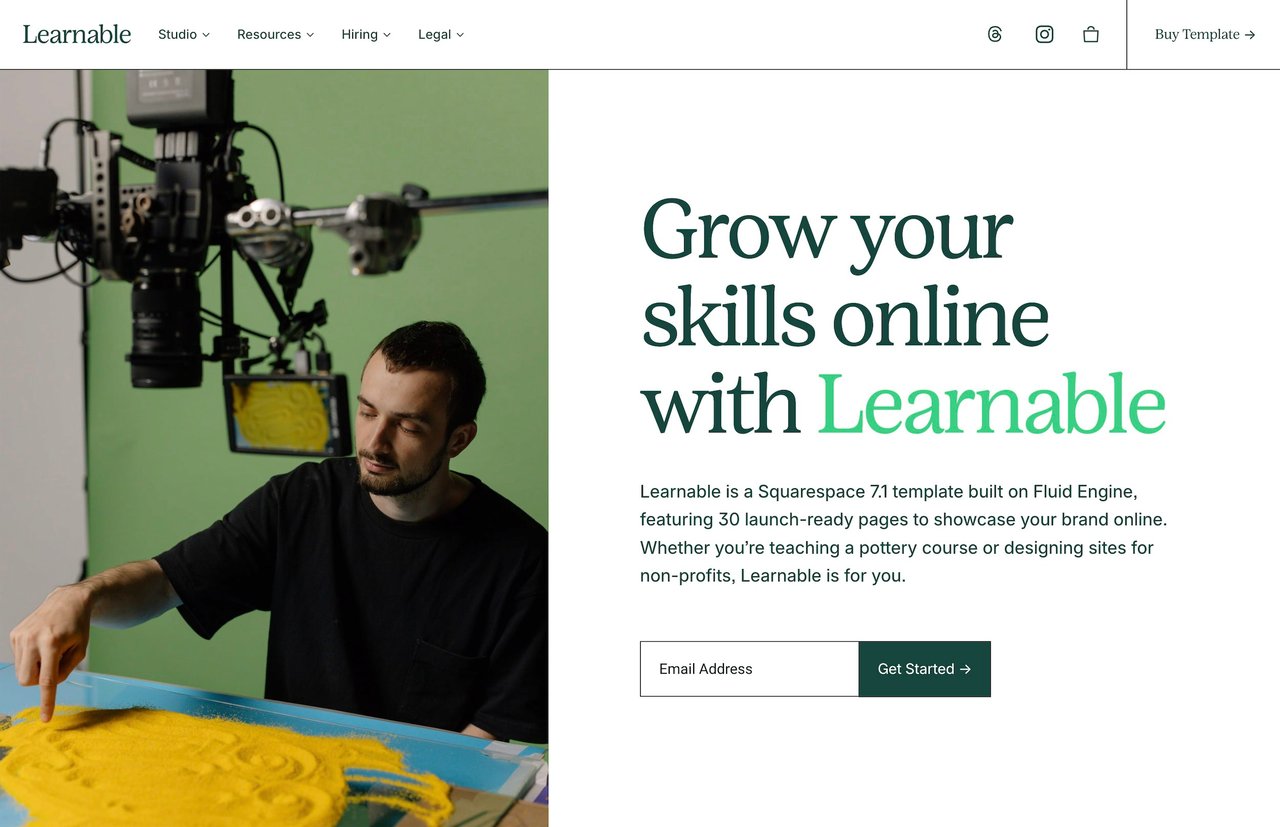
Everything works immediately without additional setup. The Learnable template comes pre-configured for course sales and membership sites, requiring only content addition.
WordPress typically uses WooCommerce for e-commerce, adding powerful features:
Unlimited product variations
Complex shipping rules
Extensive payment gateway options
Advanced reporting
Thousands of extensions
WooCommerce is free but requires significant setup time. Payment processing, SSL certificates, and many extensions cost extra. Performance optimization becomes critical as catalog size grows.
For simple fundraising or limited product sales, Squarespace's built-in commerce features suffice. Organizations planning major e-commerce operations might benefit from WooCommerce's extensibility.
Performance, Security, and Reliability
Website performance impacts user experience and search rankings. Security breaches can destroy donor trust. Reliability ensures your site stays accessible when you need it most.
Squarespace handles all three areas automatically:
Global CDN for fast loading worldwide
Automatic security updates
DDoS protection
SSL certificates included
99.9% uptime guarantee
Automatic backups
You never worry about technical maintenance. The platform's infrastructure scales automatically during traffic spikes, crucial for campaign launches or viral content.
WordPress performance and security depend entirely on your setup:
Hosting quality varies dramatically
Manual updates required (or automated with risks)
Security plugins needed
Backup solutions require configuration
Performance optimization is your responsibility
Well-maintained WordPress sites on quality hosting can outperform Squarespace. Poorly maintained sites become slow, vulnerable, and unreliable. One nonprofit I consulted had their WordPress site hacked three times before switching platforms.
Uptime During Critical Moments
Your website must work during crucial times like fundraising campaigns, event registrations, or crisis communications. Squarespace's managed infrastructure provides peace of mind. Their support team handles any platform-wide issues.
WordPress uptime depends on your hosting provider and site configuration. Budget hosts often crash during traffic spikes. Even quality hosts can't prevent plugin conflicts from taking your site offline.
Support Options When You Need Help
Every organization eventually needs technical support. The quality and availability of help can make or break your web presence.
Squarespace provides:
24/7 email support
Live chat during business hours
Extensive help documentation
Video workshops
Community forums
Support agents understand the entire platform and can help with most issues. Premium template providers like Studio Mesa offer additional specialized support for their products.
WordPress support is fragmented:
Hosting support (varies by provider)
Theme support (varies by developer)
Plugin support (varies by developer)
Community forums
Paid developer support
Finding help requires identifying whether your issue stems from WordPress core, your theme, a plugin, or hosting. Different support channels handle different problems, creating frustration for non-technical users.
Content Ownership and Platform Lock-in
Who owns your content matters for long-term planning. Both platforms handle ownership differently.
Squarespace clearly states you own all your content. You can export your entire site at any time. The export includes all text, images, and basic structure in WordPress XML format. However, design elements and some functionality don't transfer.
WordPress gives you complete ownership and portability. You can move your entire site between hosts, create local copies, or migrate to other platforms. This freedom provides security but requires technical knowledge to execute.
Platform lock-in is real with Squarespace but overstated. Yes, rebuilding your design elsewhere takes time. But your content, SEO value, and domain remain yours. Most organizations never need to switch platforms if they choose correctly initially.
Scalability for Growing Organizations
Your website needs might expand as your organization grows. Both platforms handle growth differently.
Squarespace scales automatically up to a point. Traffic spikes, content growth, and basic feature additions happen smoothly. The platform handles sites with thousands of pages and millions of annual visitors.
Limitations appear with complex functionality needs:
Custom database applications
Multi-language sites (limited support)
Complex user management systems
Advanced API integrations
Most mission-driven organizations never hit these limits. When they do, migration to a more flexible platform makes sense.
WordPress scales infinitely with the right infrastructure. Major news sites, universities, and Fortune 500 companies use WordPress. The challenge lies in managing that scale effectively.
Scaling WordPress requires:
Progressive hosting upgrades
Performance optimization
Caching strategies
Database optimization
Often, dedicated developer support
Small organizations rarely need WordPress's infinite scalability. The management overhead often outweighs the theoretical benefits.
Industry-Specific Considerations
Nonprofits
Squarespace excels for most nonprofits. Built-in donation buttons, event management, and email campaigns cover typical needs. The best nonprofit templates include impact sections, volunteer signups, and program showcases.
WordPress makes sense for nonprofits needing complex donation management, multilingual content, or integration with specific CRM systems. The learning curve and maintenance requirements often strain limited nonprofit resources.
Therapists and Healthcare Practices
HIPAA compliance matters for healthcare websites. Neither platform is HIPAA-compliant for storing patient data. Both work fine for marketing sites with separate practice management systems.
Squarespace's appointment scheduling and client intake forms integrate smoothly with HIPAA-compliant third-party services. Therapy-focused templates include all necessary pages and appropriate design aesthetics.
WordPress offers more scheduling plugin options but requires careful configuration for security and privacy. The added complexity rarely benefits solo practitioners or small practices.
Creative Agencies
Portfolio presentation drives creative agency decisions. Squarespace's gallery options and portfolio templates showcase work beautifully without technical complexity. Agency-specific features like team pages and case studies come standard.
WordPress provides more portfolio plugin options and custom post types for complex project categorization. Agencies with dedicated web staff might leverage this flexibility. Smaller agencies often prefer focusing on client work over website maintenance.
Churches and Religious Organizations
Churches need event calendars, sermon archives, and online giving. Squarespace handles these through built-in features and integrations. Church templates include everything needed for modern ministry websites.
WordPress church themes often include more specialized features like prayer request forms or bible verse displays. These additions come with increased complexity that volunteer web teams struggle to maintain.
Course Creators and Educators
Online education requires member areas, content protection, and progress tracking. Squarespace member areas handle basic course delivery effectively. The Learnable template streamlines course website creation.
WordPress with LearnDash or similar plugins offers advanced LMS features like quizzes, certificates, and detailed progress tracking. This power serves large educational organizations well but overwhelms individual course creators.
Migration Considerations Between Platforms
Sometimes organizations choose wrong initially or outgrow their platform. Understanding migration challenges helps make better initial decisions.
Moving from WordPress to Squarespace
WordPress to Squarespace migration is increasingly common as organizations seek simplicity. The process involves:
Exporting WordPress content
Importing to Squarespace (automatic for posts/pages)
Rebuilding design and functionality
Setting up redirects for SEO preservation
Content transfers smoothly. Design and custom functionality require rebuilding. Most organizations find the simplification worth the migration effort.
Moving from Squarespace to WordPress
Squarespace to WordPress migration happens when organizations need advanced functionality. The process requires:
Exporting Squarespace content
Setting up WordPress hosting
Importing content
Selecting and customizing a theme
Recreating functionality with plugins
Extensive testing and optimization
This migration is technically complex and often requires developer assistance. Organizations should be certain they need WordPress's flexibility before undertaking this move.
Common Myths and Misconceptions
"WordPress is Free"
WordPress software is free. Running a professional WordPress site isn't. Quality hosting, premium themes, essential plugins, and maintenance create significant costs. Budget WordPress sites often perform poorly and face security risks.
"Squarespace Sites All Look the Same"
This myth persists from Squarespace's early days. Modern Squarespace sites showcase incredible diversity. Premium templates and customization options create unique designs while maintaining quality standards.
"You Can't Do Real SEO on Squarespace"
Squarespace handles technical SEO automatically and provides necessary optimization tools. Most sites achieve excellent rankings with proper content strategy. Only advanced SEO techniques require WordPress's plugin ecosystem.
"WordPress is Too Complicated for Non-Profits"
WordPress complexity is optional. Managed WordPress hosting and careful plugin selection can create maintainable sites. The question is whether that complexity serves your mission or distracts from it.
Making the Right Choice for Your Organization
Choose Squarespace when:
You value simplicity and predictable costs
Your team lacks technical expertise
You want to focus on content, not maintenance
Built-in features meet your needs
Professional design matters more than unlimited customization
You need reliable support from a single source
Choose WordPress when:
You need specific functionality Squarespace can't provide
You have dedicated technical staff or budget for developers
Complete control over every aspect matters
You're building complex web applications beyond a website
You require extensive third-party integrations
Scalability beyond typical organizational needs is essential
Taking Action on Your Decision
The platform debate often paralyzes organizations. Perfect platforms don't exist. Choose based on your current needs and realistic growth projections, not theoretical future requirements.
Most mission-driven organizations thrive on Squarespace. The platform removes technical barriers, allowing focus on content and mission. When you're ready to build, starting with a professional template accelerates the process significantly.
Organizations needing Squarespace's simplicity with professional design should explore Studio Mesa's template collection. Each template includes lifetime support and extensive customization options, bridging the gap between Squarespace's ease of use and unique design needs. The investment pays for itself in saved development time and reduced long-term maintenance.
FAQ
Can I sell products on both Squarespace and WordPress?
Yes, both platforms support e-commerce. Squarespace includes built-in commerce features starting with Business plans. WordPress requires adding WooCommerce or similar plugins. Squarespace is easier to set up for basic selling, while WordPress offers more advanced e-commerce customization options.
Which platform is better for blogging?
Both platforms handle blogging well. WordPress started as blogging software and offers more advanced features like complex categorization and custom post types. Squarespace provides all essential blogging features with a cleaner, simpler interface. Most bloggers find Squarespace more than sufficient unless they need specific WordPress plugins.
How much should I budget annually for each platform?
Budget $300-800 annually for Squarespace (depending on plan and domain). WordPress requires $500-5,000+ annually depending on hosting quality, premium plugins, and whether you hire maintenance help. The lower WordPress estimates assume you handle all technical work yourself.
Can I switch platforms later if I change my mind?
Yes, but migration requires effort. Moving from WordPress to Squarespace is generally easier, as Squarespace imports WordPress content automatically. Moving from Squarespace to WordPress requires more manual work. Plan for 20-40 hours of migration work plus potential SEO impact during transition.
Which platform is more secure for handling donations?
Both platforms can handle donations securely when properly configured. Squarespace's built-in security and SSL certificates work immediately. WordPress requires ensuring your hosting provides SSL, keeping software updated, and potentially adding security plugins. The end security level can be equal, but Squarespace requires less work to achieve it.
Understanding What You're Actually Choosing Between
Squarespace is a fully hosted website builder. You pay one monthly fee and get everything: hosting, security, updates, templates, and support. Think of it as renting a fully furnished office space where maintenance is included.
WordPress comes in two flavors. WordPress.com works similarly to Squarespace as a hosted solution. WordPress.org is self-hosted software you install on your own web hosting. Most serious WordPress users choose the self-hosted version for maximum control, so that's what we'll focus on here.
The self-hosted WordPress model is like buying an empty building. You have complete freedom to customize everything, but you're responsible for furnishing, maintenance, security, and utilities. This fundamental difference shapes every other comparison point.
Ease of Use and Learning Curve
Squarespace wins on immediate usability. You can have a professional-looking site live within hours. The visual editor shows exactly what visitors will see as you build. Drag sections around, click to edit text, upload images directly where you want them.
I recently helped a nonprofit launch their donation campaign site in a single afternoon using Squarespace. The development director had never built a website before, but she understood the interface immediately because it works like familiar tools such as Canva or PowerPoint.
WordPress requires more setup time and technical understanding. First, you need hosting. Then you install WordPress, choose a theme, add plugins for functionality, and configure settings. The block editor (Gutenberg) has improved significantly, but you're still working with an abstraction layer rather than true visual editing.
However, WordPress's complexity comes with flexibility. Once you understand the basics, you can create virtually any type of website. Page builders like Elementor or Divi add visual editing capabilities that rival Squarespace, though they add another layer of complexity and cost.
Time Investment Reality Check
A typical Squarespace site for a small nonprofit or therapy practice takes 10-20 hours from template selection to launch. That includes content creation, basic customization, and testing.
The same site on WordPress typically requires 30-50 hours when you factor in:
Hosting setup and configuration
Theme selection and customization
Plugin research and installation
Security hardening
Performance optimization
Troubleshooting conflicts
For organizations with limited time or technical resources, this difference matters significantly.
Real Cost Comparison Beyond the Sticker Price
Squarespace pricing is straightforward:
Personal Plan: $23/month (basic websites)
Business Plan: $33/month (includes e-commerce)
Commerce Plans: $36-$72/month (advanced selling features)
These prices include hosting, SSL certificates, security, and unlimited bandwidth. Premium templates from shops like Studio Mesa add a one-time cost of $150-300 but often save dozens of hours in design time.
WordPress costs vary wildly depending on your choices:
Hosting: $10-50/month for quality managed WordPress hosting
Premium theme: $50-100 (one-time)
Essential plugins: $200-500/year for premium versions
Security and backup services: $100-300/year
Developer maintenance: $100-500/month if outsourced
A professionally maintained WordPress site typically costs $2,000-5,000 annually when you include all expenses. Budget hosting and free plugins reduce this significantly but often create performance and security issues.
Hidden Cost Considerations
WordPress's hidden costs catch many organizations off guard. Plugin conflicts can break your site without warning. Security breaches require expensive emergency fixes. Performance optimization might necessitate upgraded hosting or developer intervention.
One church I worked with spent $3,000 fixing their WordPress site after a plugin update conflicted with their theme. They switched to Squarespace and haven't had a technical issue in two years.
Squarespace's hidden costs are minimal but exist. Custom functionality beyond the platform's capabilities requires workarounds or isn't possible. Some third-party integrations require upgraded plans. Advanced code customization needs CSS/JavaScript knowledge or developer help.
Design Quality and Customization Options
Squarespace templates consistently deliver professional aesthetics. The platform's design constraints actually help non-designers create beautiful sites by preventing common mistakes. Typography, spacing, and responsive behavior work correctly by default.
Every Squarespace template includes multiple style variations and extensive customization options through the Style Editor. You can adjust colors, fonts, spacing, and layouts without touching code. The Nautilus template, for example, includes 12 different header layouts and 30+ section variations while maintaining design consistency.
WordPress offers unlimited design possibilities through its massive theme ecosystem. You'll find themes for every conceivable niche and style. Premium theme shops like ThemeForest offer thousands of options starting at $60.
The challenge lies in quality consistency. Many WordPress themes suffer from bloated code, poor mobile responsiveness, or abandonment by developers. Research carefully before purchasing, checking update frequency and support responsiveness.
Customization Reality for Non-Developers
Squarespace customization happens through visual controls and occasional CSS tweaks. Most organizations can achieve their desired look without hiring a developer. The platform's code injection areas allow advanced customization when needed.
WordPress customization ranges from simple theme options to complete custom development. Page builders bridge the gap for non-developers but add complexity. Many organizations start with a page builder for flexibility but later hire developers to fix performance issues or achieve specific functionality.
The best platform isn't the one with the most features. It's the one that lets you focus on your mission instead of website maintenance.
SEO Capabilities and Marketing Tools
Both platforms handle SEO fundamentals well. You can optimize page titles, meta descriptions, URLs, and image alt text on either platform. The real differences lie in advanced optimization and third-party tool integration.
Squarespace includes built-in SEO features that cover most organizations' needs:
Automatic XML sitemaps
Clean URL structures
Mobile-responsive design (crucial for Google rankings)
Built-in analytics
Social media integration
Email campaign tools
The platform handles technical SEO automatically. Page speed is generally good, though not exceptional. You can't install advanced SEO plugins, but most sites don't need them.
WordPress with plugins like Yoast SEO or RankMath offers more granular control:
Advanced schema markup
Detailed content analysis
Redirect management
XML sitemap customization
Integration with dozens of marketing tools
This flexibility comes with responsibility. Poor hosting, bloated themes, or too many plugins can destroy page speed and hurt rankings. I've seen WordPress sites with 50+ plugins loading slowly despite expensive hosting.
Marketing Integration Differences
Squarespace's marketing tools are integrated and easy to use. Email campaigns, social media scheduling, and basic automation work within the same interface. The learning curve is minimal.
WordPress integrates with virtually every marketing tool available but requires separate accounts, configurations, and often premium plugins. You get more power but significantly more complexity.
For most mission-driven organizations, Squarespace's built-in tools handle email newsletters, donation campaigns, and event promotion effectively. Larger organizations running sophisticated marketing automation might need WordPress's flexibility.
E-commerce Features for Fundraising and Sales
Many mission-driven organizations need e-commerce functionality for donations, event tickets, merchandise, or course sales. Both platforms handle these needs differently.
Squarespace Commerce includes:
Integrated shopping cart and checkout
Donation buttons with suggested amounts
Membership areas for exclusive content
Digital product delivery
Inventory management
Tax calculation
Abandoned cart recovery (higher plans)
Everything works immediately without additional setup. The Learnable template comes pre-configured for course sales and membership sites, requiring only content addition.
WordPress typically uses WooCommerce for e-commerce, adding powerful features:
Unlimited product variations
Complex shipping rules
Extensive payment gateway options
Advanced reporting
Thousands of extensions
WooCommerce is free but requires significant setup time. Payment processing, SSL certificates, and many extensions cost extra. Performance optimization becomes critical as catalog size grows.
For simple fundraising or limited product sales, Squarespace's built-in commerce features suffice. Organizations planning major e-commerce operations might benefit from WooCommerce's extensibility.
Performance, Security, and Reliability
Website performance impacts user experience and search rankings. Security breaches can destroy donor trust. Reliability ensures your site stays accessible when you need it most.
Squarespace handles all three areas automatically:
Global CDN for fast loading worldwide
Automatic security updates
DDoS protection
SSL certificates included
99.9% uptime guarantee
Automatic backups
You never worry about technical maintenance. The platform's infrastructure scales automatically during traffic spikes, crucial for campaign launches or viral content.
WordPress performance and security depend entirely on your setup:
Hosting quality varies dramatically
Manual updates required (or automated with risks)
Security plugins needed
Backup solutions require configuration
Performance optimization is your responsibility
Well-maintained WordPress sites on quality hosting can outperform Squarespace. Poorly maintained sites become slow, vulnerable, and unreliable. One nonprofit I consulted had their WordPress site hacked three times before switching platforms.
Uptime During Critical Moments
Your website must work during crucial times like fundraising campaigns, event registrations, or crisis communications. Squarespace's managed infrastructure provides peace of mind. Their support team handles any platform-wide issues.
WordPress uptime depends on your hosting provider and site configuration. Budget hosts often crash during traffic spikes. Even quality hosts can't prevent plugin conflicts from taking your site offline.
Support Options When You Need Help
Every organization eventually needs technical support. The quality and availability of help can make or break your web presence.
Squarespace provides:
24/7 email support
Live chat during business hours
Extensive help documentation
Video workshops
Community forums
Support agents understand the entire platform and can help with most issues. Premium template providers like Studio Mesa offer additional specialized support for their products.
WordPress support is fragmented:
Hosting support (varies by provider)
Theme support (varies by developer)
Plugin support (varies by developer)
Community forums
Paid developer support
Finding help requires identifying whether your issue stems from WordPress core, your theme, a plugin, or hosting. Different support channels handle different problems, creating frustration for non-technical users.
Content Ownership and Platform Lock-in
Who owns your content matters for long-term planning. Both platforms handle ownership differently.
Squarespace clearly states you own all your content. You can export your entire site at any time. The export includes all text, images, and basic structure in WordPress XML format. However, design elements and some functionality don't transfer.
WordPress gives you complete ownership and portability. You can move your entire site between hosts, create local copies, or migrate to other platforms. This freedom provides security but requires technical knowledge to execute.
Platform lock-in is real with Squarespace but overstated. Yes, rebuilding your design elsewhere takes time. But your content, SEO value, and domain remain yours. Most organizations never need to switch platforms if they choose correctly initially.
Scalability for Growing Organizations
Your website needs might expand as your organization grows. Both platforms handle growth differently.
Squarespace scales automatically up to a point. Traffic spikes, content growth, and basic feature additions happen smoothly. The platform handles sites with thousands of pages and millions of annual visitors.
Limitations appear with complex functionality needs:
Custom database applications
Multi-language sites (limited support)
Complex user management systems
Advanced API integrations
Most mission-driven organizations never hit these limits. When they do, migration to a more flexible platform makes sense.
WordPress scales infinitely with the right infrastructure. Major news sites, universities, and Fortune 500 companies use WordPress. The challenge lies in managing that scale effectively.
Scaling WordPress requires:
Progressive hosting upgrades
Performance optimization
Caching strategies
Database optimization
Often, dedicated developer support
Small organizations rarely need WordPress's infinite scalability. The management overhead often outweighs the theoretical benefits.
Industry-Specific Considerations
Nonprofits
Squarespace excels for most nonprofits. Built-in donation buttons, event management, and email campaigns cover typical needs. The best nonprofit templates include impact sections, volunteer signups, and program showcases.
WordPress makes sense for nonprofits needing complex donation management, multilingual content, or integration with specific CRM systems. The learning curve and maintenance requirements often strain limited nonprofit resources.
Therapists and Healthcare Practices
HIPAA compliance matters for healthcare websites. Neither platform is HIPAA-compliant for storing patient data. Both work fine for marketing sites with separate practice management systems.
Squarespace's appointment scheduling and client intake forms integrate smoothly with HIPAA-compliant third-party services. Therapy-focused templates include all necessary pages and appropriate design aesthetics.
WordPress offers more scheduling plugin options but requires careful configuration for security and privacy. The added complexity rarely benefits solo practitioners or small practices.
Creative Agencies
Portfolio presentation drives creative agency decisions. Squarespace's gallery options and portfolio templates showcase work beautifully without technical complexity. Agency-specific features like team pages and case studies come standard.
WordPress provides more portfolio plugin options and custom post types for complex project categorization. Agencies with dedicated web staff might leverage this flexibility. Smaller agencies often prefer focusing on client work over website maintenance.
Churches and Religious Organizations
Churches need event calendars, sermon archives, and online giving. Squarespace handles these through built-in features and integrations. Church templates include everything needed for modern ministry websites.
WordPress church themes often include more specialized features like prayer request forms or bible verse displays. These additions come with increased complexity that volunteer web teams struggle to maintain.
Course Creators and Educators
Online education requires member areas, content protection, and progress tracking. Squarespace member areas handle basic course delivery effectively. The Learnable template streamlines course website creation.
WordPress with LearnDash or similar plugins offers advanced LMS features like quizzes, certificates, and detailed progress tracking. This power serves large educational organizations well but overwhelms individual course creators.
Migration Considerations Between Platforms
Sometimes organizations choose wrong initially or outgrow their platform. Understanding migration challenges helps make better initial decisions.
Moving from WordPress to Squarespace
WordPress to Squarespace migration is increasingly common as organizations seek simplicity. The process involves:
Exporting WordPress content
Importing to Squarespace (automatic for posts/pages)
Rebuilding design and functionality
Setting up redirects for SEO preservation
Content transfers smoothly. Design and custom functionality require rebuilding. Most organizations find the simplification worth the migration effort.
Moving from Squarespace to WordPress
Squarespace to WordPress migration happens when organizations need advanced functionality. The process requires:
Exporting Squarespace content
Setting up WordPress hosting
Importing content
Selecting and customizing a theme
Recreating functionality with plugins
Extensive testing and optimization
This migration is technically complex and often requires developer assistance. Organizations should be certain they need WordPress's flexibility before undertaking this move.
Common Myths and Misconceptions
"WordPress is Free"
WordPress software is free. Running a professional WordPress site isn't. Quality hosting, premium themes, essential plugins, and maintenance create significant costs. Budget WordPress sites often perform poorly and face security risks.
"Squarespace Sites All Look the Same"
This myth persists from Squarespace's early days. Modern Squarespace sites showcase incredible diversity. Premium templates and customization options create unique designs while maintaining quality standards.
"You Can't Do Real SEO on Squarespace"
Squarespace handles technical SEO automatically and provides necessary optimization tools. Most sites achieve excellent rankings with proper content strategy. Only advanced SEO techniques require WordPress's plugin ecosystem.
"WordPress is Too Complicated for Non-Profits"
WordPress complexity is optional. Managed WordPress hosting and careful plugin selection can create maintainable sites. The question is whether that complexity serves your mission or distracts from it.
Making the Right Choice for Your Organization
Choose Squarespace when:
You value simplicity and predictable costs
Your team lacks technical expertise
You want to focus on content, not maintenance
Built-in features meet your needs
Professional design matters more than unlimited customization
You need reliable support from a single source
Choose WordPress when:
You need specific functionality Squarespace can't provide
You have dedicated technical staff or budget for developers
Complete control over every aspect matters
You're building complex web applications beyond a website
You require extensive third-party integrations
Scalability beyond typical organizational needs is essential
Taking Action on Your Decision
The platform debate often paralyzes organizations. Perfect platforms don't exist. Choose based on your current needs and realistic growth projections, not theoretical future requirements.
Most mission-driven organizations thrive on Squarespace. The platform removes technical barriers, allowing focus on content and mission. When you're ready to build, starting with a professional template accelerates the process significantly.
Organizations needing Squarespace's simplicity with professional design should explore Studio Mesa's template collection. Each template includes lifetime support and extensive customization options, bridging the gap between Squarespace's ease of use and unique design needs. The investment pays for itself in saved development time and reduced long-term maintenance.
FAQ
Can I sell products on both Squarespace and WordPress?
Yes, both platforms support e-commerce. Squarespace includes built-in commerce features starting with Business plans. WordPress requires adding WooCommerce or similar plugins. Squarespace is easier to set up for basic selling, while WordPress offers more advanced e-commerce customization options.
Which platform is better for blogging?
Both platforms handle blogging well. WordPress started as blogging software and offers more advanced features like complex categorization and custom post types. Squarespace provides all essential blogging features with a cleaner, simpler interface. Most bloggers find Squarespace more than sufficient unless they need specific WordPress plugins.
How much should I budget annually for each platform?
Budget $300-800 annually for Squarespace (depending on plan and domain). WordPress requires $500-5,000+ annually depending on hosting quality, premium plugins, and whether you hire maintenance help. The lower WordPress estimates assume you handle all technical work yourself.
Can I switch platforms later if I change my mind?
Yes, but migration requires effort. Moving from WordPress to Squarespace is generally easier, as Squarespace imports WordPress content automatically. Moving from Squarespace to WordPress requires more manual work. Plan for 20-40 hours of migration work plus potential SEO impact during transition.
Which platform is more secure for handling donations?
Both platforms can handle donations securely when properly configured. Squarespace's built-in security and SSL certificates work immediately. WordPress requires ensuring your hosting provides SSL, keeping software updated, and potentially adding security plugins. The end security level can be equal, but Squarespace requires less work to achieve it.
Understanding What You're Actually Choosing Between
Squarespace is a fully hosted website builder. You pay one monthly fee and get everything: hosting, security, updates, templates, and support. Think of it as renting a fully furnished office space where maintenance is included.
WordPress comes in two flavors. WordPress.com works similarly to Squarespace as a hosted solution. WordPress.org is self-hosted software you install on your own web hosting. Most serious WordPress users choose the self-hosted version for maximum control, so that's what we'll focus on here.
The self-hosted WordPress model is like buying an empty building. You have complete freedom to customize everything, but you're responsible for furnishing, maintenance, security, and utilities. This fundamental difference shapes every other comparison point.
Ease of Use and Learning Curve
Squarespace wins on immediate usability. You can have a professional-looking site live within hours. The visual editor shows exactly what visitors will see as you build. Drag sections around, click to edit text, upload images directly where you want them.
I recently helped a nonprofit launch their donation campaign site in a single afternoon using Squarespace. The development director had never built a website before, but she understood the interface immediately because it works like familiar tools such as Canva or PowerPoint.
WordPress requires more setup time and technical understanding. First, you need hosting. Then you install WordPress, choose a theme, add plugins for functionality, and configure settings. The block editor (Gutenberg) has improved significantly, but you're still working with an abstraction layer rather than true visual editing.
However, WordPress's complexity comes with flexibility. Once you understand the basics, you can create virtually any type of website. Page builders like Elementor or Divi add visual editing capabilities that rival Squarespace, though they add another layer of complexity and cost.
Time Investment Reality Check
A typical Squarespace site for a small nonprofit or therapy practice takes 10-20 hours from template selection to launch. That includes content creation, basic customization, and testing.
The same site on WordPress typically requires 30-50 hours when you factor in:
Hosting setup and configuration
Theme selection and customization
Plugin research and installation
Security hardening
Performance optimization
Troubleshooting conflicts
For organizations with limited time or technical resources, this difference matters significantly.
Real Cost Comparison Beyond the Sticker Price
Squarespace pricing is straightforward:
Personal Plan: $23/month (basic websites)
Business Plan: $33/month (includes e-commerce)
Commerce Plans: $36-$72/month (advanced selling features)
These prices include hosting, SSL certificates, security, and unlimited bandwidth. Premium templates from shops like Studio Mesa add a one-time cost of $150-300 but often save dozens of hours in design time.
WordPress costs vary wildly depending on your choices:
Hosting: $10-50/month for quality managed WordPress hosting
Premium theme: $50-100 (one-time)
Essential plugins: $200-500/year for premium versions
Security and backup services: $100-300/year
Developer maintenance: $100-500/month if outsourced
A professionally maintained WordPress site typically costs $2,000-5,000 annually when you include all expenses. Budget hosting and free plugins reduce this significantly but often create performance and security issues.
Hidden Cost Considerations
WordPress's hidden costs catch many organizations off guard. Plugin conflicts can break your site without warning. Security breaches require expensive emergency fixes. Performance optimization might necessitate upgraded hosting or developer intervention.
One church I worked with spent $3,000 fixing their WordPress site after a plugin update conflicted with their theme. They switched to Squarespace and haven't had a technical issue in two years.
Squarespace's hidden costs are minimal but exist. Custom functionality beyond the platform's capabilities requires workarounds or isn't possible. Some third-party integrations require upgraded plans. Advanced code customization needs CSS/JavaScript knowledge or developer help.
Design Quality and Customization Options
Squarespace templates consistently deliver professional aesthetics. The platform's design constraints actually help non-designers create beautiful sites by preventing common mistakes. Typography, spacing, and responsive behavior work correctly by default.
Every Squarespace template includes multiple style variations and extensive customization options through the Style Editor. You can adjust colors, fonts, spacing, and layouts without touching code. The Nautilus template, for example, includes 12 different header layouts and 30+ section variations while maintaining design consistency.
WordPress offers unlimited design possibilities through its massive theme ecosystem. You'll find themes for every conceivable niche and style. Premium theme shops like ThemeForest offer thousands of options starting at $60.
The challenge lies in quality consistency. Many WordPress themes suffer from bloated code, poor mobile responsiveness, or abandonment by developers. Research carefully before purchasing, checking update frequency and support responsiveness.
Customization Reality for Non-Developers
Squarespace customization happens through visual controls and occasional CSS tweaks. Most organizations can achieve their desired look without hiring a developer. The platform's code injection areas allow advanced customization when needed.
WordPress customization ranges from simple theme options to complete custom development. Page builders bridge the gap for non-developers but add complexity. Many organizations start with a page builder for flexibility but later hire developers to fix performance issues or achieve specific functionality.
The best platform isn't the one with the most features. It's the one that lets you focus on your mission instead of website maintenance.
SEO Capabilities and Marketing Tools
Both platforms handle SEO fundamentals well. You can optimize page titles, meta descriptions, URLs, and image alt text on either platform. The real differences lie in advanced optimization and third-party tool integration.
Squarespace includes built-in SEO features that cover most organizations' needs:
Automatic XML sitemaps
Clean URL structures
Mobile-responsive design (crucial for Google rankings)
Built-in analytics
Social media integration
Email campaign tools
The platform handles technical SEO automatically. Page speed is generally good, though not exceptional. You can't install advanced SEO plugins, but most sites don't need them.
WordPress with plugins like Yoast SEO or RankMath offers more granular control:
Advanced schema markup
Detailed content analysis
Redirect management
XML sitemap customization
Integration with dozens of marketing tools
This flexibility comes with responsibility. Poor hosting, bloated themes, or too many plugins can destroy page speed and hurt rankings. I've seen WordPress sites with 50+ plugins loading slowly despite expensive hosting.
Marketing Integration Differences
Squarespace's marketing tools are integrated and easy to use. Email campaigns, social media scheduling, and basic automation work within the same interface. The learning curve is minimal.
WordPress integrates with virtually every marketing tool available but requires separate accounts, configurations, and often premium plugins. You get more power but significantly more complexity.
For most mission-driven organizations, Squarespace's built-in tools handle email newsletters, donation campaigns, and event promotion effectively. Larger organizations running sophisticated marketing automation might need WordPress's flexibility.
E-commerce Features for Fundraising and Sales
Many mission-driven organizations need e-commerce functionality for donations, event tickets, merchandise, or course sales. Both platforms handle these needs differently.
Squarespace Commerce includes:
Integrated shopping cart and checkout
Donation buttons with suggested amounts
Membership areas for exclusive content
Digital product delivery
Inventory management
Tax calculation
Abandoned cart recovery (higher plans)
Everything works immediately without additional setup. The Learnable template comes pre-configured for course sales and membership sites, requiring only content addition.
WordPress typically uses WooCommerce for e-commerce, adding powerful features:
Unlimited product variations
Complex shipping rules
Extensive payment gateway options
Advanced reporting
Thousands of extensions
WooCommerce is free but requires significant setup time. Payment processing, SSL certificates, and many extensions cost extra. Performance optimization becomes critical as catalog size grows.
For simple fundraising or limited product sales, Squarespace's built-in commerce features suffice. Organizations planning major e-commerce operations might benefit from WooCommerce's extensibility.
Performance, Security, and Reliability
Website performance impacts user experience and search rankings. Security breaches can destroy donor trust. Reliability ensures your site stays accessible when you need it most.
Squarespace handles all three areas automatically:
Global CDN for fast loading worldwide
Automatic security updates
DDoS protection
SSL certificates included
99.9% uptime guarantee
Automatic backups
You never worry about technical maintenance. The platform's infrastructure scales automatically during traffic spikes, crucial for campaign launches or viral content.
WordPress performance and security depend entirely on your setup:
Hosting quality varies dramatically
Manual updates required (or automated with risks)
Security plugins needed
Backup solutions require configuration
Performance optimization is your responsibility
Well-maintained WordPress sites on quality hosting can outperform Squarespace. Poorly maintained sites become slow, vulnerable, and unreliable. One nonprofit I consulted had their WordPress site hacked three times before switching platforms.
Uptime During Critical Moments
Your website must work during crucial times like fundraising campaigns, event registrations, or crisis communications. Squarespace's managed infrastructure provides peace of mind. Their support team handles any platform-wide issues.
WordPress uptime depends on your hosting provider and site configuration. Budget hosts often crash during traffic spikes. Even quality hosts can't prevent plugin conflicts from taking your site offline.
Support Options When You Need Help
Every organization eventually needs technical support. The quality and availability of help can make or break your web presence.
Squarespace provides:
24/7 email support
Live chat during business hours
Extensive help documentation
Video workshops
Community forums
Support agents understand the entire platform and can help with most issues. Premium template providers like Studio Mesa offer additional specialized support for their products.
WordPress support is fragmented:
Hosting support (varies by provider)
Theme support (varies by developer)
Plugin support (varies by developer)
Community forums
Paid developer support
Finding help requires identifying whether your issue stems from WordPress core, your theme, a plugin, or hosting. Different support channels handle different problems, creating frustration for non-technical users.
Content Ownership and Platform Lock-in
Who owns your content matters for long-term planning. Both platforms handle ownership differently.
Squarespace clearly states you own all your content. You can export your entire site at any time. The export includes all text, images, and basic structure in WordPress XML format. However, design elements and some functionality don't transfer.
WordPress gives you complete ownership and portability. You can move your entire site between hosts, create local copies, or migrate to other platforms. This freedom provides security but requires technical knowledge to execute.
Platform lock-in is real with Squarespace but overstated. Yes, rebuilding your design elsewhere takes time. But your content, SEO value, and domain remain yours. Most organizations never need to switch platforms if they choose correctly initially.
Scalability for Growing Organizations
Your website needs might expand as your organization grows. Both platforms handle growth differently.
Squarespace scales automatically up to a point. Traffic spikes, content growth, and basic feature additions happen smoothly. The platform handles sites with thousands of pages and millions of annual visitors.
Limitations appear with complex functionality needs:
Custom database applications
Multi-language sites (limited support)
Complex user management systems
Advanced API integrations
Most mission-driven organizations never hit these limits. When they do, migration to a more flexible platform makes sense.
WordPress scales infinitely with the right infrastructure. Major news sites, universities, and Fortune 500 companies use WordPress. The challenge lies in managing that scale effectively.
Scaling WordPress requires:
Progressive hosting upgrades
Performance optimization
Caching strategies
Database optimization
Often, dedicated developer support
Small organizations rarely need WordPress's infinite scalability. The management overhead often outweighs the theoretical benefits.
Industry-Specific Considerations
Nonprofits
Squarespace excels for most nonprofits. Built-in donation buttons, event management, and email campaigns cover typical needs. The best nonprofit templates include impact sections, volunteer signups, and program showcases.
WordPress makes sense for nonprofits needing complex donation management, multilingual content, or integration with specific CRM systems. The learning curve and maintenance requirements often strain limited nonprofit resources.
Therapists and Healthcare Practices
HIPAA compliance matters for healthcare websites. Neither platform is HIPAA-compliant for storing patient data. Both work fine for marketing sites with separate practice management systems.
Squarespace's appointment scheduling and client intake forms integrate smoothly with HIPAA-compliant third-party services. Therapy-focused templates include all necessary pages and appropriate design aesthetics.
WordPress offers more scheduling plugin options but requires careful configuration for security and privacy. The added complexity rarely benefits solo practitioners or small practices.
Creative Agencies
Portfolio presentation drives creative agency decisions. Squarespace's gallery options and portfolio templates showcase work beautifully without technical complexity. Agency-specific features like team pages and case studies come standard.
WordPress provides more portfolio plugin options and custom post types for complex project categorization. Agencies with dedicated web staff might leverage this flexibility. Smaller agencies often prefer focusing on client work over website maintenance.
Churches and Religious Organizations
Churches need event calendars, sermon archives, and online giving. Squarespace handles these through built-in features and integrations. Church templates include everything needed for modern ministry websites.
WordPress church themes often include more specialized features like prayer request forms or bible verse displays. These additions come with increased complexity that volunteer web teams struggle to maintain.
Course Creators and Educators
Online education requires member areas, content protection, and progress tracking. Squarespace member areas handle basic course delivery effectively. The Learnable template streamlines course website creation.
WordPress with LearnDash or similar plugins offers advanced LMS features like quizzes, certificates, and detailed progress tracking. This power serves large educational organizations well but overwhelms individual course creators.
Migration Considerations Between Platforms
Sometimes organizations choose wrong initially or outgrow their platform. Understanding migration challenges helps make better initial decisions.
Moving from WordPress to Squarespace
WordPress to Squarespace migration is increasingly common as organizations seek simplicity. The process involves:
Exporting WordPress content
Importing to Squarespace (automatic for posts/pages)
Rebuilding design and functionality
Setting up redirects for SEO preservation
Content transfers smoothly. Design and custom functionality require rebuilding. Most organizations find the simplification worth the migration effort.
Moving from Squarespace to WordPress
Squarespace to WordPress migration happens when organizations need advanced functionality. The process requires:
Exporting Squarespace content
Setting up WordPress hosting
Importing content
Selecting and customizing a theme
Recreating functionality with plugins
Extensive testing and optimization
This migration is technically complex and often requires developer assistance. Organizations should be certain they need WordPress's flexibility before undertaking this move.
Common Myths and Misconceptions
"WordPress is Free"
WordPress software is free. Running a professional WordPress site isn't. Quality hosting, premium themes, essential plugins, and maintenance create significant costs. Budget WordPress sites often perform poorly and face security risks.
"Squarespace Sites All Look the Same"
This myth persists from Squarespace's early days. Modern Squarespace sites showcase incredible diversity. Premium templates and customization options create unique designs while maintaining quality standards.
"You Can't Do Real SEO on Squarespace"
Squarespace handles technical SEO automatically and provides necessary optimization tools. Most sites achieve excellent rankings with proper content strategy. Only advanced SEO techniques require WordPress's plugin ecosystem.
"WordPress is Too Complicated for Non-Profits"
WordPress complexity is optional. Managed WordPress hosting and careful plugin selection can create maintainable sites. The question is whether that complexity serves your mission or distracts from it.
Making the Right Choice for Your Organization
Choose Squarespace when:
You value simplicity and predictable costs
Your team lacks technical expertise
You want to focus on content, not maintenance
Built-in features meet your needs
Professional design matters more than unlimited customization
You need reliable support from a single source
Choose WordPress when:
You need specific functionality Squarespace can't provide
You have dedicated technical staff or budget for developers
Complete control over every aspect matters
You're building complex web applications beyond a website
You require extensive third-party integrations
Scalability beyond typical organizational needs is essential
Taking Action on Your Decision
The platform debate often paralyzes organizations. Perfect platforms don't exist. Choose based on your current needs and realistic growth projections, not theoretical future requirements.
Most mission-driven organizations thrive on Squarespace. The platform removes technical barriers, allowing focus on content and mission. When you're ready to build, starting with a professional template accelerates the process significantly.
Organizations needing Squarespace's simplicity with professional design should explore Studio Mesa's template collection. Each template includes lifetime support and extensive customization options, bridging the gap between Squarespace's ease of use and unique design needs. The investment pays for itself in saved development time and reduced long-term maintenance.
FAQ
Can I sell products on both Squarespace and WordPress?
Yes, both platforms support e-commerce. Squarespace includes built-in commerce features starting with Business plans. WordPress requires adding WooCommerce or similar plugins. Squarespace is easier to set up for basic selling, while WordPress offers more advanced e-commerce customization options.
Which platform is better for blogging?
Both platforms handle blogging well. WordPress started as blogging software and offers more advanced features like complex categorization and custom post types. Squarespace provides all essential blogging features with a cleaner, simpler interface. Most bloggers find Squarespace more than sufficient unless they need specific WordPress plugins.
How much should I budget annually for each platform?
Budget $300-800 annually for Squarespace (depending on plan and domain). WordPress requires $500-5,000+ annually depending on hosting quality, premium plugins, and whether you hire maintenance help. The lower WordPress estimates assume you handle all technical work yourself.
Can I switch platforms later if I change my mind?
Yes, but migration requires effort. Moving from WordPress to Squarespace is generally easier, as Squarespace imports WordPress content automatically. Moving from Squarespace to WordPress requires more manual work. Plan for 20-40 hours of migration work plus potential SEO impact during transition.
Which platform is more secure for handling donations?
Both platforms can handle donations securely when properly configured. Squarespace's built-in security and SSL certificates work immediately. WordPress requires ensuring your hosting provides SSL, keeping software updated, and potentially adding security plugins. The end security level can be equal, but Squarespace requires less work to achieve it.