Finding the right ministry website template can feel overwhelming when you're trying to balance professional design, spiritual messaging, and practical features. After working with hundreds of religious organizations, I've learned that the best ministry websites share common elements that make them both welcoming and functional.
The right template sets the foundation for everything else—your sermons, events, community engagement, and online giving. This guide breaks down exactly what to look for, compares the major platforms, and helps you choose a template that serves both your congregation and your mission.
Best Ministry Website Template Platforms
Three platforms dominate the ministry website space: WordPress, Squarespace, and Wix. Each has distinct advantages depending on your technical skills, budget, and specific needs.
WordPress for Ministries
WordPress powers about 40% of all websites, including many large ministries. Its open-source nature means unlimited customization possibilities, but that flexibility comes with complexity.
Strengths: Thousands of ministry-specific themes available through marketplaces like ThemeForest and ChurchThemes. Prices range from $39-89 for premium templates. The plugin ecosystem is unmatched—you'll find specialized tools for sermon management, event calendars, and church management systems.
Challenges: WordPress requires regular maintenance, security updates, and often technical knowledge. Hosting costs run $15-50 monthly for reliable service. Many ministries end up hiring developers for customization, adding $500-2,000 to the initial investment.
Squarespace for Ministries
Squarespace offers a different approach—everything you need in one package. While it has fewer ministry-specific templates than WordPress, its all-in-one nature appeals to organizations wanting simplicity.
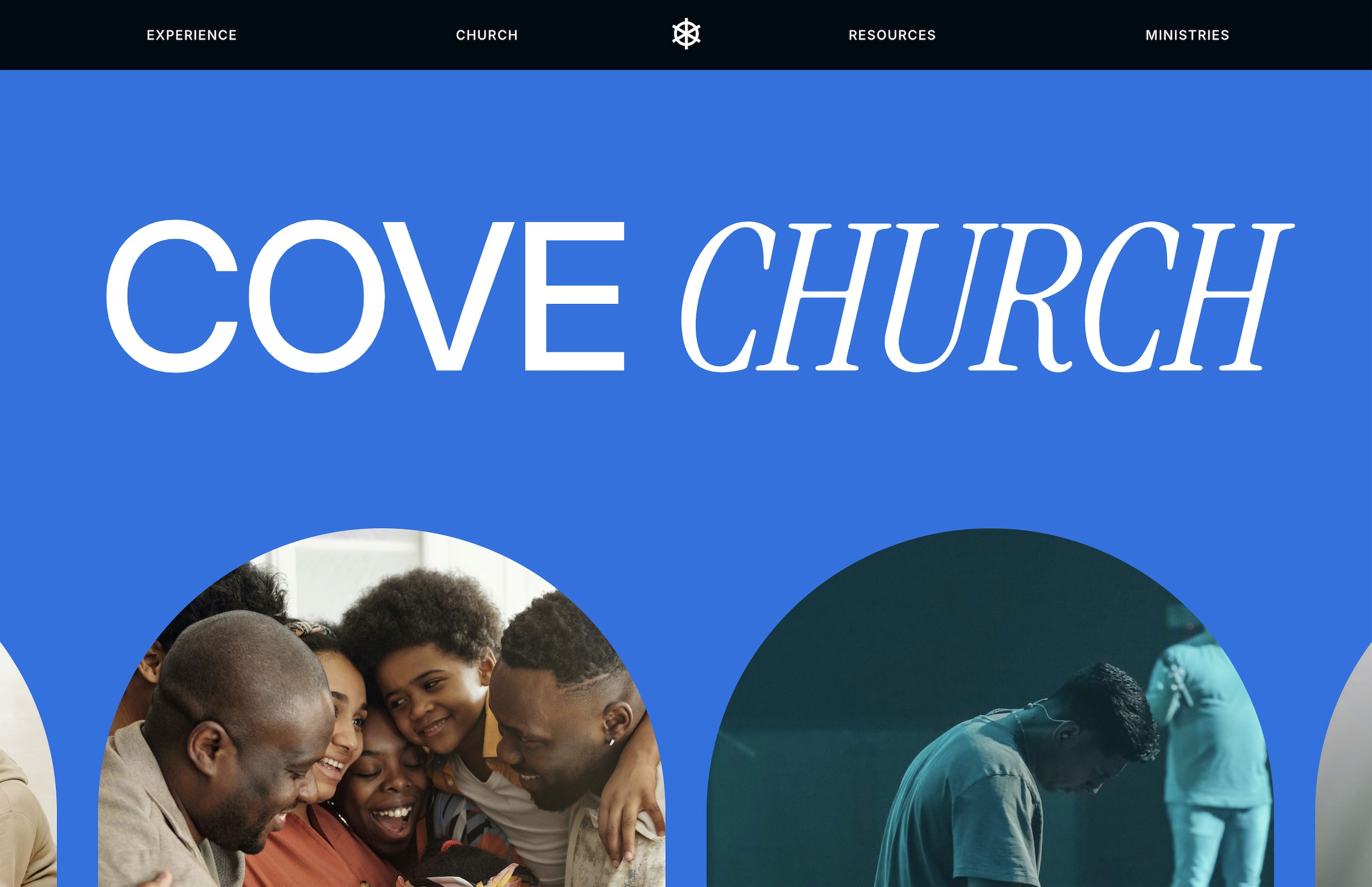
Strengths: Built-in features eliminate plugin headaches. Mobile optimization happens automatically. The platform handles security and updates. Premium templates from third-party designers like Cove add ministry-specific functionality while maintaining Squarespace's ease of use.
Challenges: Less flexibility than WordPress for advanced customizations. Monthly costs start at $18 for basic plans, $27 for commerce features. Limited third-party integrations compared to WordPress.
Wix for Ministries
Wix positions itself as the easiest platform to use, with true drag-and-drop editing. Its ADI (Artificial Design Intelligence) can create a basic ministry site in minutes.
Strengths: Genuinely easy for beginners. Affordable starting at $16/month. Growing selection of ministry templates. App market includes event management and donation tools.
Challenges: Sites can feel generic without significant customization. Performance issues with complex sites. Difficult to migrate away from Wix if you outgrow it. SEO capabilities lag behind WordPress and Squarespace.
Free vs Premium Ministry Templates
Every platform offers free templates, but understanding the real differences helps you make an informed decision.
What Free Templates Actually Include
Free ministry templates typically provide basic layouts: homepage, about page, contact form, and blog functionality. You'll get responsive design and standard customization options like colors and fonts.
The limitations become apparent quickly. Free templates rarely include ministry-specific pages like sermon archives, event calendars with registration, staff directories, or integrated giving options. You'll build these yourself or add plugins, which takes time and often money.
Premium Template Advantages
Premium ministry templates cost $39-149 but include pre-built pages for common ministry needs. A quality premium template includes sermon management systems, event calendars, volunteer signup forms, ministry team pages, and donation integration.
More importantly, premium templates save setup time. Instead of building 15-20 pages from scratch, you're editing existing layouts. For a ministry with limited technical resources, this difference is substantial. Premium church website templates often pay for themselves through time savings alone.
Hidden Costs to Consider
Free templates often require paid plugins to match premium template features. A sermon plugin might cost $49/year. Event management adds another $99/year. Donation plugins take 2-3% transaction fees. These costs quickly exceed a one-time template purchase.
Essential Features Every Ministry Template Should Have
Regardless of platform or price, certain features prove essential for effective ministry websites.
Mobile-First Design
Over 60% of ministry website visitors use mobile devices. Your template must look professional on phones, not just desktops. Test templates on actual devices before committing. Check that giving forms, event registrations, and sermon players work smoothly on mobile.
Sermon Management
Your congregation expects easy access to past messages. Look for templates with dedicated sermon archive systems. The best ones include audio/video players, sermon series organization, scripture references, and downloadable notes. Avoid templates that treat sermons like blog posts—they need different functionality.
Event Management Integration
Ministry life revolves around gatherings. Your template should handle event listings, registration forms, calendar views, and reminder emails. Some templates include these features; others require third-party integration with services like Planning Center or Eventbrite.
Online Giving Capabilities
Digital giving increased 4.5% annually even before 2020, then accelerated dramatically. Your template needs seamless integration with giving platforms. Look for templates that support multiple giving options: one-time gifts, recurring donations, designated funds, and pledge campaigns.
Community Engagement Tools
Modern ministries need two-way communication. Templates should support member directories, small group signups, volunteer management, and prayer request forms. The best templates make these features prominent, not buried in menus.
Accessibility Features
Your website serves diverse congregations including elderly members and those with disabilities. Prioritize templates with good color contrast, readable fonts, keyboard navigation support, and screen reader compatibility. This isn't just considerate—it's increasingly legally required.
Top Ministry Template Recommendations by Category
Different ministries have different needs. Here are specific recommendations based on common scenarios.
Small Churches (Under 200 Members)
Squarespace: The Cove template includes everything a small church needs without overwhelming features. Built-in pages for sermons, giving, and ministries mean you're online quickly.
WordPress: Exodus from ChurchThemes ($55) offers clean design with essential features. Requires more setup but grows with your congregation.
Wix: The "Community Church" template provides basics at low cost. Best for ministries prioritizing ease over advanced features.
Large Ministries (500+ Members)
WordPress: Resurrection from ThemeTrust ($69) handles complex ministry structures. Supports multiple campuses, extensive staff directories, and advanced event management.
Squarespace: While less common for large ministries, custom templates can work. Requires working with designers familiar with ministry needs and Squarespace limitations.
Contemporary/Modern Ministries
WordPress: Exodus or Saved offer bold, modern designs appealing to younger demographics. Both support video backgrounds and dynamic content presentation.
Squarespace: Native templates like "Horizon" work well with customization. Third-party options provide more ministry-specific features while maintaining modern aesthetics.
Traditional/Classic Ministries
WordPress: Maranatha presents timeless design with traditional navigation. Perfect for congregations preferring familiar website structures.
Wix: "Classic Church" template offers traditional styling with modern functionality. Easier to maintain than WordPress alternatives.
Multi-Site Ministries
WordPress: Almost mandatory for true multi-site functionality. Templates like Resurrection or custom solutions handle location-specific content, shared resources, and centralized management.
How to Choose the Right Template for Your Ministry
Selecting a template requires honest assessment of your resources and needs.
Assess Your Technical Resources
Do you have volunteers with web experience? Is there budget for ongoing maintenance? WordPress offers the most flexibility but requires the most technical knowledge. Squarespace and Wix trade some flexibility for simplicity.
Consider long-term sustainability. A complex WordPress site might seem appealing, but if your tech volunteer leaves, can others maintain it? Sometimes a simpler platform ensures continuity.
Define Your Primary Goals
List your website's top three purposes. Common goals include attracting new visitors, engaging current members, facilitating online giving, or streaming services. Your template choice should excel at these primary functions.
If community engagement tops your list, prioritize templates with robust member features. If reaching newcomers matters most, focus on templates with clear visitor information and welcoming designs.
Consider Your Growth Plans
Where will your ministry be in three years? Starting with a platform that scales prevents painful migrations later. Building church websites on Squarespace works well for steady growth. WordPress better suits ministries expecting dramatic expansion or needing custom functionality.
Budget Realistically
Template cost is just the beginning. Factor in hosting ($15-50/month), domain names ($15/year), email services ($10-50/month), and any premium plugins or integrations. WordPress typically costs more long-term due to maintenance needs.
Don't forget time costs. A $49 template requiring 40 hours of setup might cost more than a $149 template ready in 10 hours, especially if you're paying for help.
Customization Tips for Ministry Templates
Even the best template needs personalization to truly represent your ministry.
Start with Your Brand
Upload your logo immediately—it transforms generic templates into your ministry's website. Ensure your logo works at different sizes, especially mobile headers. If you don't have a professional logo, invest in one before launching your site.
Match template colors to your ministry's branding. Most templates allow extensive color customization. Consistency between your website, printed materials, and physical space reinforces your ministry's identity.
Prioritize Your Homepage
Visitors form opinions in seconds. Your homepage should immediately communicate who you are, when you meet, and how to get involved. Include service times prominently, feature a welcoming photo of your actual congregation, and provide clear next steps for visitors.
Avoid cluttered homepages trying to serve everyone. Focus on first-time visitors—members will find what they need regardless.
Optimize Your Navigation
Simple navigation serves visitors better than comprehensive menus. Limit main navigation to 5-7 items. Use clear labels like "Service Times" instead of clever names like "Gather With Us."
Common navigation mistakes include burying important information under "About Us," using insider language newcomers won't understand, and creating too many menu levels. Test your navigation with someone unfamiliar with your ministry.
Personalize Stock Content
Templates include placeholder text and images—replace everything. Stock photos of generic people praying feel inauthentic. Use actual photos from your ministry, even if they're not professionally shot. Authenticity beats perfection.
Rewrite all template text in your ministry's voice. Generic mission statements and welcome messages miss opportunities to connect. Share your actual story and specific vision.
Getting Started: Setting Up Your Ministry Website
Once you've chosen a template, successful setup follows predictable steps.
Platform Setup
WordPress: Choose quality hosting (avoid the cheapest options). Install WordPress, then your chosen theme. Add essential plugins gradually—too many slow your site.
Squarespace: Start with a 14-day trial to test your template choice. Begin with site styles to establish your look, then customize individual pages. Take advantage of Squarespace's built-in features before adding third-party tools.
Wix: Use either the ADI for quick setup or the standard editor for more control. Start with your template's suggested structure, then modify based on your needs.
Content Priority
Launch with essential pages complete rather than everything half-finished. Priority pages include homepage with service times and location, about page explaining your beliefs and mission, contact information with multiple connection methods, and current sermon series or recent messages.
Additional pages can follow after launch. Perfect is the enemy of good—launch when you're 80% ready.
Testing Before Launch
Test every form, link, and feature before going live. Check your site on multiple devices and browsers. Have someone unfamiliar with your ministry try finding information like service times, location, and contact details.
Pay special attention to giving functions and event registrations. These features failing damages trust and ministry effectiveness.
Ongoing Maintenance
Websites aren't "set it and forget it." Schedule regular updates for sermons, events, and announcements. Remove outdated information promptly—nothing undermines credibility like promoting last year's Easter service.
Assign website responsibilities clearly. Who updates sermons? Who manages event listings? Clear ownership prevents neglect.
The best ministry website template is one that serves your congregation effectively while being manageable for your team to maintain long-term.
Making Your Final Decision
Choosing a ministry website template impacts your digital presence for years. The right choice balances professional appearance, needed functionality, and sustainable maintenance requirements.
For ministries valuing simplicity and professional design, Squarespace templates offer excellent value. The platform's all-in-one approach eliminates technical headaches while providing essential features. Templates like Studio Mesa's premium Squarespace templates add ministry-specific functionality while maintaining the platform's ease of use.
WordPress suits ministries with technical resources wanting maximum customization. The platform's flexibility and vast ecosystem support any ministry vision, from simple community churches to complex multi-site organizations.
Wix works for budget-conscious ministries prioritizing ease over advanced features. While limitations exist, the platform enables basic ministry websites without technical expertise.
Your ministry's unique needs, resources, and goals should drive your decision. The perfect template for another ministry might not suit yours. Focus on finding a solution that serves your congregation effectively while remaining manageable for your team.
Start with a clear understanding of your needs, honestly assess your resources, then choose a template that bridges the gap between where you are and where you want to be. Your website should enhance your ministry, not complicate it.
Frequently Asked Questions
How much should a ministry budget for a website template?
Budget $50-150 for a quality premium template, plus monthly platform costs ($16-50) and annual domain fees ($15). Factor in potential costs for logo design, photography, and any premium plugins or integrations. Total first-year costs typically range from $300-1,000 depending on your choices.
Can we switch templates later if our needs change?
Yes, but difficulty varies by platform. Squarespace makes template switching relatively painless—your content transfers automatically. WordPress requires more work, especially if templates use different page builders. Wix is most restrictive, often requiring complete rebuilds for major changes.
Do ministry websites need special legal considerations?
Yes. Include privacy policies for collected data, especially for online giving. Add terms of service if offering member accounts. Ensure accessibility compliance with ADA guidelines. Consider copyright notices for sermons and media. Some templates include basic legal pages, but consult legal counsel for your specific situation.
What's the difference between church and ministry templates?
Church templates focus on traditional congregation needs: worship services, sermons, and community programs. Ministry templates cast wider nets, supporting para-church organizations, mission groups, religious nonprofits, and specialized ministries. Many templates work for both with customization.
How long does it take to set up a ministry website?
With a premium template and prepared content, basic setup takes 10-20 hours. This includes customizing design, adding initial content, and testing functionality. Building from scratch or extensive customization can take 40-80 hours. Plan for 2-4 weeks from start to launch, allowing time for feedback and revisions.
Finding the right ministry website template can feel overwhelming when you're trying to balance professional design, spiritual messaging, and practical features. After working with hundreds of religious organizations, I've learned that the best ministry websites share common elements that make them both welcoming and functional.
The right template sets the foundation for everything else—your sermons, events, community engagement, and online giving. This guide breaks down exactly what to look for, compares the major platforms, and helps you choose a template that serves both your congregation and your mission.
Best Ministry Website Template Platforms
Three platforms dominate the ministry website space: WordPress, Squarespace, and Wix. Each has distinct advantages depending on your technical skills, budget, and specific needs.
WordPress for Ministries
WordPress powers about 40% of all websites, including many large ministries. Its open-source nature means unlimited customization possibilities, but that flexibility comes with complexity.
Strengths: Thousands of ministry-specific themes available through marketplaces like ThemeForest and ChurchThemes. Prices range from $39-89 for premium templates. The plugin ecosystem is unmatched—you'll find specialized tools for sermon management, event calendars, and church management systems.
Challenges: WordPress requires regular maintenance, security updates, and often technical knowledge. Hosting costs run $15-50 monthly for reliable service. Many ministries end up hiring developers for customization, adding $500-2,000 to the initial investment.
Squarespace for Ministries
Squarespace offers a different approach—everything you need in one package. While it has fewer ministry-specific templates than WordPress, its all-in-one nature appeals to organizations wanting simplicity.
Strengths: Built-in features eliminate plugin headaches. Mobile optimization happens automatically. The platform handles security and updates. Premium templates from third-party designers like Cove add ministry-specific functionality while maintaining Squarespace's ease of use.
Challenges: Less flexibility than WordPress for advanced customizations. Monthly costs start at $18 for basic plans, $27 for commerce features. Limited third-party integrations compared to WordPress.
Wix for Ministries
Wix positions itself as the easiest platform to use, with true drag-and-drop editing. Its ADI (Artificial Design Intelligence) can create a basic ministry site in minutes.
Strengths: Genuinely easy for beginners. Affordable starting at $16/month. Growing selection of ministry templates. App market includes event management and donation tools.
Challenges: Sites can feel generic without significant customization. Performance issues with complex sites. Difficult to migrate away from Wix if you outgrow it. SEO capabilities lag behind WordPress and Squarespace.
Free vs Premium Ministry Templates
Every platform offers free templates, but understanding the real differences helps you make an informed decision.
What Free Templates Actually Include
Free ministry templates typically provide basic layouts: homepage, about page, contact form, and blog functionality. You'll get responsive design and standard customization options like colors and fonts.
The limitations become apparent quickly. Free templates rarely include ministry-specific pages like sermon archives, event calendars with registration, staff directories, or integrated giving options. You'll build these yourself or add plugins, which takes time and often money.
Premium Template Advantages
Premium ministry templates cost $39-149 but include pre-built pages for common ministry needs. A quality premium template includes sermon management systems, event calendars, volunteer signup forms, ministry team pages, and donation integration.
More importantly, premium templates save setup time. Instead of building 15-20 pages from scratch, you're editing existing layouts. For a ministry with limited technical resources, this difference is substantial. Premium church website templates often pay for themselves through time savings alone.
Hidden Costs to Consider
Free templates often require paid plugins to match premium template features. A sermon plugin might cost $49/year. Event management adds another $99/year. Donation plugins take 2-3% transaction fees. These costs quickly exceed a one-time template purchase.
Essential Features Every Ministry Template Should Have
Regardless of platform or price, certain features prove essential for effective ministry websites.
Mobile-First Design
Over 60% of ministry website visitors use mobile devices. Your template must look professional on phones, not just desktops. Test templates on actual devices before committing. Check that giving forms, event registrations, and sermon players work smoothly on mobile.
Sermon Management
Your congregation expects easy access to past messages. Look for templates with dedicated sermon archive systems. The best ones include audio/video players, sermon series organization, scripture references, and downloadable notes. Avoid templates that treat sermons like blog posts—they need different functionality.
Event Management Integration
Ministry life revolves around gatherings. Your template should handle event listings, registration forms, calendar views, and reminder emails. Some templates include these features; others require third-party integration with services like Planning Center or Eventbrite.
Online Giving Capabilities
Digital giving increased 4.5% annually even before 2020, then accelerated dramatically. Your template needs seamless integration with giving platforms. Look for templates that support multiple giving options: one-time gifts, recurring donations, designated funds, and pledge campaigns.
Community Engagement Tools
Modern ministries need two-way communication. Templates should support member directories, small group signups, volunteer management, and prayer request forms. The best templates make these features prominent, not buried in menus.
Accessibility Features
Your website serves diverse congregations including elderly members and those with disabilities. Prioritize templates with good color contrast, readable fonts, keyboard navigation support, and screen reader compatibility. This isn't just considerate—it's increasingly legally required.
Top Ministry Template Recommendations by Category
Different ministries have different needs. Here are specific recommendations based on common scenarios.
Small Churches (Under 200 Members)
Squarespace: The Cove template includes everything a small church needs without overwhelming features. Built-in pages for sermons, giving, and ministries mean you're online quickly.
WordPress: Exodus from ChurchThemes ($55) offers clean design with essential features. Requires more setup but grows with your congregation.
Wix: The "Community Church" template provides basics at low cost. Best for ministries prioritizing ease over advanced features.
Large Ministries (500+ Members)
WordPress: Resurrection from ThemeTrust ($69) handles complex ministry structures. Supports multiple campuses, extensive staff directories, and advanced event management.
Squarespace: While less common for large ministries, custom templates can work. Requires working with designers familiar with ministry needs and Squarespace limitations.
Contemporary/Modern Ministries
WordPress: Exodus or Saved offer bold, modern designs appealing to younger demographics. Both support video backgrounds and dynamic content presentation.
Squarespace: Native templates like "Horizon" work well with customization. Third-party options provide more ministry-specific features while maintaining modern aesthetics.
Traditional/Classic Ministries
WordPress: Maranatha presents timeless design with traditional navigation. Perfect for congregations preferring familiar website structures.
Wix: "Classic Church" template offers traditional styling with modern functionality. Easier to maintain than WordPress alternatives.
Multi-Site Ministries
WordPress: Almost mandatory for true multi-site functionality. Templates like Resurrection or custom solutions handle location-specific content, shared resources, and centralized management.
How to Choose the Right Template for Your Ministry
Selecting a template requires honest assessment of your resources and needs.
Assess Your Technical Resources
Do you have volunteers with web experience? Is there budget for ongoing maintenance? WordPress offers the most flexibility but requires the most technical knowledge. Squarespace and Wix trade some flexibility for simplicity.
Consider long-term sustainability. A complex WordPress site might seem appealing, but if your tech volunteer leaves, can others maintain it? Sometimes a simpler platform ensures continuity.
Define Your Primary Goals
List your website's top three purposes. Common goals include attracting new visitors, engaging current members, facilitating online giving, or streaming services. Your template choice should excel at these primary functions.
If community engagement tops your list, prioritize templates with robust member features. If reaching newcomers matters most, focus on templates with clear visitor information and welcoming designs.
Consider Your Growth Plans
Where will your ministry be in three years? Starting with a platform that scales prevents painful migrations later. Building church websites on Squarespace works well for steady growth. WordPress better suits ministries expecting dramatic expansion or needing custom functionality.
Budget Realistically
Template cost is just the beginning. Factor in hosting ($15-50/month), domain names ($15/year), email services ($10-50/month), and any premium plugins or integrations. WordPress typically costs more long-term due to maintenance needs.
Don't forget time costs. A $49 template requiring 40 hours of setup might cost more than a $149 template ready in 10 hours, especially if you're paying for help.
Customization Tips for Ministry Templates
Even the best template needs personalization to truly represent your ministry.
Start with Your Brand
Upload your logo immediately—it transforms generic templates into your ministry's website. Ensure your logo works at different sizes, especially mobile headers. If you don't have a professional logo, invest in one before launching your site.
Match template colors to your ministry's branding. Most templates allow extensive color customization. Consistency between your website, printed materials, and physical space reinforces your ministry's identity.
Prioritize Your Homepage
Visitors form opinions in seconds. Your homepage should immediately communicate who you are, when you meet, and how to get involved. Include service times prominently, feature a welcoming photo of your actual congregation, and provide clear next steps for visitors.
Avoid cluttered homepages trying to serve everyone. Focus on first-time visitors—members will find what they need regardless.
Optimize Your Navigation
Simple navigation serves visitors better than comprehensive menus. Limit main navigation to 5-7 items. Use clear labels like "Service Times" instead of clever names like "Gather With Us."
Common navigation mistakes include burying important information under "About Us," using insider language newcomers won't understand, and creating too many menu levels. Test your navigation with someone unfamiliar with your ministry.
Personalize Stock Content
Templates include placeholder text and images—replace everything. Stock photos of generic people praying feel inauthentic. Use actual photos from your ministry, even if they're not professionally shot. Authenticity beats perfection.
Rewrite all template text in your ministry's voice. Generic mission statements and welcome messages miss opportunities to connect. Share your actual story and specific vision.
Getting Started: Setting Up Your Ministry Website
Once you've chosen a template, successful setup follows predictable steps.
Platform Setup
WordPress: Choose quality hosting (avoid the cheapest options). Install WordPress, then your chosen theme. Add essential plugins gradually—too many slow your site.
Squarespace: Start with a 14-day trial to test your template choice. Begin with site styles to establish your look, then customize individual pages. Take advantage of Squarespace's built-in features before adding third-party tools.
Wix: Use either the ADI for quick setup or the standard editor for more control. Start with your template's suggested structure, then modify based on your needs.
Content Priority
Launch with essential pages complete rather than everything half-finished. Priority pages include homepage with service times and location, about page explaining your beliefs and mission, contact information with multiple connection methods, and current sermon series or recent messages.
Additional pages can follow after launch. Perfect is the enemy of good—launch when you're 80% ready.
Testing Before Launch
Test every form, link, and feature before going live. Check your site on multiple devices and browsers. Have someone unfamiliar with your ministry try finding information like service times, location, and contact details.
Pay special attention to giving functions and event registrations. These features failing damages trust and ministry effectiveness.
Ongoing Maintenance
Websites aren't "set it and forget it." Schedule regular updates for sermons, events, and announcements. Remove outdated information promptly—nothing undermines credibility like promoting last year's Easter service.
Assign website responsibilities clearly. Who updates sermons? Who manages event listings? Clear ownership prevents neglect.
The best ministry website template is one that serves your congregation effectively while being manageable for your team to maintain long-term.
Making Your Final Decision
Choosing a ministry website template impacts your digital presence for years. The right choice balances professional appearance, needed functionality, and sustainable maintenance requirements.
For ministries valuing simplicity and professional design, Squarespace templates offer excellent value. The platform's all-in-one approach eliminates technical headaches while providing essential features. Templates like Studio Mesa's premium Squarespace templates add ministry-specific functionality while maintaining the platform's ease of use.
WordPress suits ministries with technical resources wanting maximum customization. The platform's flexibility and vast ecosystem support any ministry vision, from simple community churches to complex multi-site organizations.
Wix works for budget-conscious ministries prioritizing ease over advanced features. While limitations exist, the platform enables basic ministry websites without technical expertise.
Your ministry's unique needs, resources, and goals should drive your decision. The perfect template for another ministry might not suit yours. Focus on finding a solution that serves your congregation effectively while remaining manageable for your team.
Start with a clear understanding of your needs, honestly assess your resources, then choose a template that bridges the gap between where you are and where you want to be. Your website should enhance your ministry, not complicate it.
Frequently Asked Questions
How much should a ministry budget for a website template?
Budget $50-150 for a quality premium template, plus monthly platform costs ($16-50) and annual domain fees ($15). Factor in potential costs for logo design, photography, and any premium plugins or integrations. Total first-year costs typically range from $300-1,000 depending on your choices.
Can we switch templates later if our needs change?
Yes, but difficulty varies by platform. Squarespace makes template switching relatively painless—your content transfers automatically. WordPress requires more work, especially if templates use different page builders. Wix is most restrictive, often requiring complete rebuilds for major changes.
Do ministry websites need special legal considerations?
Yes. Include privacy policies for collected data, especially for online giving. Add terms of service if offering member accounts. Ensure accessibility compliance with ADA guidelines. Consider copyright notices for sermons and media. Some templates include basic legal pages, but consult legal counsel for your specific situation.
What's the difference between church and ministry templates?
Church templates focus on traditional congregation needs: worship services, sermons, and community programs. Ministry templates cast wider nets, supporting para-church organizations, mission groups, religious nonprofits, and specialized ministries. Many templates work for both with customization.
How long does it take to set up a ministry website?
With a premium template and prepared content, basic setup takes 10-20 hours. This includes customizing design, adding initial content, and testing functionality. Building from scratch or extensive customization can take 40-80 hours. Plan for 2-4 weeks from start to launch, allowing time for feedback and revisions.
Finding the right ministry website template can feel overwhelming when you're trying to balance professional design, spiritual messaging, and practical features. After working with hundreds of religious organizations, I've learned that the best ministry websites share common elements that make them both welcoming and functional.
The right template sets the foundation for everything else—your sermons, events, community engagement, and online giving. This guide breaks down exactly what to look for, compares the major platforms, and helps you choose a template that serves both your congregation and your mission.
Best Ministry Website Template Platforms
Three platforms dominate the ministry website space: WordPress, Squarespace, and Wix. Each has distinct advantages depending on your technical skills, budget, and specific needs.
WordPress for Ministries
WordPress powers about 40% of all websites, including many large ministries. Its open-source nature means unlimited customization possibilities, but that flexibility comes with complexity.
Strengths: Thousands of ministry-specific themes available through marketplaces like ThemeForest and ChurchThemes. Prices range from $39-89 for premium templates. The plugin ecosystem is unmatched—you'll find specialized tools for sermon management, event calendars, and church management systems.
Challenges: WordPress requires regular maintenance, security updates, and often technical knowledge. Hosting costs run $15-50 monthly for reliable service. Many ministries end up hiring developers for customization, adding $500-2,000 to the initial investment.
Squarespace for Ministries
Squarespace offers a different approach—everything you need in one package. While it has fewer ministry-specific templates than WordPress, its all-in-one nature appeals to organizations wanting simplicity.
Strengths: Built-in features eliminate plugin headaches. Mobile optimization happens automatically. The platform handles security and updates. Premium templates from third-party designers like Cove add ministry-specific functionality while maintaining Squarespace's ease of use.
Challenges: Less flexibility than WordPress for advanced customizations. Monthly costs start at $18 for basic plans, $27 for commerce features. Limited third-party integrations compared to WordPress.
Wix for Ministries
Wix positions itself as the easiest platform to use, with true drag-and-drop editing. Its ADI (Artificial Design Intelligence) can create a basic ministry site in minutes.
Strengths: Genuinely easy for beginners. Affordable starting at $16/month. Growing selection of ministry templates. App market includes event management and donation tools.
Challenges: Sites can feel generic without significant customization. Performance issues with complex sites. Difficult to migrate away from Wix if you outgrow it. SEO capabilities lag behind WordPress and Squarespace.
Free vs Premium Ministry Templates
Every platform offers free templates, but understanding the real differences helps you make an informed decision.
What Free Templates Actually Include
Free ministry templates typically provide basic layouts: homepage, about page, contact form, and blog functionality. You'll get responsive design and standard customization options like colors and fonts.
The limitations become apparent quickly. Free templates rarely include ministry-specific pages like sermon archives, event calendars with registration, staff directories, or integrated giving options. You'll build these yourself or add plugins, which takes time and often money.
Premium Template Advantages
Premium ministry templates cost $39-149 but include pre-built pages for common ministry needs. A quality premium template includes sermon management systems, event calendars, volunteer signup forms, ministry team pages, and donation integration.
More importantly, premium templates save setup time. Instead of building 15-20 pages from scratch, you're editing existing layouts. For a ministry with limited technical resources, this difference is substantial. Premium church website templates often pay for themselves through time savings alone.
Hidden Costs to Consider
Free templates often require paid plugins to match premium template features. A sermon plugin might cost $49/year. Event management adds another $99/year. Donation plugins take 2-3% transaction fees. These costs quickly exceed a one-time template purchase.
Essential Features Every Ministry Template Should Have
Regardless of platform or price, certain features prove essential for effective ministry websites.
Mobile-First Design
Over 60% of ministry website visitors use mobile devices. Your template must look professional on phones, not just desktops. Test templates on actual devices before committing. Check that giving forms, event registrations, and sermon players work smoothly on mobile.
Sermon Management
Your congregation expects easy access to past messages. Look for templates with dedicated sermon archive systems. The best ones include audio/video players, sermon series organization, scripture references, and downloadable notes. Avoid templates that treat sermons like blog posts—they need different functionality.
Event Management Integration
Ministry life revolves around gatherings. Your template should handle event listings, registration forms, calendar views, and reminder emails. Some templates include these features; others require third-party integration with services like Planning Center or Eventbrite.
Online Giving Capabilities
Digital giving increased 4.5% annually even before 2020, then accelerated dramatically. Your template needs seamless integration with giving platforms. Look for templates that support multiple giving options: one-time gifts, recurring donations, designated funds, and pledge campaigns.
Community Engagement Tools
Modern ministries need two-way communication. Templates should support member directories, small group signups, volunteer management, and prayer request forms. The best templates make these features prominent, not buried in menus.
Accessibility Features
Your website serves diverse congregations including elderly members and those with disabilities. Prioritize templates with good color contrast, readable fonts, keyboard navigation support, and screen reader compatibility. This isn't just considerate—it's increasingly legally required.
Top Ministry Template Recommendations by Category
Different ministries have different needs. Here are specific recommendations based on common scenarios.
Small Churches (Under 200 Members)
Squarespace: The Cove template includes everything a small church needs without overwhelming features. Built-in pages for sermons, giving, and ministries mean you're online quickly.
WordPress: Exodus from ChurchThemes ($55) offers clean design with essential features. Requires more setup but grows with your congregation.
Wix: The "Community Church" template provides basics at low cost. Best for ministries prioritizing ease over advanced features.
Large Ministries (500+ Members)
WordPress: Resurrection from ThemeTrust ($69) handles complex ministry structures. Supports multiple campuses, extensive staff directories, and advanced event management.
Squarespace: While less common for large ministries, custom templates can work. Requires working with designers familiar with ministry needs and Squarespace limitations.
Contemporary/Modern Ministries
WordPress: Exodus or Saved offer bold, modern designs appealing to younger demographics. Both support video backgrounds and dynamic content presentation.
Squarespace: Native templates like "Horizon" work well with customization. Third-party options provide more ministry-specific features while maintaining modern aesthetics.
Traditional/Classic Ministries
WordPress: Maranatha presents timeless design with traditional navigation. Perfect for congregations preferring familiar website structures.
Wix: "Classic Church" template offers traditional styling with modern functionality. Easier to maintain than WordPress alternatives.
Multi-Site Ministries
WordPress: Almost mandatory for true multi-site functionality. Templates like Resurrection or custom solutions handle location-specific content, shared resources, and centralized management.
How to Choose the Right Template for Your Ministry
Selecting a template requires honest assessment of your resources and needs.
Assess Your Technical Resources
Do you have volunteers with web experience? Is there budget for ongoing maintenance? WordPress offers the most flexibility but requires the most technical knowledge. Squarespace and Wix trade some flexibility for simplicity.
Consider long-term sustainability. A complex WordPress site might seem appealing, but if your tech volunteer leaves, can others maintain it? Sometimes a simpler platform ensures continuity.
Define Your Primary Goals
List your website's top three purposes. Common goals include attracting new visitors, engaging current members, facilitating online giving, or streaming services. Your template choice should excel at these primary functions.
If community engagement tops your list, prioritize templates with robust member features. If reaching newcomers matters most, focus on templates with clear visitor information and welcoming designs.
Consider Your Growth Plans
Where will your ministry be in three years? Starting with a platform that scales prevents painful migrations later. Building church websites on Squarespace works well for steady growth. WordPress better suits ministries expecting dramatic expansion or needing custom functionality.
Budget Realistically
Template cost is just the beginning. Factor in hosting ($15-50/month), domain names ($15/year), email services ($10-50/month), and any premium plugins or integrations. WordPress typically costs more long-term due to maintenance needs.
Don't forget time costs. A $49 template requiring 40 hours of setup might cost more than a $149 template ready in 10 hours, especially if you're paying for help.
Customization Tips for Ministry Templates
Even the best template needs personalization to truly represent your ministry.
Start with Your Brand
Upload your logo immediately—it transforms generic templates into your ministry's website. Ensure your logo works at different sizes, especially mobile headers. If you don't have a professional logo, invest in one before launching your site.
Match template colors to your ministry's branding. Most templates allow extensive color customization. Consistency between your website, printed materials, and physical space reinforces your ministry's identity.
Prioritize Your Homepage
Visitors form opinions in seconds. Your homepage should immediately communicate who you are, when you meet, and how to get involved. Include service times prominently, feature a welcoming photo of your actual congregation, and provide clear next steps for visitors.
Avoid cluttered homepages trying to serve everyone. Focus on first-time visitors—members will find what they need regardless.
Optimize Your Navigation
Simple navigation serves visitors better than comprehensive menus. Limit main navigation to 5-7 items. Use clear labels like "Service Times" instead of clever names like "Gather With Us."
Common navigation mistakes include burying important information under "About Us," using insider language newcomers won't understand, and creating too many menu levels. Test your navigation with someone unfamiliar with your ministry.
Personalize Stock Content
Templates include placeholder text and images—replace everything. Stock photos of generic people praying feel inauthentic. Use actual photos from your ministry, even if they're not professionally shot. Authenticity beats perfection.
Rewrite all template text in your ministry's voice. Generic mission statements and welcome messages miss opportunities to connect. Share your actual story and specific vision.
Getting Started: Setting Up Your Ministry Website
Once you've chosen a template, successful setup follows predictable steps.
Platform Setup
WordPress: Choose quality hosting (avoid the cheapest options). Install WordPress, then your chosen theme. Add essential plugins gradually—too many slow your site.
Squarespace: Start with a 14-day trial to test your template choice. Begin with site styles to establish your look, then customize individual pages. Take advantage of Squarespace's built-in features before adding third-party tools.
Wix: Use either the ADI for quick setup or the standard editor for more control. Start with your template's suggested structure, then modify based on your needs.
Content Priority
Launch with essential pages complete rather than everything half-finished. Priority pages include homepage with service times and location, about page explaining your beliefs and mission, contact information with multiple connection methods, and current sermon series or recent messages.
Additional pages can follow after launch. Perfect is the enemy of good—launch when you're 80% ready.
Testing Before Launch
Test every form, link, and feature before going live. Check your site on multiple devices and browsers. Have someone unfamiliar with your ministry try finding information like service times, location, and contact details.
Pay special attention to giving functions and event registrations. These features failing damages trust and ministry effectiveness.
Ongoing Maintenance
Websites aren't "set it and forget it." Schedule regular updates for sermons, events, and announcements. Remove outdated information promptly—nothing undermines credibility like promoting last year's Easter service.
Assign website responsibilities clearly. Who updates sermons? Who manages event listings? Clear ownership prevents neglect.
The best ministry website template is one that serves your congregation effectively while being manageable for your team to maintain long-term.
Making Your Final Decision
Choosing a ministry website template impacts your digital presence for years. The right choice balances professional appearance, needed functionality, and sustainable maintenance requirements.
For ministries valuing simplicity and professional design, Squarespace templates offer excellent value. The platform's all-in-one approach eliminates technical headaches while providing essential features. Templates like Studio Mesa's premium Squarespace templates add ministry-specific functionality while maintaining the platform's ease of use.
WordPress suits ministries with technical resources wanting maximum customization. The platform's flexibility and vast ecosystem support any ministry vision, from simple community churches to complex multi-site organizations.
Wix works for budget-conscious ministries prioritizing ease over advanced features. While limitations exist, the platform enables basic ministry websites without technical expertise.
Your ministry's unique needs, resources, and goals should drive your decision. The perfect template for another ministry might not suit yours. Focus on finding a solution that serves your congregation effectively while remaining manageable for your team.
Start with a clear understanding of your needs, honestly assess your resources, then choose a template that bridges the gap between where you are and where you want to be. Your website should enhance your ministry, not complicate it.
Frequently Asked Questions
How much should a ministry budget for a website template?
Budget $50-150 for a quality premium template, plus monthly platform costs ($16-50) and annual domain fees ($15). Factor in potential costs for logo design, photography, and any premium plugins or integrations. Total first-year costs typically range from $300-1,000 depending on your choices.
Can we switch templates later if our needs change?
Yes, but difficulty varies by platform. Squarespace makes template switching relatively painless—your content transfers automatically. WordPress requires more work, especially if templates use different page builders. Wix is most restrictive, often requiring complete rebuilds for major changes.
Do ministry websites need special legal considerations?
Yes. Include privacy policies for collected data, especially for online giving. Add terms of service if offering member accounts. Ensure accessibility compliance with ADA guidelines. Consider copyright notices for sermons and media. Some templates include basic legal pages, but consult legal counsel for your specific situation.
What's the difference between church and ministry templates?
Church templates focus on traditional congregation needs: worship services, sermons, and community programs. Ministry templates cast wider nets, supporting para-church organizations, mission groups, religious nonprofits, and specialized ministries. Many templates work for both with customization.
How long does it take to set up a ministry website?
With a premium template and prepared content, basic setup takes 10-20 hours. This includes customizing design, adding initial content, and testing functionality. Building from scratch or extensive customization can take 40-80 hours. Plan for 2-4 weeks from start to launch, allowing time for feedback and revisions.
