Contact Form Input Misalignment

One or multiple form fields are cut off or misplaced.
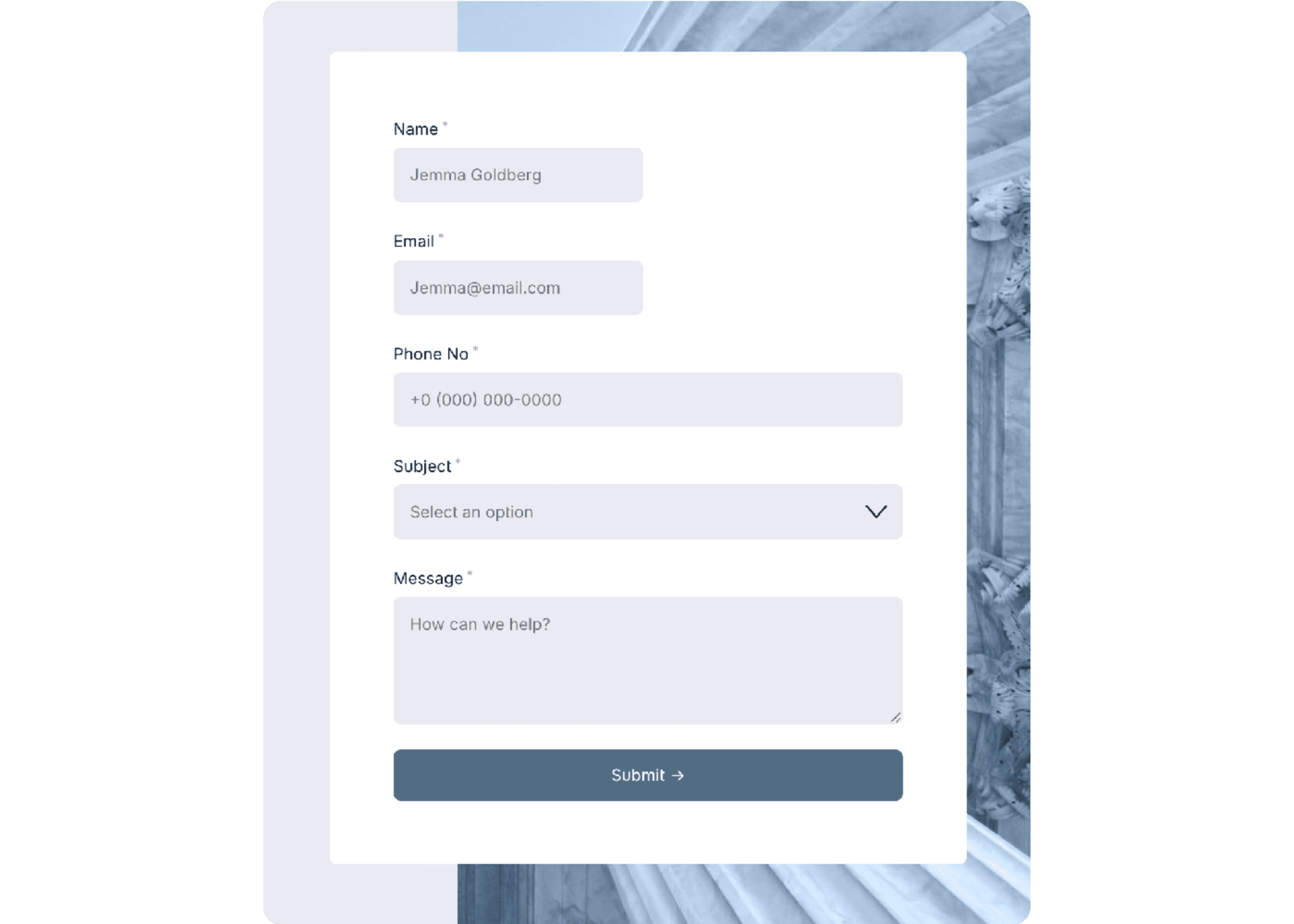
One or multiple form fields are cut off or misplaced.

Symptoms
• Split input rows are not displaying correctly.
• Previously un-split inputs are becoming split

Situation
Squarespace is (apparently) rolling out conditional form fields, where inputs will display/hide depending on the result of the previous question. Pretty cool—except it appears to have broken some styling on forms with Custom Code. Nautilus is one template that has this styling.

Solution
In the Header Code Injection of the page with the form, remove any styling code that's currently present and replace it with the code below.

Important
This split-row styling is incompatible with conditional fields, as the new form structure is problematic for this styling. If you want to use conditional fields, remove ALL code from the Header Code Injection from the page with the form you want to use it with.


<style>
@media screen and (min-width:800px){
/*Formatting Left Side*/
.form-wrapper .react-form-contents .field-list .field:nth-child(1), .form-wrapper .react-form-contents .field-list .field:nth-child(3){
display: inline-block!important;
width:49%!important;
margin-right:2%!important;}

/*Formatting Right Side*/
.form-wrapper .react-form-contents .field-list .field:nth-child(2), .form-wrapper .react-form-contents .field-list .field:nth-child(4){
display: inline-block!important;
width:49%!important;}}

.followup-question-container{
display:none!important;}
</style

Symptoms
• Split input rows are not displaying correctly.
• Previously un-split inputs are becoming split

Situation
Squarespace is (apparently) rolling out conditional form fields, where inputs will display/hide depending on the result of the previous question. Pretty cool—except it appears to have broken some styling on forms with Custom Code. Nautilus is one template that has this styling.

Solution
In the Header Code Injection of the page with the form, remove any styling code that's currently present and replace it with the code below.

Important
This split-row styling is incompatible with conditional fields, as the new form structure is problematic for this styling. If you want to use conditional fields, remove ALL code from the Header Code Injection from the page with the form you want to use it with.


<style>
@media screen and (min-width:800px){
/*Formatting Left Side*/
.form-wrapper .react-form-contents .field-list .field:nth-child(1), .form-wrapper .react-form-contents .field-list .field:nth-child(3){
display: inline-block!important;
width:49%!important;
margin-right:2%!important;}

/*Formatting Right Side*/
.form-wrapper .react-form-contents .field-list .field:nth-child(2), .form-wrapper .react-form-contents .field-list .field:nth-child(4){
display: inline-block!important;
width:49%!important;}}

.followup-question-container{
display:none!important;}
</style

Symptoms
• Split input rows are not displaying correctly.
• Previously un-split inputs are becoming split

Situation
Squarespace is (apparently) rolling out conditional form fields, where inputs will display/hide depending on the result of the previous question. Pretty cool—except it appears to have broken some styling on forms with Custom Code. Nautilus is one template that has this styling.

Solution
In the Header Code Injection of the page with the form, remove any styling code that's currently present and replace it with the code below.

Important
This split-row styling is incompatible with conditional fields, as the new form structure is problematic for this styling. If you want to use conditional fields, remove ALL code from the Header Code Injection from the page with the form you want to use it with.


<style>
@media screen and (min-width:800px){
/*Formatting Left Side*/
.form-wrapper .react-form-contents .field-list .field:nth-child(1), .form-wrapper .react-form-contents .field-list .field:nth-child(3){
display: inline-block!important;
width:49%!important;
margin-right:2%!important;}

/*Formatting Right Side*/
.form-wrapper .react-form-contents .field-list .field:nth-child(2), .form-wrapper .react-form-contents .field-list .field:nth-child(4){
display: inline-block!important;
width:49%!important;}}

.followup-question-container{
display:none!important;}
</style

Design smarter, launch faster.

Studio Mesa makes Squarespace templates.

Built for nonprofits, wellness brands, & service businesses. All designs include 15 pages of considered design, delivered instantly with lifetime email support from a real person.

Subscribe

New template announcements

Design smarter, launch faster.

Studio Mesa makes Squarespace templates.

Built for nonprofits, wellness brands, & service businesses. All designs include 15 pages of considered design, delivered instantly with lifetime email support from a real person.

Subscribe

New template announcements

Design smarter, launch faster.

Studio Mesa makes Squarespace templates.

Built for nonprofits, wellness brands, & service businesses. All designs include 15 pages of considered design, delivered instantly with lifetime email support from a real person.

Subscribe

New template announcements