Contact Form Looks Unstyled
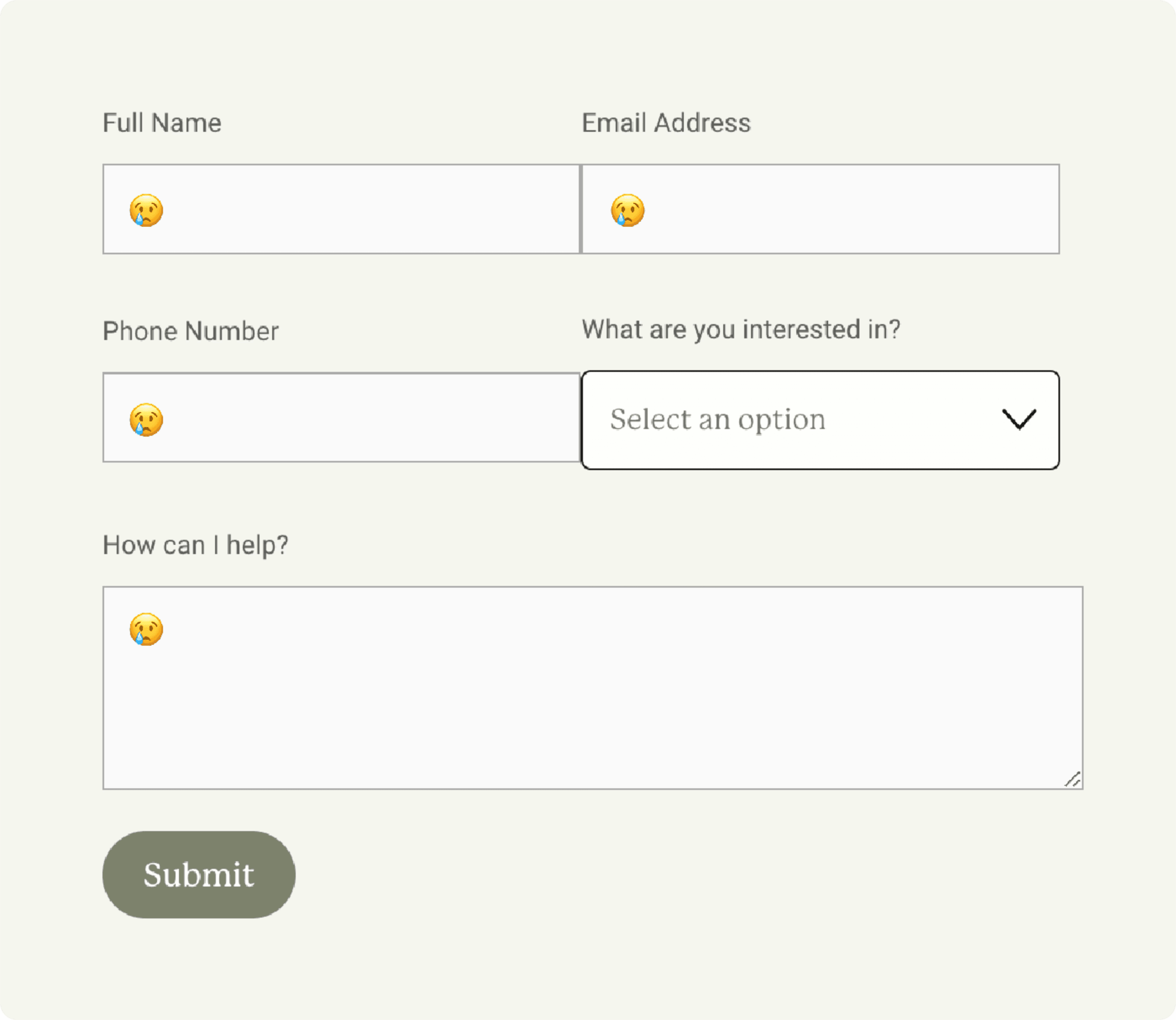
Weird styling, off-looking inputs in forms.

Symptoms
• Form inputs are unstyled or don't match.
• Incorrect input padding or horizontal alignment.
• Some parts of the form are okay, others are not.
Situation
Squarespace has substantially changed the contact form's code like 4 times in the last two years. Because I can't retroactively change template sites, sometimes the CSS used to customize in the past will conflict with what's in the latest update.
Solution
• Delete the Contact Form section within Custom CSS. The location of this will vary depending on the template you're using (⌘ + F will not work to search for it, sorry).
• Delete all code in the Page Injection for page with the form.
• Add new form styles via the Forms section in Site Styles
<style> @media screen and (min-width:800px){ /*Formatting Left Side*/ .form-wrapper .react-form-contents .field-list .field:nth-child(1), .form-wrapper .react-form-contents .field-list .field:nth-child(3){ display: inline-block!important; width:49%!important; margin-right:2%!important;} /*Formatting Right Side*/ .form-wrapper .react-form-contents .field-list .field:nth-child(2), .form-wrapper .react-form-contents .field-list .field:nth-child(4){ display: inline-block!important; width:49%!important;}} </style
Extra
Squarespace still doesn't have a way to put two inputs on a single row (cringe), so you can use this code to make it work. Paste it into the Code Injection on the page with the form — the (number) in each item in the code corresponds to the input in the form. If you have more or less, simply add or remove that item from the code.
Symptoms
• Form inputs are unstyled or don't match.
• Incorrect input padding or horizontal alignment.
• Some parts of the form are okay, others are not.
Situation
Squarespace has substantially changed the contact form's code like 4 times in the last two years. Because I can't retroactively change template sites, sometimes the CSS used to customize in the past will conflict with what's in the latest update.
Solution
• Delete the Contact Form section within Custom CSS. The location of this will vary depending on the template you're using (⌘ + F will not work to search for it, sorry).
• Delete all code in the Page Injection for page with the form.
• Add new form styles via the Forms section in Site Styles
<style> @media screen and (min-width:800px){ /*Formatting Left Side*/ .form-wrapper .react-form-contents .field-list .field:nth-child(1), .form-wrapper .react-form-contents .field-list .field:nth-child(3){ display: inline-block!important; width:49%!important; margin-right:2%!important;} /*Formatting Right Side*/ .form-wrapper .react-form-contents .field-list .field:nth-child(2), .form-wrapper .react-form-contents .field-list .field:nth-child(4){ display: inline-block!important; width:49%!important;}} </style
Extra
Squarespace still doesn't have a way to put two inputs on a single row (cringe), so you can use this code to make it work. Paste it into the Code Injection on the page with the form — the (number) in each item in the code corresponds to the input in the form. If you have more or less, simply add or remove that item from the code.
Symptoms
• Form inputs are unstyled or don't match.
• Incorrect input padding or horizontal alignment.
• Some parts of the form are okay, others are not.
Situation
Squarespace has substantially changed the contact form's code like 4 times in the last two years. Because I can't retroactively change template sites, sometimes the CSS used to customize in the past will conflict with what's in the latest update.
Solution
• Delete the Contact Form section within Custom CSS. The location of this will vary depending on the template you're using (⌘ + F will not work to search for it, sorry).
• Delete all code in the Page Injection for page with the form.
• Add new form styles via the Forms section in Site Styles
<style> @media screen and (min-width:800px){ /*Formatting Left Side*/ .form-wrapper .react-form-contents .field-list .field:nth-child(1), .form-wrapper .react-form-contents .field-list .field:nth-child(3){ display: inline-block!important; width:49%!important; margin-right:2%!important;} /*Formatting Right Side*/ .form-wrapper .react-form-contents .field-list .field:nth-child(2), .form-wrapper .react-form-contents .field-list .field:nth-child(4){ display: inline-block!important; width:49%!important;}} </style
Extra
Squarespace still doesn't have a way to put two inputs on a single row (cringe), so you can use this code to make it work. Paste it into the Code Injection on the page with the form — the (number) in each item in the code corresponds to the input in the form. If you have more or less, simply add or remove that item from the code.