Marigold Rotating Text Fix
Fix the custom rotating text element on the home page.
Templates this applies to
- Marigold

How it works
Squarespace recently updated something that broke the custom rotating text element above the hero heading on Marigold. Luckily, it's a really simple fix!
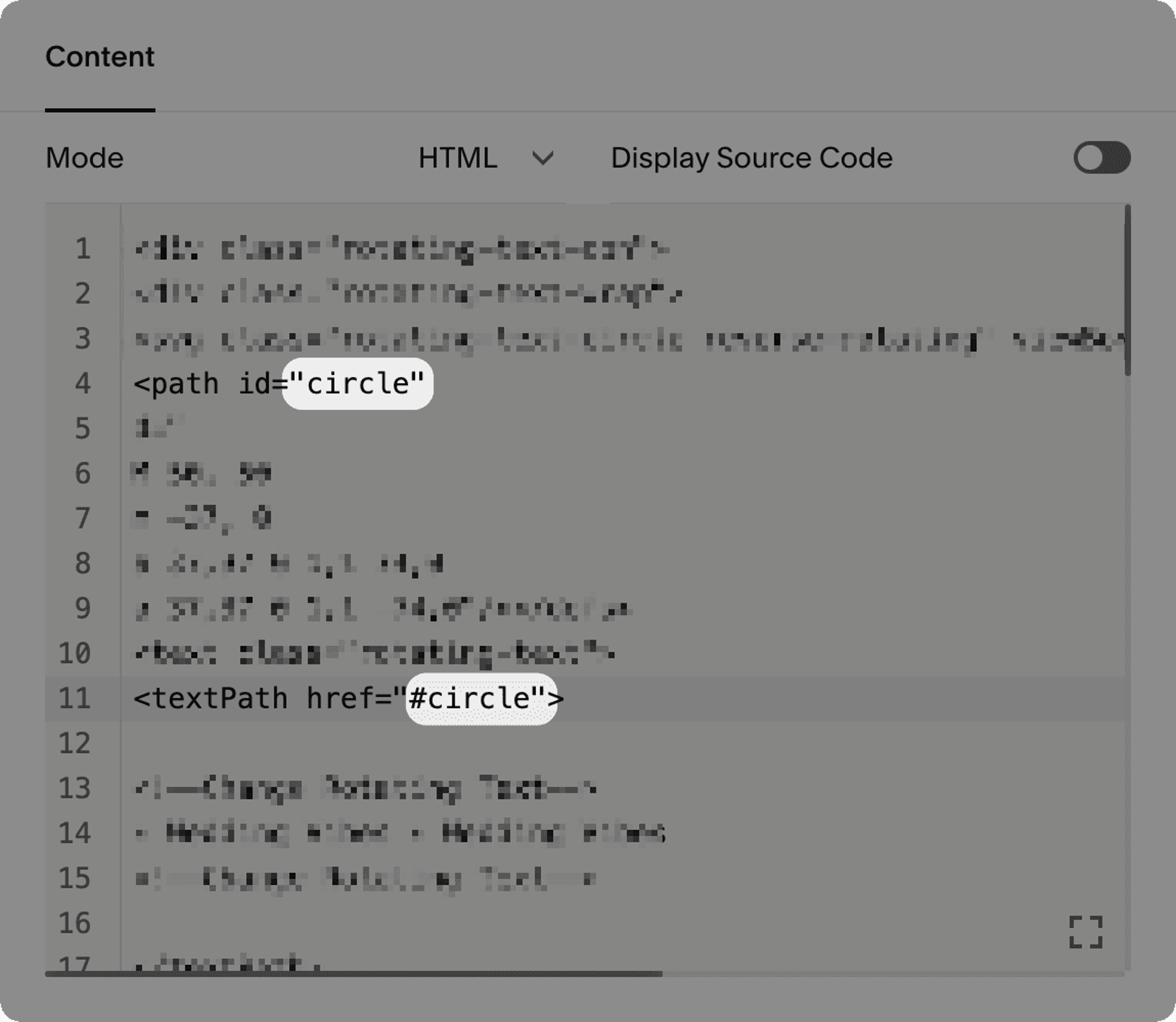
While editing your home page, double-click the Code Block that's right above the H1 heading. You'll see the code that's shown in the screenshot below—you only need to change two small details: In the two spots where it says circle, you need to change it to sm-circle. Make sure nothing else changes (keep any quotes, etc), hit save, and you're done!