Retrograde
Retrograde
Size
15 Pages
Audience
Nonprofits
Price
$395
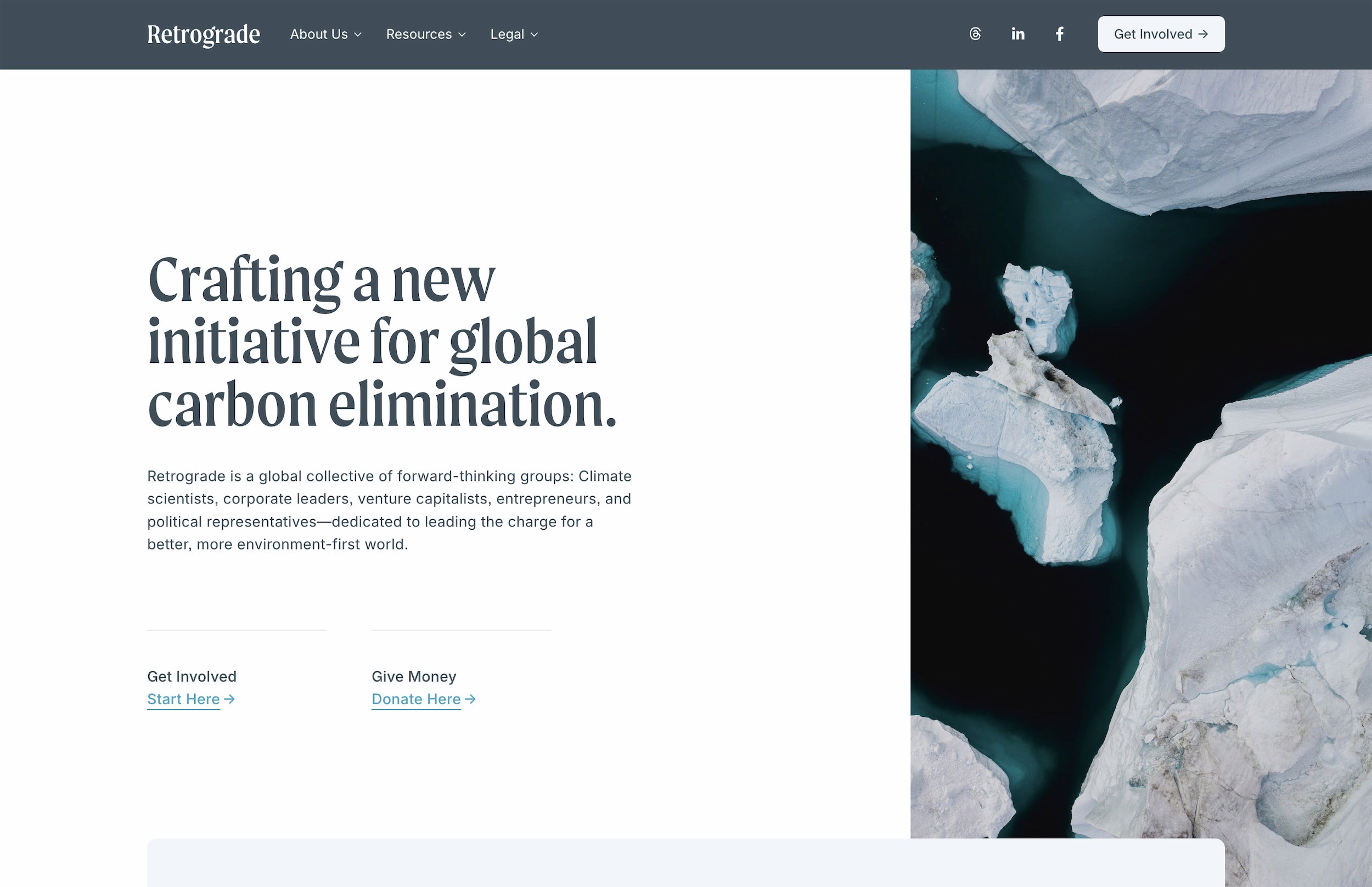
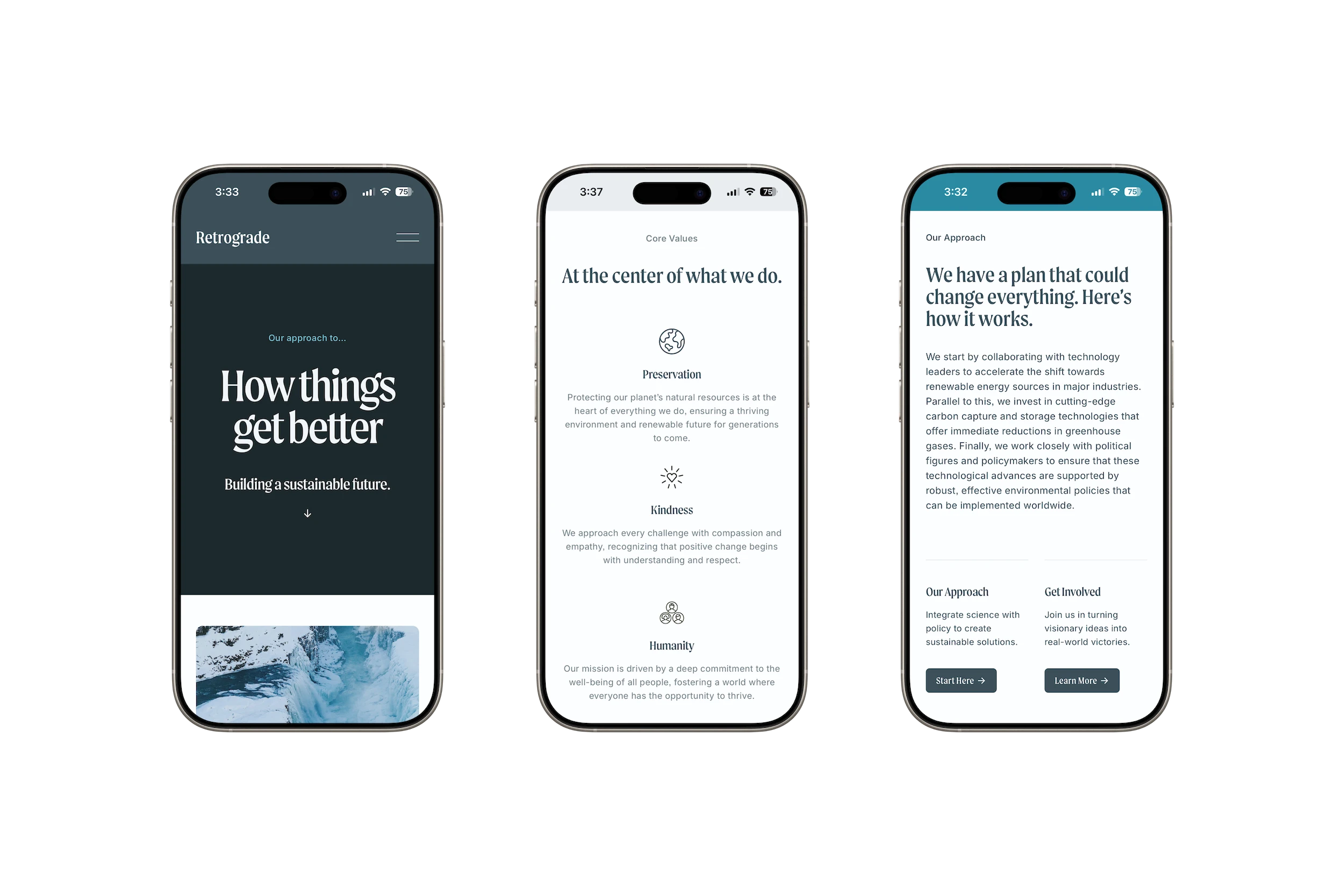
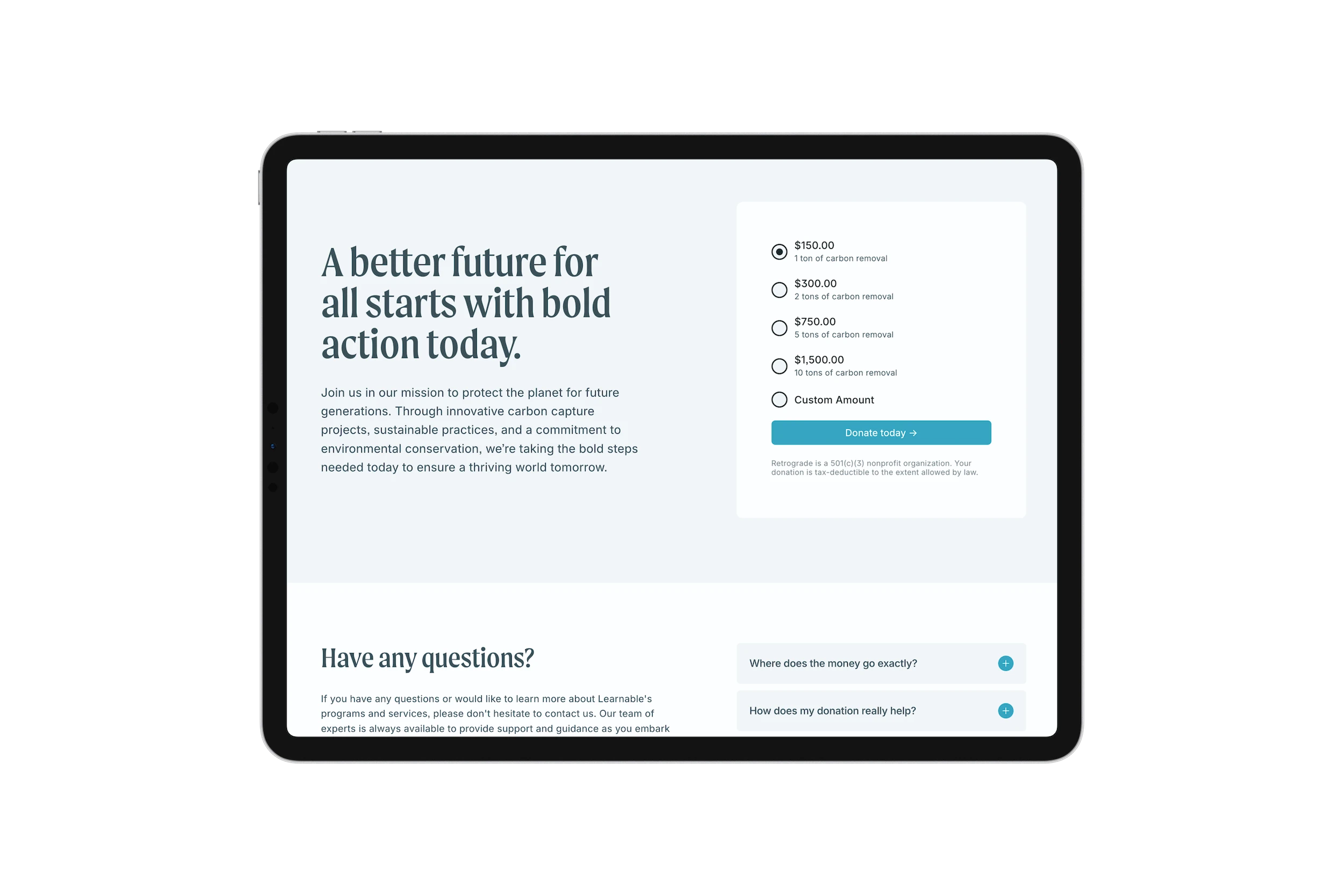
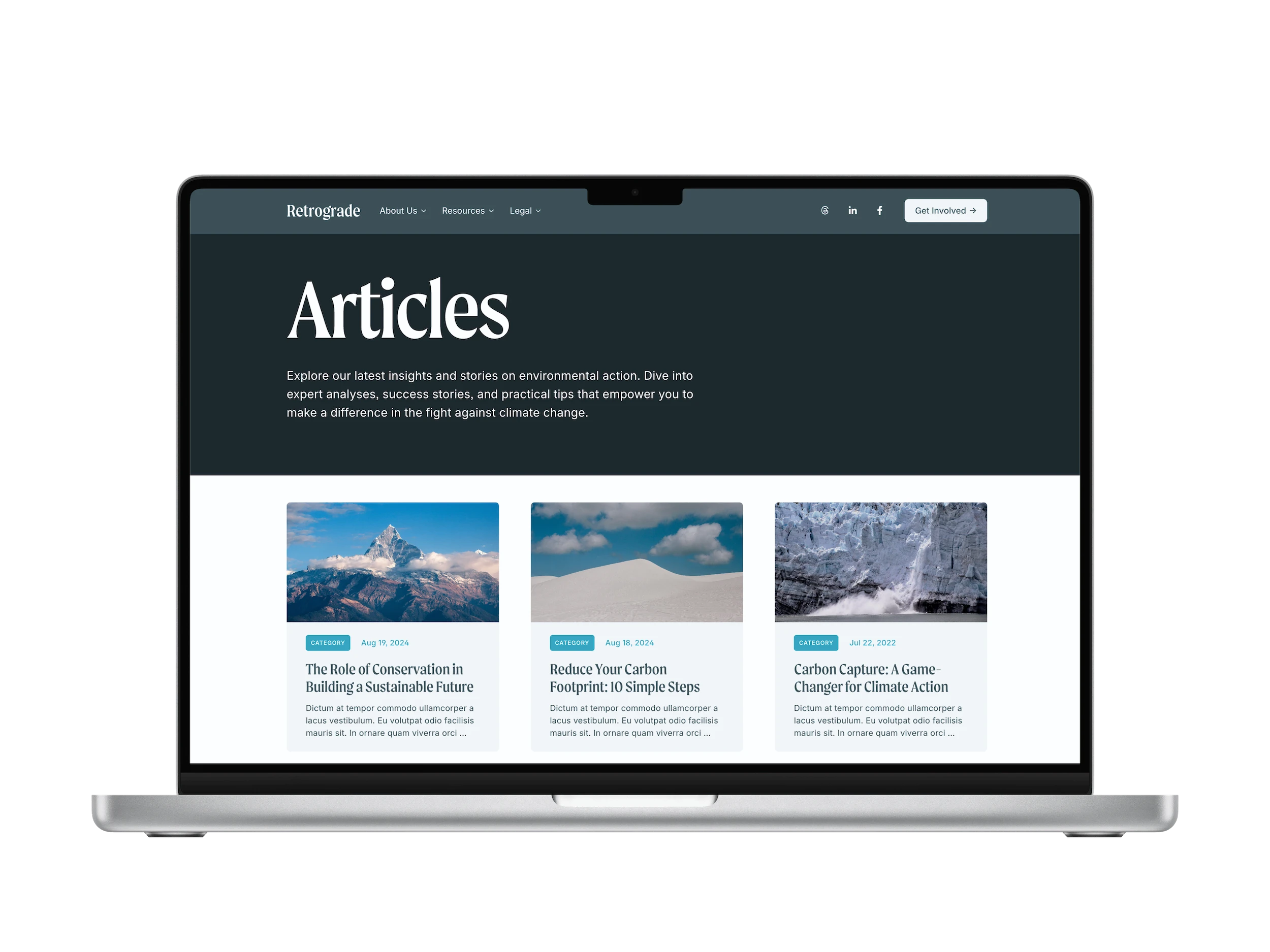
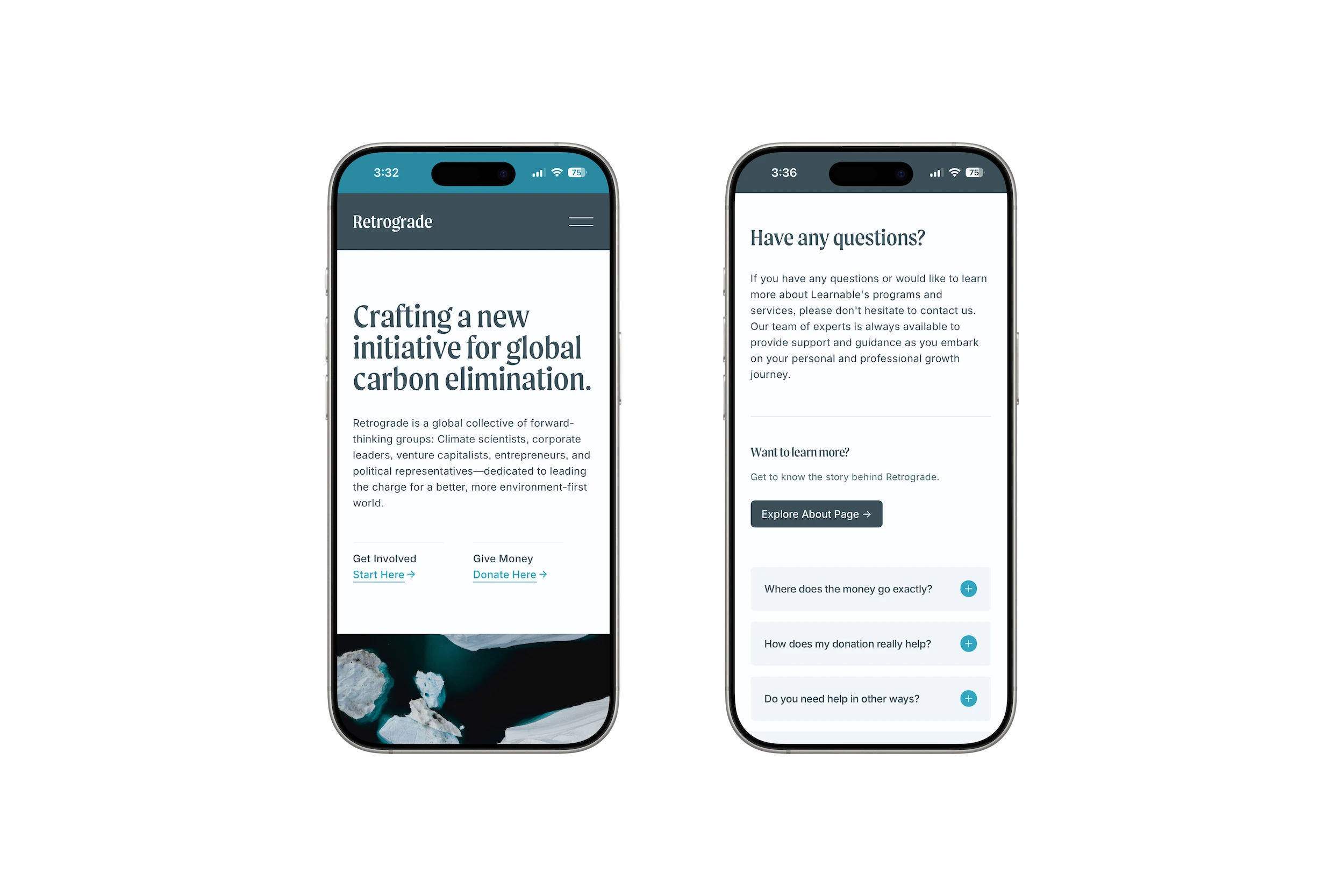
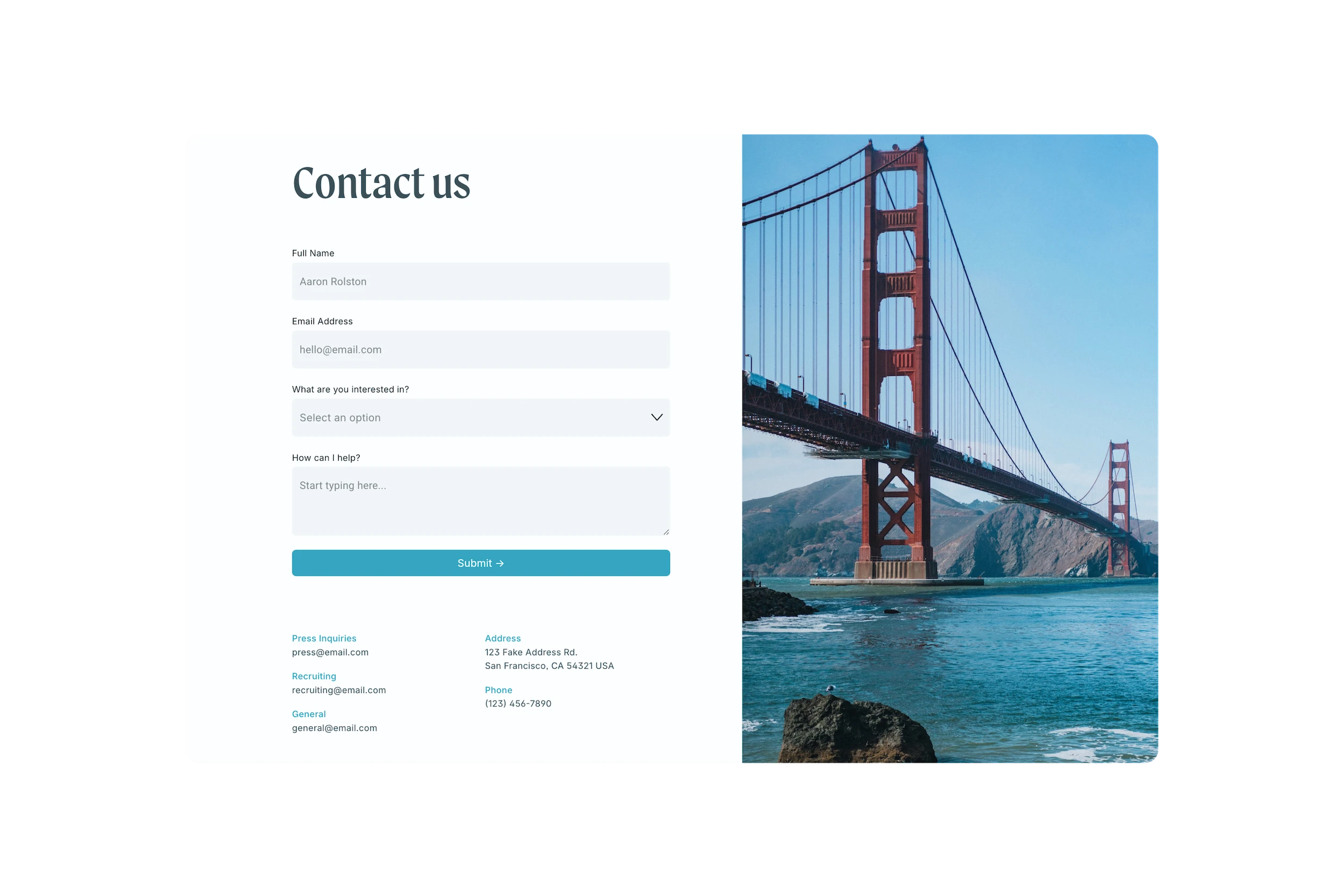
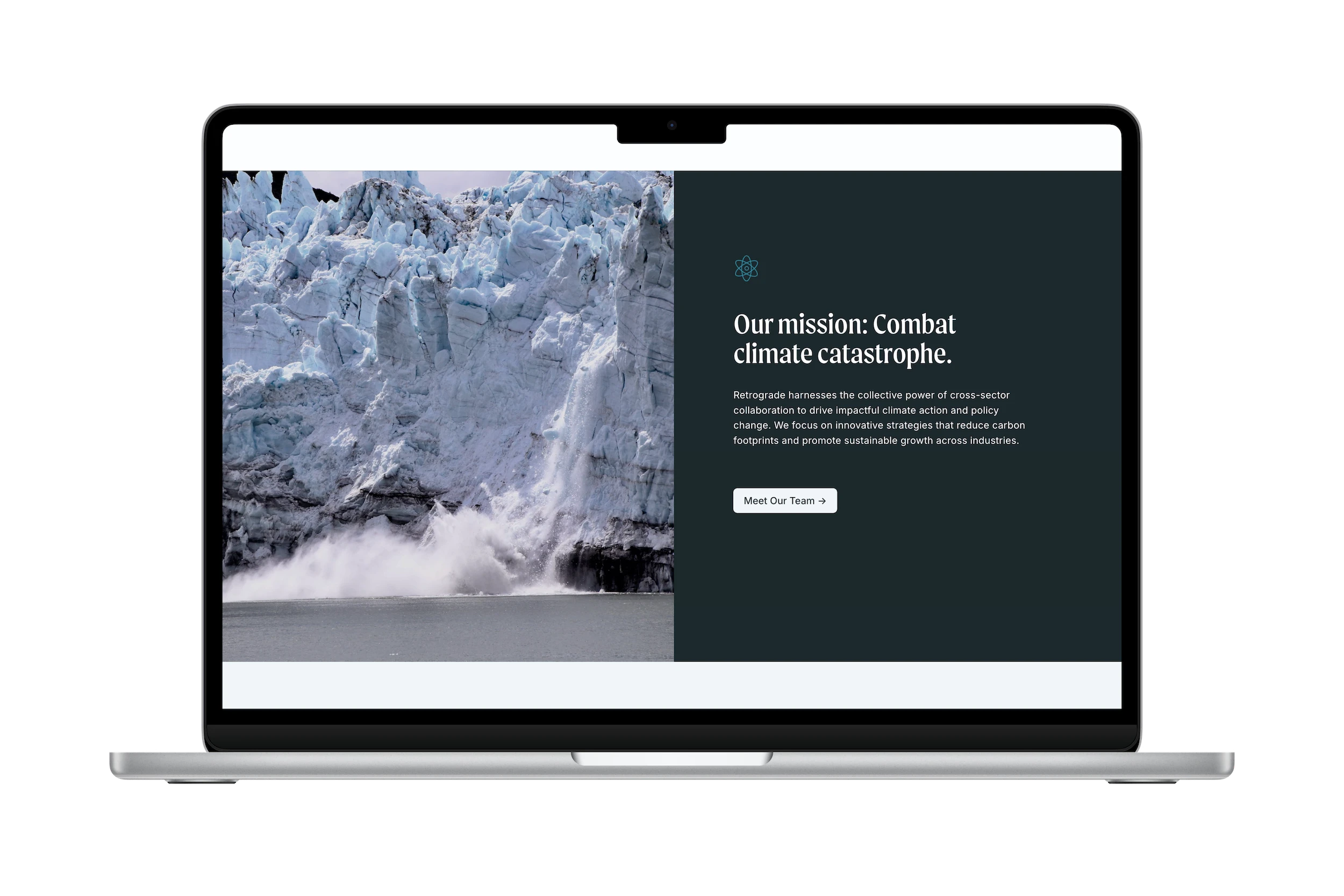
A canvas for change and impact, Retrograde gives nonprofits a powerful voice through visual storytelling and design, making it easier than ever to get support.
Immediate delivery
Lifetime email support
Remote code updates
25% Hosting discount
7-Day refund policy
Terms
Refunds
Requirements


Common questions
Common questions
Frequently asked questions
What is a template?
Studio Mesa templates are pre-designed, ready-to-launch websites built exclusively on Squarespace 7.1 Fluid Engine. There’s nothing to install, upgrade, or upload in order to get started. Every design is thoughtfully crafted to elevate your project's online experience and make your Squarespace site stand out among the rest.
What is a template?
Studio Mesa templates are pre-designed, ready-to-launch websites built exclusively on Squarespace 7.1 Fluid Engine. There’s nothing to install, upgrade, or upload in order to get started. Every design is thoughtfully crafted to elevate your project's online experience and make your Squarespace site stand out among the rest.
What is a template?
Studio Mesa templates are pre-designed, ready-to-launch websites built exclusively on Squarespace 7.1 Fluid Engine. There’s nothing to install, upgrade, or upload in order to get started. Every design is thoughtfully crafted to elevate your project's online experience and make your Squarespace site stand out among the rest.
Why would I use a template?
Building websites from scratch takes a long time, and often is limited to your personal experience of design. With templates, you’ll save at least 10-20 hours of work, and get a seasoned web designer’s customization—often expanding the function of what can be done in Squarespace.
Why would I use a template?
Building websites from scratch takes a long time, and often is limited to your personal experience of design. With templates, you’ll save at least 10-20 hours of work, and get a seasoned web designer’s customization—often expanding the function of what can be done in Squarespace.
Why would I use a template?
Building websites from scratch takes a long time, and often is limited to your personal experience of design. With templates, you’ll save at least 10-20 hours of work, and get a seasoned web designer’s customization—often expanding the function of what can be done in Squarespace.
Do I need to be a web designer?
Nope — all of my templates utilize the simple drag-and-drop functionality that put Squarespace on the map, making them incredibly easy to get started with.
Do I need to be a web designer?
Nope — all of my templates utilize the simple drag-and-drop functionality that put Squarespace on the map, making them incredibly easy to get started with.
Do I need to be a web designer?
Nope — all of my templates utilize the simple drag-and-drop functionality that put Squarespace on the map, making them incredibly easy to get started with.
How do I pick which one to use?
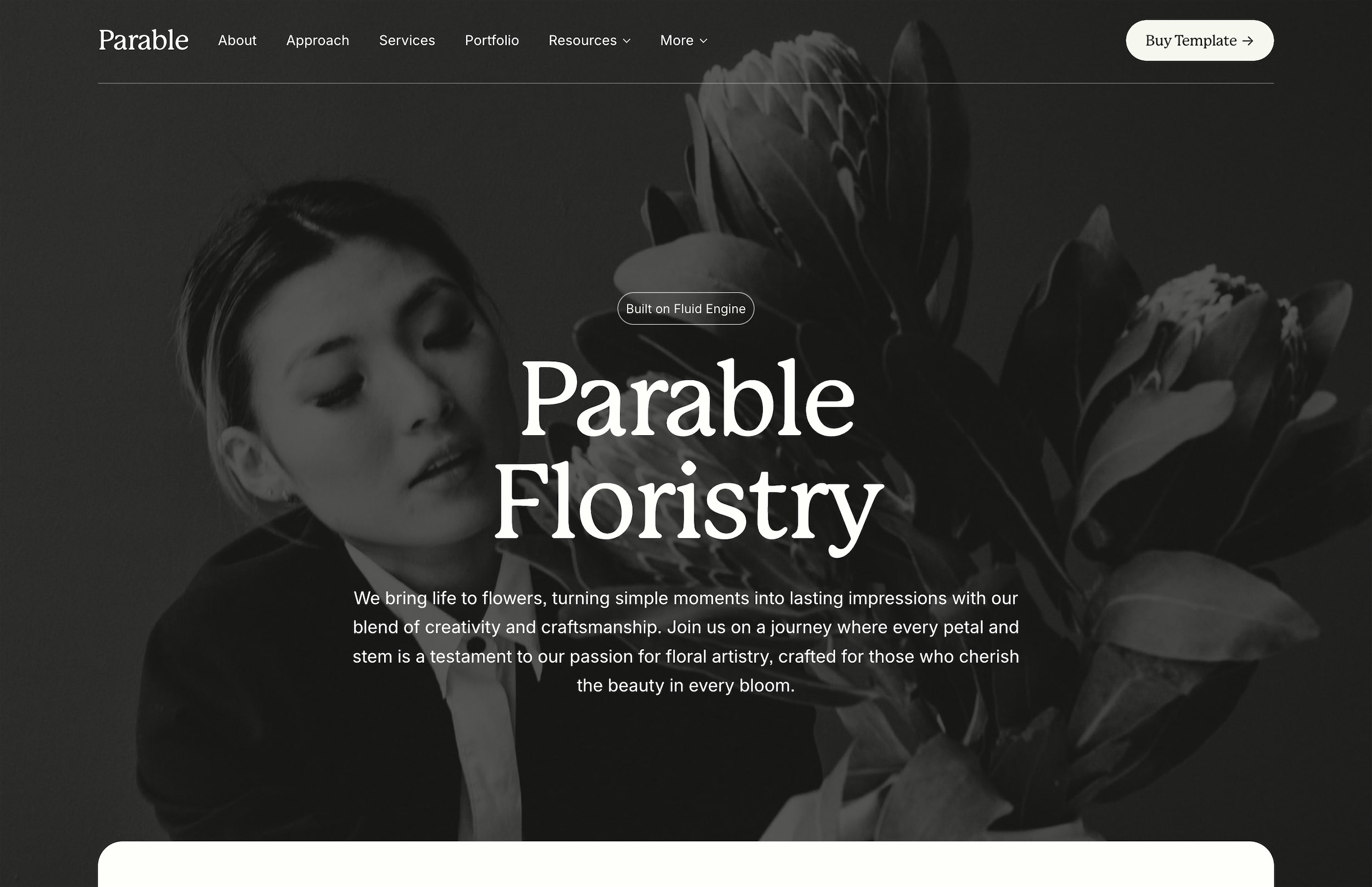
Generally, it’s best to select a template based on two things: The brand direction, and the features included. While every template is fully customizable to work with any kind of brand or color palette, building your site will be a lot easier if you select a template that’s already pretty close to what you need. Ex: If you need a lot of pages, like serif fonts, and have a neutral color palette in your brand, Parable might be a good choice.
How do I pick which one to use?
Generally, it’s best to select a template based on two things: The brand direction, and the features included. While every template is fully customizable to work with any kind of brand or color palette, building your site will be a lot easier if you select a template that’s already pretty close to what you need. Ex: If you need a lot of pages, like serif fonts, and have a neutral color palette in your brand, Parable might be a good choice.
How do I pick which one to use?
Generally, it’s best to select a template based on two things: The brand direction, and the features included. While every template is fully customizable to work with any kind of brand or color palette, building your site will be a lot easier if you select a template that’s already pretty close to what you need. Ex: If you need a lot of pages, like serif fonts, and have a neutral color palette in your brand, Parable might be a good choice.
What version are templates built on?
All Studio Mesa Templates are built exclusively for Squarespace 7.1 Fluid Engine (the most current version), which offers the latest features, ongoing updates, and most advanced formatting that Squarespace has to offer. Note: Templates cannot be modified to work with Squarespace 7.0.
What version are templates built on?
All Studio Mesa Templates are built exclusively for Squarespace 7.1 Fluid Engine (the most current version), which offers the latest features, ongoing updates, and most advanced formatting that Squarespace has to offer. Note: Templates cannot be modified to work with Squarespace 7.0.
What version are templates built on?
All Studio Mesa Templates are built exclusively for Squarespace 7.1 Fluid Engine (the most current version), which offers the latest features, ongoing updates, and most advanced formatting that Squarespace has to offer. Note: Templates cannot be modified to work with Squarespace 7.0.
How customizable are templates?
Just as much as a “regular” Squarespace website! Fonts, colors, layouts, blocks, pages, etc. will function just as you’d expect. Please refer to the Squarespace Help Center to learn more about general platform use, and explore the Template Docs page to get more details on template-specific customizations.
How customizable are templates?
Just as much as a “regular” Squarespace website! Fonts, colors, layouts, blocks, pages, etc. will function just as you’d expect. Please refer to the Squarespace Help Center to learn more about general platform use, and explore the Template Docs page to get more details on template-specific customizations.
How customizable are templates?
Just as much as a “regular” Squarespace website! Fonts, colors, layouts, blocks, pages, etc. will function just as you’d expect. Please refer to the Squarespace Help Center to learn more about general platform use, and explore the Template Docs page to get more details on template-specific customizations.
Can I use templates on existing sites?
No. Templates are essentially standalone websites that are already fully built out with the design, layouts, and style you see in the demo site. Because templates are not “themes” that can be switched on and off, you’ll have to build your new site from scratch, copying over content from your previous site.
Can I use templates on existing sites?
No. Templates are essentially standalone websites that are already fully built out with the design, layouts, and style you see in the demo site. Because templates are not “themes” that can be switched on and off, you’ll have to build your new site from scratch, copying over content from your previous site.
Can I use templates on existing sites?
No. Templates are essentially standalone websites that are already fully built out with the design, layouts, and style you see in the demo site. Because templates are not “themes” that can be switched on and off, you’ll have to build your new site from scratch, copying over content from your previous site.
How do I receive my purchase?
After checkout is complete, you’ll receive an automated email with an invite link to your copy of the template. Once you’ve accepted the invite, all that’s left is to customize and add your content.
How do I receive my purchase?
After checkout is complete, you’ll receive an automated email with an invite link to your copy of the template. Once you’ve accepted the invite, all that’s left is to customize and add your content.
How do I receive my purchase?
After checkout is complete, you’ll receive an automated email with an invite link to your copy of the template. Once you’ve accepted the invite, all that’s left is to customize and add your content.
How does the Standard License work?
The Standard License allows you to use a Studio Mesa template on one website. This can be your own site or a client site. If you want to use the same template on another website in the future, you’ll need to purchase a new license for that site. You are free to customize the template and use it for personal or commercial projects, but you may not resell or share the template files themselves.
How does the Standard License work?
The Standard License allows you to use a Studio Mesa template on one website. This can be your own site or a client site. If you want to use the same template on another website in the future, you’ll need to purchase a new license for that site. You are free to customize the template and use it for personal or commercial projects, but you may not resell or share the template files themselves.
How does the Standard License work?
The Standard License allows you to use a Studio Mesa template on one website. This can be your own site or a client site. If you want to use the same template on another website in the future, you’ll need to purchase a new license for that site. You are free to customize the template and use it for personal or commercial projects, but you may not resell or share the template files themselves.
When do I get site ownership?
Transferring site ownership is still a manual process that I cannot automate. So, I usually batch-transfer ownership of all new template purchases monthly. If you have a pressing need to get it sooner (ie: client confidentiality, etc.), send me a message after purchase, and I’d be happy to expedite that process.
When do I get site ownership?
Transferring site ownership is still a manual process that I cannot automate. So, I usually batch-transfer ownership of all new template purchases monthly. If you have a pressing need to get it sooner (ie: client confidentiality, etc.), send me a message after purchase, and I’d be happy to expedite that process.
When do I get site ownership?
Transferring site ownership is still a manual process that I cannot automate. So, I usually batch-transfer ownership of all new template purchases monthly. If you have a pressing need to get it sooner (ie: client confidentiality, etc.), send me a message after purchase, and I’d be happy to expedite that process.
What’s included in Email Support?
You’re always just an email away from getting the support you need. The most common uses of this perk: If you run into any issues with the template, you need help customizing something that’s custom coded in CSS, or can’t figure out how to make something work for your project. In most cases, I’ll simply advise and give instructions on how to change something—but occasionally, I’ll request access to your project and take a closer look at what’s going on.
What’s included in Email Support?
You’re always just an email away from getting the support you need. The most common uses of this perk: If you run into any issues with the template, you need help customizing something that’s custom coded in CSS, or can’t figure out how to make something work for your project. In most cases, I’ll simply advise and give instructions on how to change something—but occasionally, I’ll request access to your project and take a closer look at what’s going on.
What’s included in Email Support?
You’re always just an email away from getting the support you need. The most common uses of this perk: If you run into any issues with the template, you need help customizing something that’s custom coded in CSS, or can’t figure out how to make something work for your project. In most cases, I’ll simply advise and give instructions on how to change something—but occasionally, I’ll request access to your project and take a closer look at what’s going on.
Can I see past customers’ projects?
No — unlike most other template sellers, I don’t keep tabs on my customers or request to see what they’ve used a template for. Once you’ve paid, I’m completely out of the equation (unless you need support).
Can I see past customers’ projects?
No — unlike most other template sellers, I don’t keep tabs on my customers or request to see what they’ve used a template for. Once you’ve paid, I’m completely out of the equation (unless you need support).
Can I see past customers’ projects?
No — unlike most other template sellers, I don’t keep tabs on my customers or request to see what they’ve used a template for. Once you’ve paid, I’m completely out of the equation (unless you need support).
Can I mix-and-match pages?
No, the pages shown in the demo are exactly the pages your purchase comes with. But, you can always make your own version! Prioritize getting a design that suits your project, and use the other templates as inspiration for your site.
Can I mix-and-match pages?
No, the pages shown in the demo are exactly the pages your purchase comes with. But, you can always make your own version! Prioritize getting a design that suits your project, and use the other templates as inspiration for your site.
Can I mix-and-match pages?
No, the pages shown in the demo are exactly the pages your purchase comes with. But, you can always make your own version! Prioritize getting a design that suits your project, and use the other templates as inspiration for your site.
Can I use the same template again?
No, each license purchase is for one website. If you’re a designer or studio working on multiple client projects, you’ll need to purchase a separate license for each site you build with a Studio Mesa template. Most studios simply rebuy the template for each new project and include the cost in their client pricing. This keeps licensing simple and ensures each site is properly licensed.
Can I use the same template again?
No, each license purchase is for one website. If you’re a designer or studio working on multiple client projects, you’ll need to purchase a separate license for each site you build with a Studio Mesa template. Most studios simply rebuy the template for each new project and include the cost in their client pricing. This keeps licensing simple and ensures each site is properly licensed.
Can I use the same template again?
No, each license purchase is for one website. If you’re a designer or studio working on multiple client projects, you’ll need to purchase a separate license for each site you build with a Studio Mesa template. Most studios simply rebuy the template for each new project and include the cost in their client pricing. This keeps licensing simple and ensures each site is properly licensed.