Custom CSS Window Errors
Things aren't working quite right after adjusting the Custom CSS window.

Symptoms
• CSS changes aren't working as expected.
• Custom font isn't loading properly.
• Random site features aren't working.
• Split Sections or Content Cards aren't working.
Situation
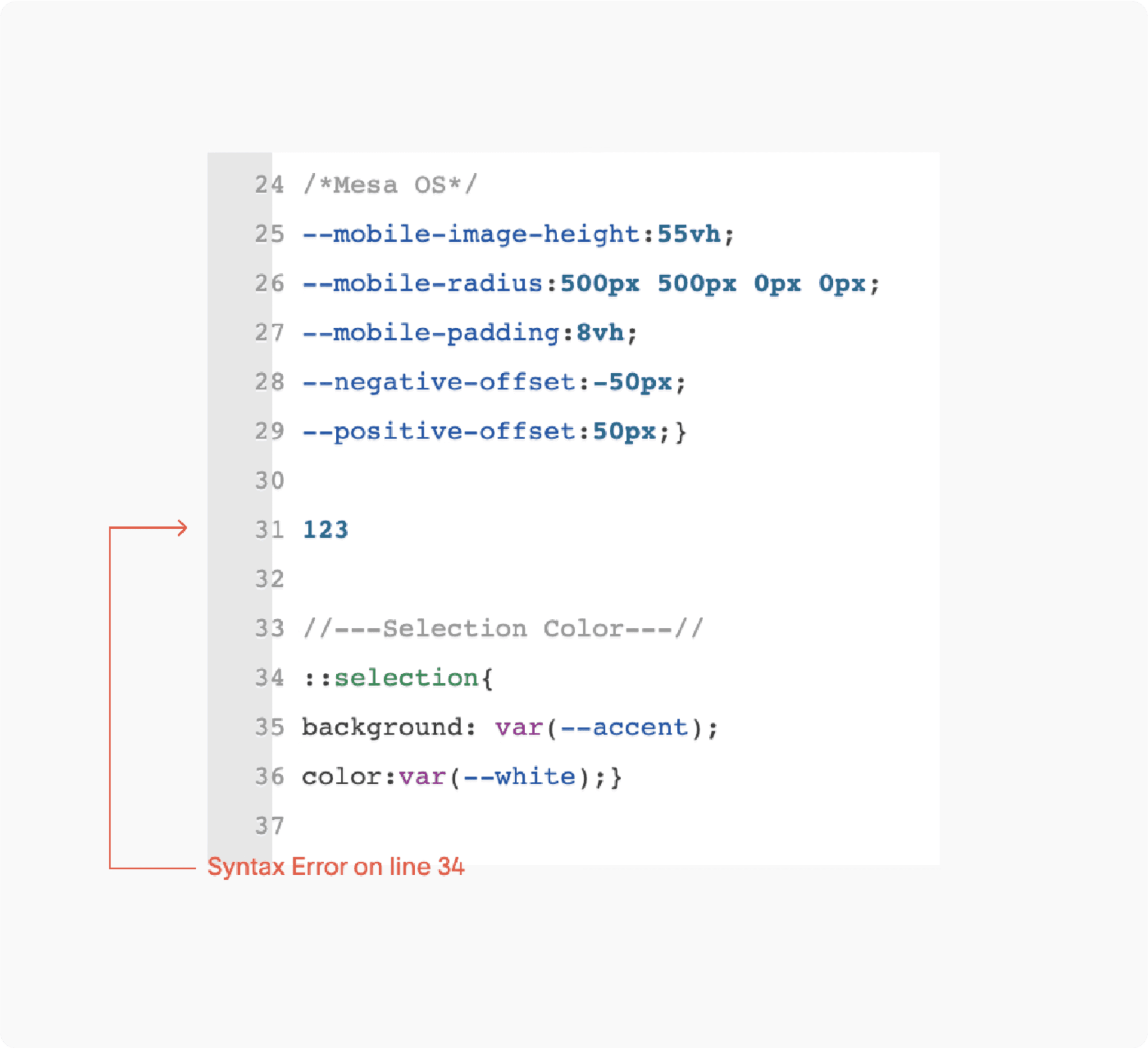
Squarespace's Custom CSS window is tiny, not very efficient, and very prone to making mistakes in (especially without realizing). If you just customized something there, like adding a custom font or changing border radius, there may be an error that's interfering with the rest of the code working — things like random characters, forgetting a ";" after a style change, or not having the closing "}" bracket at the end of a declaration. The red error at the bottom will tell you where, and what's going on. Note: The error might display the first declaration that's affected by the error, not necessarily the location of the error itself (see screenshot).
Solution
Check for errors at the bottom of the Custom CSS window and repair.
Symptoms
• CSS changes aren't working as expected.
• Custom font isn't loading properly.
• Random site features aren't working.
• Split Sections or Content Cards aren't working.
Situation
Squarespace's Custom CSS window is tiny, not very efficient, and very prone to making mistakes in (especially without realizing). If you just customized something there, like adding a custom font or changing border radius, there may be an error that's interfering with the rest of the code working — things like random characters, forgetting a ";" after a style change, or not having the closing "}" bracket at the end of a declaration. The red error at the bottom will tell you where, and what's going on. Note: The error might display the first declaration that's affected by the error, not necessarily the location of the error itself (see screenshot).
Solution
Check for errors at the bottom of the Custom CSS window and repair.