Article chapters

Article chapters

Article chapters

Strategy

Small Business Website Features Checklist: Essential Elements for Online Success

Small Business Website Features Checklist: Essential Elements for Online Success

Your small business website needs seven core pages, mobile responsiveness that works on actual phones, and contact information visible within three seconds of landing. This comprehensive checklist covers every essential feature, plus industry-specific additions and implementation priorities.

Your small business website needs seven core pages, mobile responsiveness that works on actual phones, and contact information visible within three seconds of landing. This comprehensive checklist covers every essential feature, plus industry-specific additions and implementation priorities.

Your small business website needs seven core pages, mobile responsiveness that works on actual phones (not just resized browsers), and contact information visible within three seconds of landing. Everything else is negotiable based on your industry and budget.

I've built and reviewed hundreds of small business websites over the past decade. The ones that actually drive revenue share specific features—not because they followed a generic checklist, but because they understood which elements their particular customers needed to take action.

This guide breaks down the essential small business website features you need, organized by priority and real-world impact. We'll cover the foundation pages every site requires, then move into growth features that turn browsers into buyers. Plus, I'll show you exactly how to implement each element on platforms like Squarespace without breaking your budget.


Foundation Pages: The Non-Negotiables

Before adding fancy features, nail these core pages. They form the backbone of any effective small business website.

Homepage Structure That Converts

Your homepage has one job: tell visitors what you do and how to work with you. Place this information above the fold—the part visible without scrolling. Include your business name, a clear value proposition (what problem you solve), and one primary call-to-action.

Skip the rotating image carousels. They slow page load and confuse visitors. Instead, use a single hero image or video that reinforces your message. Below the fold, add social proof (testimonials or client logos), a brief services overview, and links to your most important pages.

The homepage design principles guide covers exactly what elements to prioritize in your above-the-fold area for maximum impact.

About Page That Builds Trust

People buy from people. Your About page should show the humans behind your business. Include real photos (not stock images), your founding story, and specific credentials or experience that matter to your customers.

Structure it chronologically if you have an interesting origin story, or lead with your expertise if credentials carry more weight in your industry. Either way, end with a clear next step—usually directing visitors to your services or contact page.

Services or Products Pages

Each service needs its own page. Cramming all offerings onto one page dilutes your message and hurts search rankings. Create individual pages that explain:

  • What the service includes

  • Who it's for

  • Expected outcomes or results

  • Pricing (or how to get pricing)

  • Next steps to get started

For product-based businesses, organize by category first, then individual products. Include multiple photos, detailed descriptions, and specifications. The services page conversion guide walks through the exact structure that turns service descriptions into sales conversations.

Contact Methods That Match Customer Preferences

Display your phone number in the header—visible on every page. Create a dedicated Contact page with multiple ways to reach you: phone, email, contact form, and physical address (if applicable). Some customers prefer calling, others want to email. Give them options.

Your contact form should be short. Name, email, and message field. Maybe add a phone number field if you genuinely plan to call leads. Every additional field reduces form completions by approximately 10%.


User Experience Features

These features ensure visitors can actually use your site, regardless of their device or technical ability.

Mobile Responsiveness Beyond the Basics

Over 60% of your traffic comes from mobile devices. Your site needs to work flawlessly on phones—not just pass Google's mobile-friendly test. Text should be readable without zooming. Buttons need enough spacing for thumb taps. Forms must be fillable without frustration.

Test your site on an actual phone, not just by resizing your browser. Check that phone numbers are clickable (tel: links), addresses open map apps, and images load quickly on cellular connections.

Navigation That Makes Sense

Limit your main navigation to 5-7 items. Group related pages under dropdown menus if needed. Use clear labels—"Services" beats "What We Do" every time. Place less critical pages like privacy policies in the footer.

On mobile, ensure your menu is easily accessible but doesn't block content. Sticky navigation (menu that follows as you scroll) works well for sites with longer pages. The small business Squarespace guide includes navigation best practices specific to that platform.

Page Speed Optimization

Visitors abandon sites that take over three seconds to load. Compress images before uploading—aim for under 200KB per image. Use web-friendly formats (JPEG for photos, PNG for graphics with transparency). Limit video embeds to pages where they're essential.

Choose a quality hosting provider or website platform. Budget hosting creates speed problems you can't fix with optimization alone. Platforms like Squarespace handle most technical optimization automatically, letting you focus on content.


Trust and Credibility Elements

These small business website features turn skeptical visitors into confident customers.

Customer Testimonials and Reviews

Real testimonials from named customers carry 10x the weight of generic praise. Include the customer's full name, business (if B2B), and photo when possible. Video testimonials work even better but aren't required.

Spread testimonials throughout your site, not just on one page. Place relevant testimonials on service pages, case studies near contact forms, and success stories on your homepage. Link to or embed Google Reviews, Yelp, or industry-specific review platforms for added credibility.

Security and Privacy Features

An SSL certificate (https://) is mandatory. Most visitors won't notice it, but browsers flag non-secure sites with warnings. Include a privacy policy page explaining how you handle customer data. For e-commerce sites, display security badges during checkout.

If you collect any personal information, add a brief privacy statement near forms: "We'll never share your information" goes a long way toward building trust.

Professional Design Signals

Consistent branding across all pages shows attention to detail. Use the same fonts, colors, and spacing throughout. Ensure your logo appears sharp on retina displays—use SVG format when possible. The SVG logo guide explains the technical implementation.

Professional doesn't mean fancy. Clean, organized layouts outperform cluttered designs with excessive animations. When in doubt, favor simplicity.


Business Growth Features

Once your foundation is solid, these features help capture leads and nurture relationships.

Blog or Resource Section

A blog demonstrates expertise and improves search rankings—but only if you'll actually maintain it. Publishing three solid posts then abandoning it looks worse than having no blog. If you commit to blogging, aim for monthly posts minimum.

Focus topics on customer questions and problems. "How to" posts and industry insights perform better than company news. Each post should link to relevant services and include a call-to-action.

Email Capture and Lead Magnets

Email remains the highest-ROI marketing channel for small businesses. Add newsletter signup forms to your footer and sidebar. Offer something valuable in exchange for emails—a guide, checklist, or discount code.

Keep signup forms simple: just email and maybe first name. You can gather more information later. Connect forms to an email service like Mailchimp or ConvertKit for automated welcome sequences.

Basic Analytics and Tracking

Install Google Analytics to understand visitor behavior. Track which pages get traffic, where visitors come from, and what actions they take. Set up goal tracking for form submissions, phone clicks, and other conversions.

Check analytics monthly, not daily. Look for trends: which blog posts drive traffic, what service pages convert best, where visitors drop off. Use insights to improve underperforming pages.
Technical Considerations

These behind-the-scenes features impact both user experience and search visibility.

Search Engine Optimization Basics

Each page needs a unique title tag and meta description. Include your location in titles if you serve local customers: "Plumbing Services in Austin, TX" beats generic "Plumbing Services." Use heading tags (H1, H2, H3) to structure content logically.

The complete Squarespace SEO guide covers technical optimization in detail. Key basics: descriptive URLs, image alt text, and internal linking between related pages.

Accessibility Features

Make your site usable for visitors with disabilities. Add alt text to images. Ensure color contrast meets WCAG standards. Use descriptive link text instead of "click here." These features help all visitors and improve search rankings.

Test keyboard navigation—can someone navigate your entire site without a mouse? Screen readers should be able to understand your content structure. Many platforms include accessibility tools, but manual checking ensures compliance.

Backup and Security Measures

Regular backups prevent catastrophic data loss. Choose a platform or hosting provider that includes automatic backups. If self-hosting WordPress, install a backup plugin and store copies offsite.

Keep all software updated—platforms, plugins, themes. Outdated software is the primary entry point for hackers. Use strong passwords and two-factor authentication on all admin accounts.


Industry-Specific Additions

Certain businesses need specialized features beyond the basics.

E-commerce Capabilities

Online stores need shopping cart functionality, secure payment processing, inventory management, and shipping calculations. Platforms like Squarespace Commerce or Shopify include these features. Don't try to bolt e-commerce onto a basic website—use purpose-built tools.

Product pages need multiple images, detailed descriptions, size/color options, and clear pricing. Include return policies and shipping information prominently. Customer reviews on product pages increase conversions significantly.

Booking and Scheduling Systems

Service businesses save hours weekly with online scheduling. Clients book appointments directly, reducing phone tag. Tools like Calendly or Acuity integrate with most website platforms. Display your availability clearly and send automatic confirmations.

For therapy practices, the therapy website guide covers HIPAA-compliant scheduling options and other healthcare-specific requirements.

Local Business Features

Physical locations need maps, directions, and hours prominently displayed. Embed Google Maps on your Contact page. List hours in the footer so they appear site-wide. Include parking information if it's not obvious.

Claim and optimize your Google Business Profile. Embed Google reviews on your site. Add schema markup for local businesses—it helps search engines understand your location and services. The local SEO guide explains location-based optimization strategies.


Common Implementation Mistakes

Avoid these frequent errors when building your small business website.

Feature Overload

More features don't equal better results. Each element should serve a specific purpose tied to your business goals. That Twitter feed widget? Unless you actively tweet valuable content, it's just clutter. Focus on features your specific customers actually use.

Neglecting Maintenance

Websites need ongoing attention. Update content quarterly minimum—prices, team members, service offerings. Remove outdated information immediately. Broken links and old copyright dates signal neglect.

Set calendar reminders for regular maintenance tasks. Review and update one page per week if tackling everything at once feels overwhelming.

Budget Misallocation

Spending thousands on custom design while skimping on good photography is backward. Quality images of your actual team, location, and work matter more than fancy layouts. Allocate budget based on what influences customer decisions in your industry.

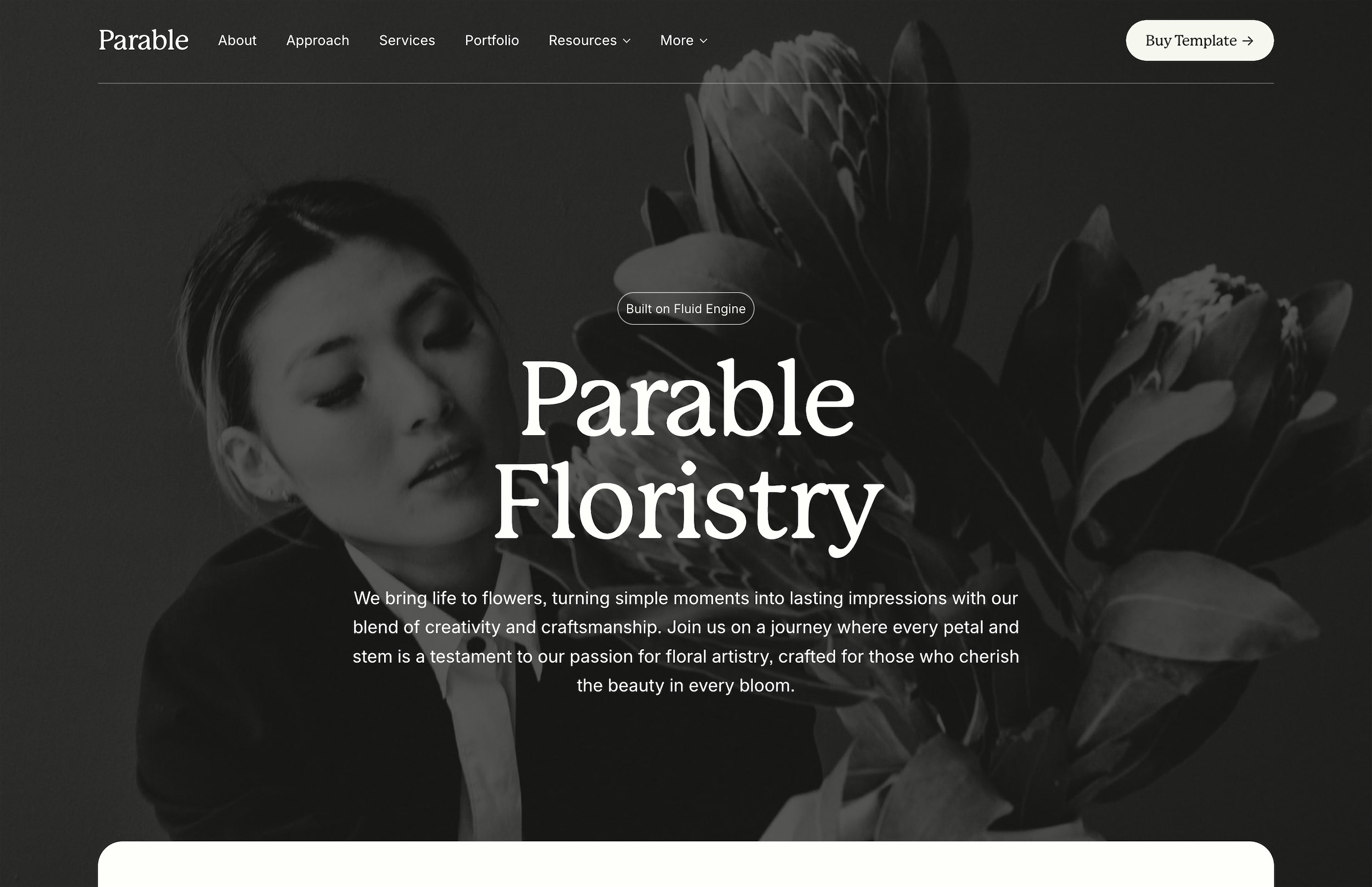
Premium templates offer professional design at a fraction of custom costs. The Parable template, for instance, includes all essential small business pages pre-built and optimized.


Prioritization Framework

Not every business needs every feature immediately. Here's how to prioritize based on common scenarios.

New Business Launch

Start with: Homepage, About, Services, Contact. Add testimonials as you collect them. Skip the blog initially—focus on getting your core offer clear. Add scheduling or e-commerce only if central to your business model.

Established Business Upgrade

Audit current site performance first. Which pages get traffic but don't convert? Fix those before adding features. Common upgrades: better mobile experience, clearer service pages, email capture, and basic automation.

Growth-Focused Improvements

Add features that support scaling: blog for organic traffic, email marketing for nurturing, analytics for optimization. Consider industry-specific tools like scheduling or membership areas. Test one major addition at a time to measure impact.


Measuring Success

Track metrics that matter for small business websites.

Conversion Metrics

Monitor form submissions, phone clicks, email signups, and sales. Calculate conversion rates: what percentage of visitors take desired actions? Industry averages range from 2-5%, but your baseline matters more than benchmarks.

Engagement Indicators

Time on site, pages per session, and bounce rate reveal content effectiveness. Low time on site might indicate unclear messaging or slow load times. High bounce rates on service pages suggest mismatched expectations or missing information.

Business Impact

Connect website metrics to real business outcomes. Track lead source for new customers. Ask callers how they found you. Calculate return on investment for paid improvements. Your website should measurably contribute to revenue growth.

The website goals guide helps establish measurable objectives tied to business growth rather than vanity metrics.


Making It Happen

A feature checklist means nothing without execution. Start with the foundation pages and basic user experience elements. Add trust signals and growth features as resources allow. Most small businesses can launch an effective website for under $3,000 using templates and smart prioritization.

Remember: perfect is the enemy of done. A simple site with clear information beats an elaborate site that never launches. Focus on what your specific customers need to choose you over competitors. Everything else can wait.

The 2026 website cost guide breaks down realistic budgets for different feature sets and implementation approaches.

Your next step? Audit your current website against this checklist. Identify the biggest gaps between what you have and what your customers need. Then tackle improvements one at a time, starting with quick wins that directly impact revenue. The right features in the right order transform your website from an online brochure into a business growth engine.

Your small business website needs seven core pages, mobile responsiveness that works on actual phones (not just resized browsers), and contact information visible within three seconds of landing. Everything else is negotiable based on your industry and budget.

I've built and reviewed hundreds of small business websites over the past decade. The ones that actually drive revenue share specific features—not because they followed a generic checklist, but because they understood which elements their particular customers needed to take action.

This guide breaks down the essential small business website features you need, organized by priority and real-world impact. We'll cover the foundation pages every site requires, then move into growth features that turn browsers into buyers. Plus, I'll show you exactly how to implement each element on platforms like Squarespace without breaking your budget.


Foundation Pages: The Non-Negotiables

Before adding fancy features, nail these core pages. They form the backbone of any effective small business website.

Homepage Structure That Converts

Your homepage has one job: tell visitors what you do and how to work with you. Place this information above the fold—the part visible without scrolling. Include your business name, a clear value proposition (what problem you solve), and one primary call-to-action.

Skip the rotating image carousels. They slow page load and confuse visitors. Instead, use a single hero image or video that reinforces your message. Below the fold, add social proof (testimonials or client logos), a brief services overview, and links to your most important pages.

The homepage design principles guide covers exactly what elements to prioritize in your above-the-fold area for maximum impact.

About Page That Builds Trust

People buy from people. Your About page should show the humans behind your business. Include real photos (not stock images), your founding story, and specific credentials or experience that matter to your customers.

Structure it chronologically if you have an interesting origin story, or lead with your expertise if credentials carry more weight in your industry. Either way, end with a clear next step—usually directing visitors to your services or contact page.

Services or Products Pages

Each service needs its own page. Cramming all offerings onto one page dilutes your message and hurts search rankings. Create individual pages that explain:

  • What the service includes

  • Who it's for

  • Expected outcomes or results

  • Pricing (or how to get pricing)

  • Next steps to get started

For product-based businesses, organize by category first, then individual products. Include multiple photos, detailed descriptions, and specifications. The services page conversion guide walks through the exact structure that turns service descriptions into sales conversations.

Contact Methods That Match Customer Preferences

Display your phone number in the header—visible on every page. Create a dedicated Contact page with multiple ways to reach you: phone, email, contact form, and physical address (if applicable). Some customers prefer calling, others want to email. Give them options.

Your contact form should be short. Name, email, and message field. Maybe add a phone number field if you genuinely plan to call leads. Every additional field reduces form completions by approximately 10%.


User Experience Features

These features ensure visitors can actually use your site, regardless of their device or technical ability.

Mobile Responsiveness Beyond the Basics

Over 60% of your traffic comes from mobile devices. Your site needs to work flawlessly on phones—not just pass Google's mobile-friendly test. Text should be readable without zooming. Buttons need enough spacing for thumb taps. Forms must be fillable without frustration.

Test your site on an actual phone, not just by resizing your browser. Check that phone numbers are clickable (tel: links), addresses open map apps, and images load quickly on cellular connections.

Navigation That Makes Sense

Limit your main navigation to 5-7 items. Group related pages under dropdown menus if needed. Use clear labels—"Services" beats "What We Do" every time. Place less critical pages like privacy policies in the footer.

On mobile, ensure your menu is easily accessible but doesn't block content. Sticky navigation (menu that follows as you scroll) works well for sites with longer pages. The small business Squarespace guide includes navigation best practices specific to that platform.

Page Speed Optimization

Visitors abandon sites that take over three seconds to load. Compress images before uploading—aim for under 200KB per image. Use web-friendly formats (JPEG for photos, PNG for graphics with transparency). Limit video embeds to pages where they're essential.

Choose a quality hosting provider or website platform. Budget hosting creates speed problems you can't fix with optimization alone. Platforms like Squarespace handle most technical optimization automatically, letting you focus on content.


Trust and Credibility Elements

These small business website features turn skeptical visitors into confident customers.

Customer Testimonials and Reviews

Real testimonials from named customers carry 10x the weight of generic praise. Include the customer's full name, business (if B2B), and photo when possible. Video testimonials work even better but aren't required.

Spread testimonials throughout your site, not just on one page. Place relevant testimonials on service pages, case studies near contact forms, and success stories on your homepage. Link to or embed Google Reviews, Yelp, or industry-specific review platforms for added credibility.

Security and Privacy Features

An SSL certificate (https://) is mandatory. Most visitors won't notice it, but browsers flag non-secure sites with warnings. Include a privacy policy page explaining how you handle customer data. For e-commerce sites, display security badges during checkout.

If you collect any personal information, add a brief privacy statement near forms: "We'll never share your information" goes a long way toward building trust.

Professional Design Signals

Consistent branding across all pages shows attention to detail. Use the same fonts, colors, and spacing throughout. Ensure your logo appears sharp on retina displays—use SVG format when possible. The SVG logo guide explains the technical implementation.

Professional doesn't mean fancy. Clean, organized layouts outperform cluttered designs with excessive animations. When in doubt, favor simplicity.


Business Growth Features

Once your foundation is solid, these features help capture leads and nurture relationships.

Blog or Resource Section

A blog demonstrates expertise and improves search rankings—but only if you'll actually maintain it. Publishing three solid posts then abandoning it looks worse than having no blog. If you commit to blogging, aim for monthly posts minimum.

Focus topics on customer questions and problems. "How to" posts and industry insights perform better than company news. Each post should link to relevant services and include a call-to-action.

Email Capture and Lead Magnets

Email remains the highest-ROI marketing channel for small businesses. Add newsletter signup forms to your footer and sidebar. Offer something valuable in exchange for emails—a guide, checklist, or discount code.

Keep signup forms simple: just email and maybe first name. You can gather more information later. Connect forms to an email service like Mailchimp or ConvertKit for automated welcome sequences.

Basic Analytics and Tracking

Install Google Analytics to understand visitor behavior. Track which pages get traffic, where visitors come from, and what actions they take. Set up goal tracking for form submissions, phone clicks, and other conversions.

Check analytics monthly, not daily. Look for trends: which blog posts drive traffic, what service pages convert best, where visitors drop off. Use insights to improve underperforming pages.

Technical Considerations

These behind-the-scenes features impact both user experience and search visibility.

Search Engine Optimization Basics

Each page needs a unique title tag and meta description. Include your location in titles if you serve local customers: "Plumbing Services in Austin, TX" beats generic "Plumbing Services." Use heading tags (H1, H2, H3) to structure content logically.

The complete Squarespace SEO guide covers technical optimization in detail. Key basics: descriptive URLs, image alt text, and internal linking between related pages.

Accessibility Features

Make your site usable for visitors with disabilities. Add alt text to images. Ensure color contrast meets WCAG standards. Use descriptive link text instead of "click here." These features help all visitors and improve search rankings.

Test keyboard navigation—can someone navigate your entire site without a mouse? Screen readers should be able to understand your content structure. Many platforms include accessibility tools, but manual checking ensures compliance.

Backup and Security Measures

Regular backups prevent catastrophic data loss. Choose a platform or hosting provider that includes automatic backups. If self-hosting WordPress, install a backup plugin and store copies offsite.

Keep all software updated—platforms, plugins, themes. Outdated software is the primary entry point for hackers. Use strong passwords and two-factor authentication on all admin accounts.


Industry-Specific Additions

Certain businesses need specialized features beyond the basics.

E-commerce Capabilities

Online stores need shopping cart functionality, secure payment processing, inventory management, and shipping calculations. Platforms like Squarespace Commerce or Shopify include these features. Don't try to bolt e-commerce onto a basic website—use purpose-built tools.

Product pages need multiple images, detailed descriptions, size/color options, and clear pricing. Include return policies and shipping information prominently. Customer reviews on product pages increase conversions significantly.

Booking and Scheduling Systems

Service businesses save hours weekly with online scheduling. Clients book appointments directly, reducing phone tag. Tools like Calendly or Acuity integrate with most website platforms. Display your availability clearly and send automatic confirmations.

For therapy practices, the therapy website guide covers HIPAA-compliant scheduling options and other healthcare-specific requirements.

Local Business Features

Physical locations need maps, directions, and hours prominently displayed. Embed Google Maps on your Contact page. List hours in the footer so they appear site-wide. Include parking information if it's not obvious.

Claim and optimize your Google Business Profile. Embed Google reviews on your site. Add schema markup for local businesses—it helps search engines understand your location and services. The local SEO guide explains location-based optimization strategies.


Common Implementation Mistakes

Avoid these frequent errors when building your small business website.

Feature Overload

More features don't equal better results. Each element should serve a specific purpose tied to your business goals. That Twitter feed widget? Unless you actively tweet valuable content, it's just clutter. Focus on features your specific customers actually use.

Neglecting Maintenance

Websites need ongoing attention. Update content quarterly minimum—prices, team members, service offerings. Remove outdated information immediately. Broken links and old copyright dates signal neglect.

Set calendar reminders for regular maintenance tasks. Review and update one page per week if tackling everything at once feels overwhelming.

Budget Misallocation

Spending thousands on custom design while skimping on good photography is backward. Quality images of your actual team, location, and work matter more than fancy layouts. Allocate budget based on what influences customer decisions in your industry.

Premium templates offer professional design at a fraction of custom costs. The Parable template, for instance, includes all essential small business pages pre-built and optimized.


Prioritization Framework

Not every business needs every feature immediately. Here's how to prioritize based on common scenarios.

New Business Launch

Start with: Homepage, About, Services, Contact. Add testimonials as you collect them. Skip the blog initially—focus on getting your core offer clear. Add scheduling or e-commerce only if central to your business model.

Established Business Upgrade

Audit current site performance first. Which pages get traffic but don't convert? Fix those before adding features. Common upgrades: better mobile experience, clearer service pages, email capture, and basic automation.

Growth-Focused Improvements

Add features that support scaling: blog for organic traffic, email marketing for nurturing, analytics for optimization. Consider industry-specific tools like scheduling or membership areas. Test one major addition at a time to measure impact.


Measuring Success

Track metrics that matter for small business websites.

Conversion Metrics

Monitor form submissions, phone clicks, email signups, and sales. Calculate conversion rates: what percentage of visitors take desired actions? Industry averages range from 2-5%, but your baseline matters more than benchmarks.

Engagement Indicators

Time on site, pages per session, and bounce rate reveal content effectiveness. Low time on site might indicate unclear messaging or slow load times. High bounce rates on service pages suggest mismatched expectations or missing information.

Business Impact

Connect website metrics to real business outcomes. Track lead source for new customers. Ask callers how they found you. Calculate return on investment for paid improvements. Your website should measurably contribute to revenue growth.

The website goals guide helps establish measurable objectives tied to business growth rather than vanity metrics.


Making It Happen

A feature checklist means nothing without execution. Start with the foundation pages and basic user experience elements. Add trust signals and growth features as resources allow. Most small businesses can launch an effective website for under $3,000 using templates and smart prioritization.

Remember: perfect is the enemy of done. A simple site with clear information beats an elaborate site that never launches. Focus on what your specific customers need to choose you over competitors. Everything else can wait.

The 2026 website cost guide breaks down realistic budgets for different feature sets and implementation approaches.

Your next step? Audit your current website against this checklist. Identify the biggest gaps between what you have and what your customers need. Then tackle improvements one at a time, starting with quick wins that directly impact revenue. The right features in the right order transform your website from an online brochure into a business growth engine.

Templates mentioned in this post

Templates mentioned in this post

Design smarter, launch faster.

Studio Mesa makes Squarespace templates.

Templates for mission-driven businesses. All templates include 15 launch-ready pages, delivered instantly, with lifetime email support and an Unlimited License.

Subscribe

New template announcements

Design smarter, launch faster.

Studio Mesa makes Squarespace templates.

Templates for mission-driven businesses. All templates include 15 launch-ready pages, delivered instantly, with lifetime email support and an Unlimited License.

Subscribe

New template announcements

Design smarter, launch faster.

Studio Mesa makes Squarespace templates.

Templates for mission-driven businesses. All templates include 15 launch-ready pages, delivered instantly, with lifetime email support and an Unlimited License.

Subscribe

New template announcements